Vehicle electricsGeneral notes
| The following versions of the MMI infotainment system are available: |
| MMI Navigation system plus |
| t
| Control unit 1 for information electronics -J794- in dash panel contains DVD player / SD memory card readers / navigation system |
| t
| Internal hard disk (HD) to store navigation data and MP3 files |
| t
| Integrated operating unit |
| t
| Display unit for front information display and operating unit control unit -J685- (display) in dash panel (centre), manually foldable |
| t
| Connection for external audio sources -R199- (AUX IN socket) in centre console storage compartment |
| t
| Radio -R- in luggage compartment (rear left) |
| t
| Sound systems: Standard/BOSE |
| t
| Digital radio -R147- integrated in radio -R- |
| t
| CD changer -R41- in glove box |
| t
| Digital sound package control unit -J525- (BOSE sound system) in luggage compartment (rear left) |
| t
| Bluetooth hands-free system |
| t
| Multi-function steering wheel |
| t
| Connection for external audio sources -R199- (interface) in glove box |
| t
| Wireless LAN (internet access control unit -J666-) in glove box |
| The exchange of data in the MMI systems takes place via the MOST bus. |
| The connection to other systems in the vehicle takes place via the CAN bus (infotainment) and the data bus diagnostic interface -J533-. |
| In addition to the CAN bus, the fibre optic data bus „MOST bus“ is used. |
| A „fibre optic cable“ is used as the connecting cable. The fibre optic cables are fitted in corrugated tubes for protection. |
| Renew the complete fibre optic cable whenever possible. |
| The end faces of the connectors must not become dirty. |
|
|
|
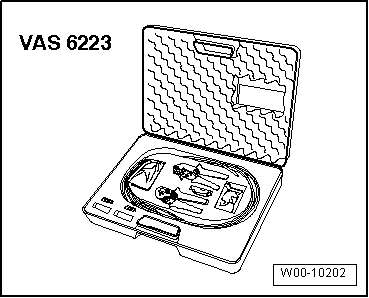
| If connectors are unplugged: fit a protective cap for cable connector -VAS 6223/9-. |
| When installing the fibre optic cables, be sure to observe the minimum bending radius of 25 mm. Do not crush or kink the fibre optic cable. |
|
|
|
05 General