
3 Series E46 M3 (S54) COUPE
67 66 013
Removing and installing / replacing drive unit
for lumbar support on left or right front seat
(M3 Coupé)
Detach backrest cover from backrest frame.
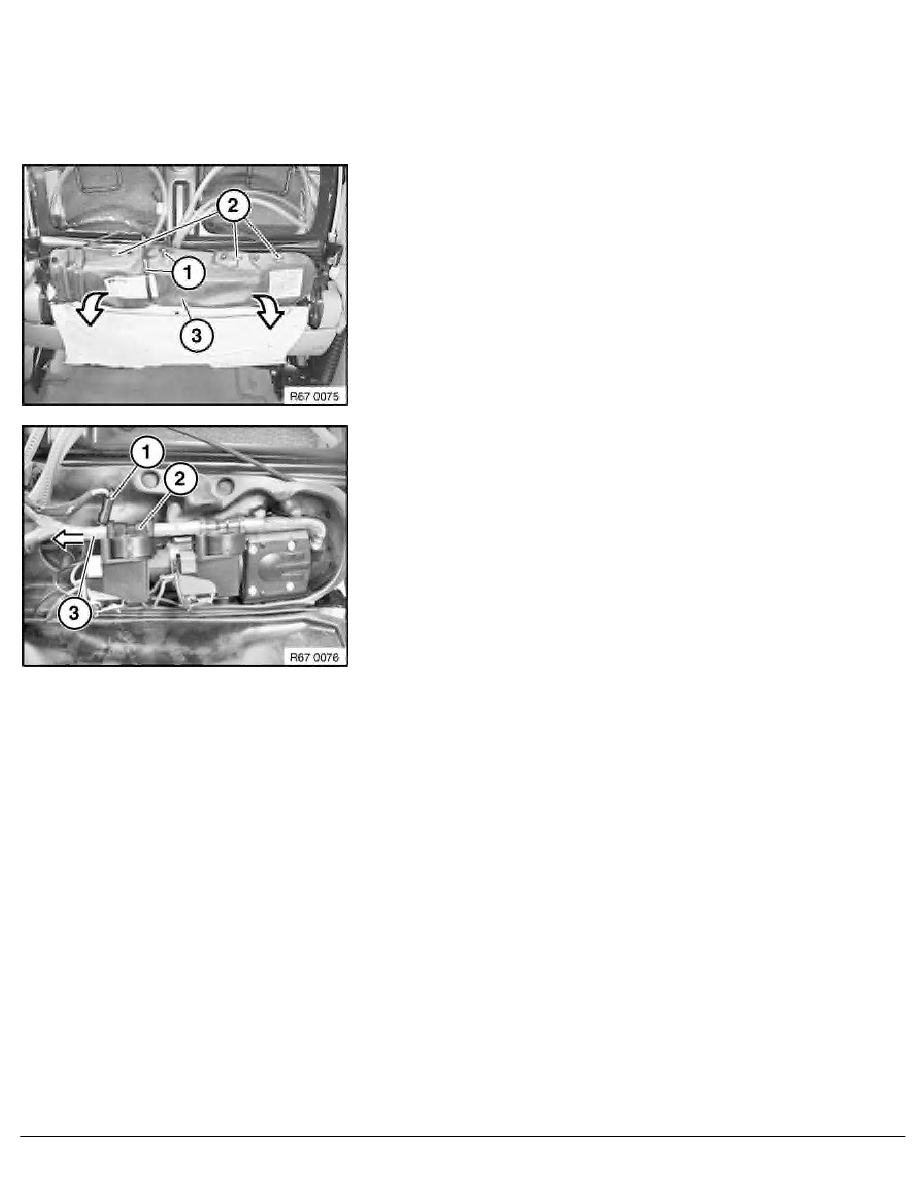
Release cable ties (1).
Open clips (2) and open drive unit cover (3) in direction of arrow.
Disconnect plug connection (1).
Remove drive unit for lumbar support (2) and detach hose (3) in
direction of arrow.
Note:
If necessary, gently heat hose (3) if firmly seated.
Installation:
Make sure drive unit for lumbar support (2) is correctly seated.
Make sure all hoses are laid without kinks.
RA Removing and installing / replacing drive unit for lumbar support on left or rig
BMW AG - TIS
17.02.2013 01:50
Issue status (12/2007) Valid only until next DVD is issued
Copyright
Page - 1 -