
Econoline E250 3/4 Ton V8-4.6L SOHC VIN W (2000)
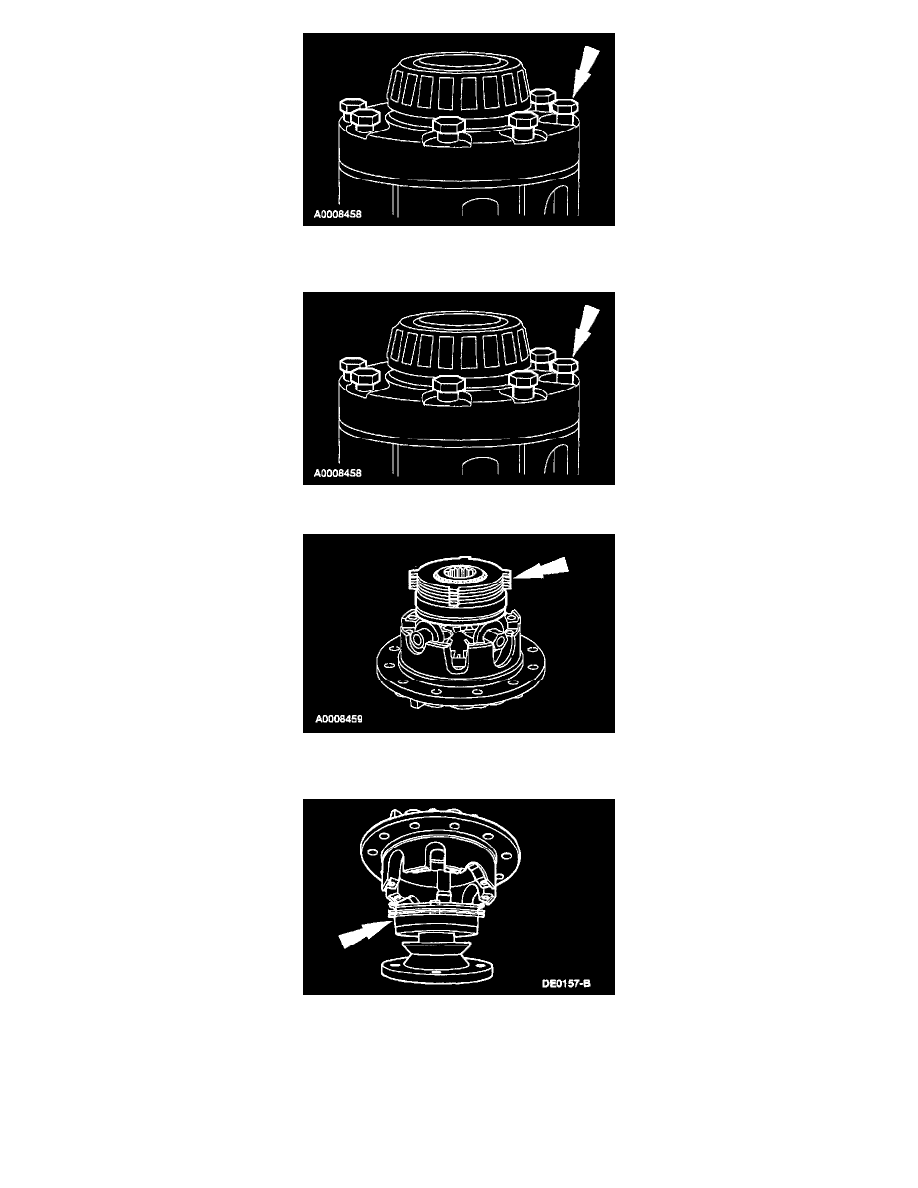
Loosen, but do not remove the bolts.
4. Place the differential assembly on a bench.
5. Remove the bolts and the button half of the differential case.
6. Remove the differential side gear, side gear ring, rear axle disc and plate kit, differential pinion gears, and the differential pinion shafts. Keep these
parts in order for correct installation by placing them aside with the button half of the differential case.
7. Remove the side gear ring and the rear axle disc and plate kit from the flange half of the differential case. Keep these parts in order by placing
them on the pinion flange as shown.
8. Inspect the following components:
-
The clutch plates and clutch discs for cracks, excessive wear, and distortion. Always install an entirely new rear axle disc and plate kit on both
sides if discarding one or more of the clutch plates or clutch discs.
-
The differential pinion shafts and the ramp surfaces on the differential case for excessive wear or pitting.
-
The differential side gear and differential pinion gear teeth.
-
The differential side gear races that bear on the differential side gear rings.