
Alignment: Technical Service Bulletins (page 6 of 6)
- Make
- Honda
- Model
- Civic
- Engine
- L4-1.3L Hybrid
- Year
- 2008
- Section
- Alignment
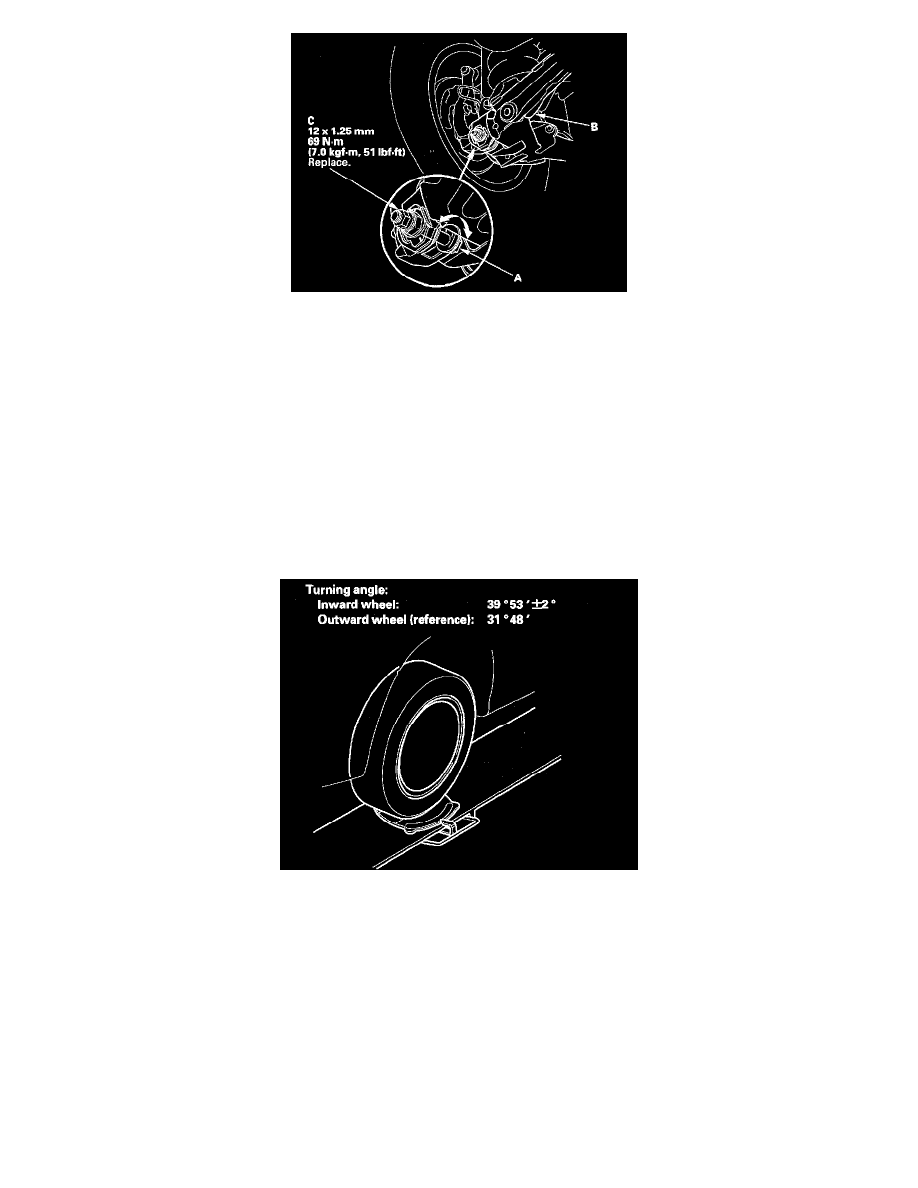
4. Replace the self-locking nut with a new one, and lightly tighten it.
NOTE:
^
Always use a new self-locking nut whenever it has been loosened.
^
Reassemble the adjusting bolt and the adjusting cam plate with the eccentric facing up.
5. Adjust the rear toe by turning the adjusting bolt until the toe is correct.
6. Tighten the self-locking nut while holding the adjusting bolt.
Turning Angle Inspection
Use commercially available computerized four wheel alignment equipment to measure wheel alignment (caster, camber, toe, and turning angle).
Follow the equipment manufacturer's instructions.
1. Turn the wheel right and left while applying the brake, and measure the turning angle of both wheels.
2. If the turning angle is not within the specifications, check for bent or damaged suspension components.
Pinch or Ctrl + scroll to zoom. Double-tap to reset.
Parts & tools for this job For 2008 Honda Civic 1.3L
- TOOLTie rod end toolSearch: tie rod end puller
- TOOLBall joint separatorSearch: ball joint separator
- FLUIDPower steering fluidSearch: Honda power steering fluid
Links open Amazon search results in a new tab. As an Amazon Associate I earn from qualifying purchases.