
Drive Belt: Technical Service Bulletins (page 2 of 3)
- Make
- Honda
- Model
- Civic
- Engine
- L4-1.8L
- Year
- 2006
- Section
- Drive Belt
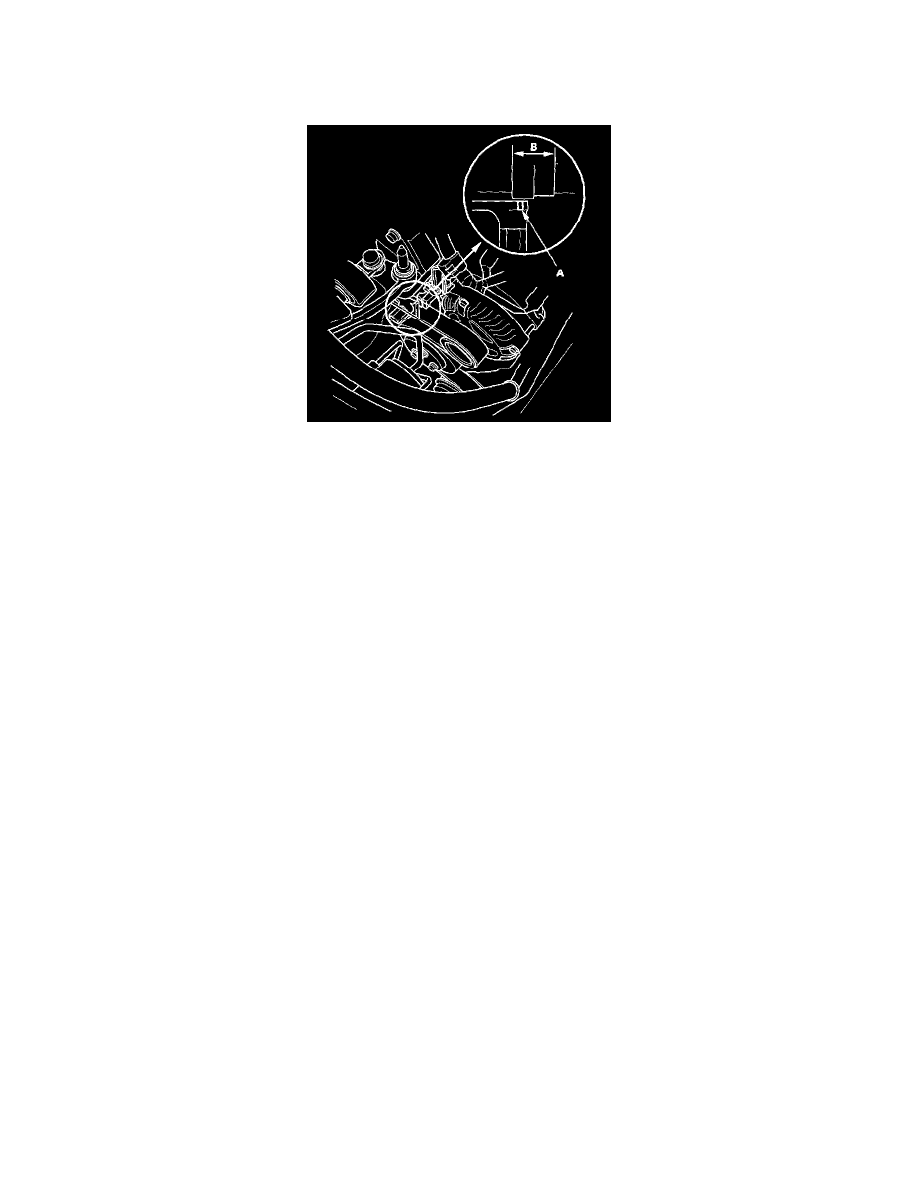
Drive Belt: Testing and Inspection
Drive Belt Inspection
1. Inspect the belt for cracks and damage. If the belt is cracked or damaged, replace it.
2. Check that the auto-tensioner indicator (A) is within the standard range (B) as shown. If it is out of the standard range, replace the drive belt. After
you inspected or replaced the drive belt, go to step 3.
3. If the maintenance minder required to inspect the drive belt, reset the maintenance minder, and this procedure is complete. If the maintenance
minder did not require to inspect the drive belt, go to step 4.
4. Connect the HDS to the data link connector (DLC).
5. Turn the ignition switch ON (II).
6. Select BODY ELECTRICAL with the HDS.
7. Select ADJUSTMENT in the GAUGES MENU with the HDS.
8. Select RESET in the MAINTENANCE MINDER with the HDS.
9. Select MAINTENANCE SUB ITEM 2 RESET with the HDS.
Pinch or Ctrl + scroll to zoom. Double-tap to reset.
Parts & tools for this job For 2006 Honda Civic 1.8L
- PARTOil filterSearch: Honda Civic 2006 1.8L oil filter
- TOOLOil filter wrenchSearch: oil filter wrench
- FLUIDEngine oilSearch: Honda Civic engine oil
Links open Amazon search results in a new tab. As an Amazon Associate I earn from qualifying purchases.