
Engine Oil: Specifications (page 2 of 2)
- Make
- Honda
- Model
- Pilot 4WD
- Engine
- V6-3.5L
- Year
- 2008
- Section
- Fluids › Engine Oil
Engine Oil: Service and Repair
Engine Oil Replacement
1. Warm up the engine.
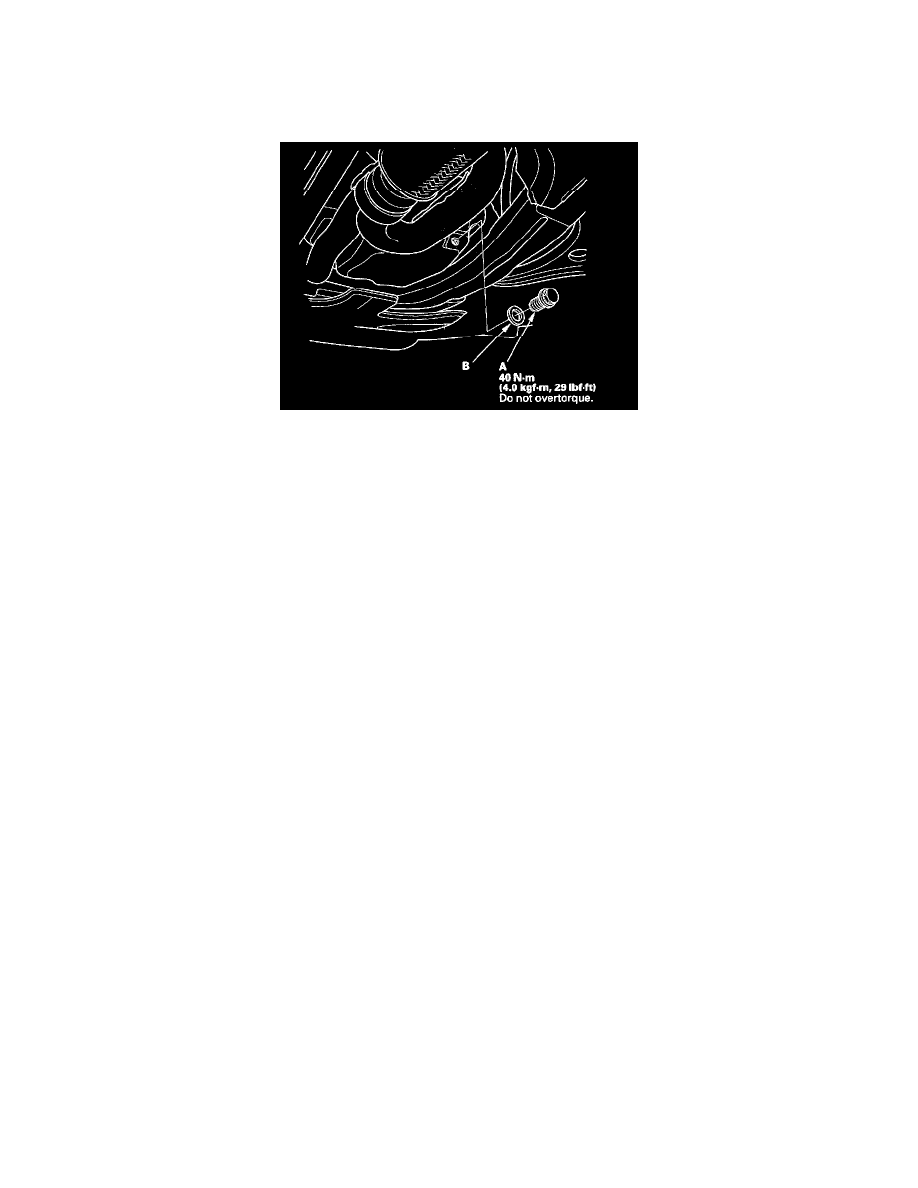
2. Remove the drain bolt (A), and drain the engine oil.
3. Reinstall the drain bolt with a new washer (B).
4. Refill with the recommended oil.
Capacity
At Oil Change: 4.0 L (4.2 US qt)
At Oil Change including Filter: 4.3 L (4.5 US qt)
After Engine Overhaul: 5.0 L (5.3 US qt)
5. Connect the Honda Diagnostic System (HDS) to the data link connector (DLC).
6. Turn the ignition switch ON (II).
7. Select BODY ELECTRICAL with the HDS.
8. Select ADJUSTMENT in the GAUGES MENU with the HDS.
9. Select RESET in the MAINTENANCE MINDER with the HDS.
10. Select RESETTING THE ENGINE OIL LIFE with the HDS.
NOTE: If you changed the ATF at the same time with the engine oil, select RESETTING THE ENGINE OIL LIFE AND ATF with the HDS
instead.
11. Run the engine for more than 3 minutes, then check for oil leakage.
12. Reset the maintenance information display.
Pinch or Ctrl + scroll to zoom. Double-tap to reset.
Parts & tools for this job For 2008 Honda Pilot 3.5L
- PARTEngine gasket setSearch: Honda Pilot 2008 3.5L engine gasket set
- TOOLTorque wrenchSearch: 3/8 inch torque wrench
- TOOLFeeler gauge setSearch: feeler gauge set
Links open Amazon search results in a new tab. As an Amazon Associate I earn from qualifying purchases.