
Remote handset rubber button splitting
- Make
- Land Rover
- Model
- Discovery Technical Bulletins
- Section
- Remote handset rubber button splitting › Remote handset rubber button splitting
REMOTE HANDSET RUBBER BUTTON SPLITTING
- Model
- Discovery Discovery Defender
- Affected vehicles
- 163104 Onwards 501920 Onwards 969103 Onwards
- Date
- 1996-10-30
- Reference
- 30/10/96
Bulletin text
Remote Handset Rubber Button - Splitting
MODEL
Discovery Discovery Defender
DETAIL
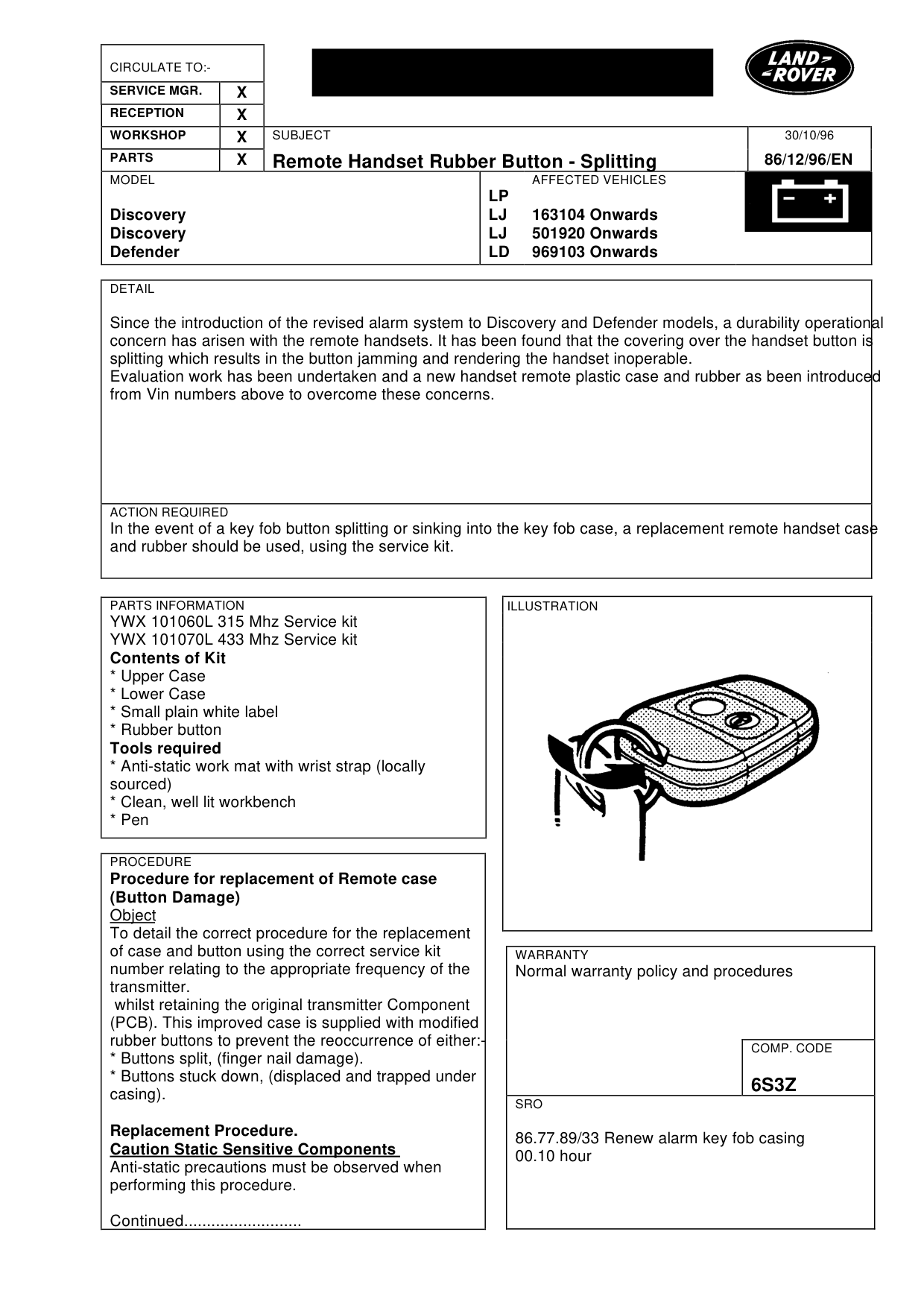
Since the introduction of the revised alarm system to Discovery and Defender models, a durability operational concern has arisen with the remote handsets. It has been found that the covering over the handset button is splitting which results in the button jamming and rendering the handset inoperable. Evaluation work has been undertaken and a new handset remote plastic case and rubber as been introduced from Vin numbers above to overcome these concerns.
ACTION REQUIRED
In the event of a key fob button splitting or sinking into the key fob case, a replacement remote handset case and rubber should be used, using the service kit.
PARTS INFORMATION
YWX 101060L 315 Mhz Service kit YWX 101070L 433 Mhz Service kit Contents of Kit * Upper Case * Lower Case * Small plain white label * Rubber button Tools required * Anti-static work mat with wrist strap (locally sourced) * Clean, well lit workbench * Pen
PROCEDURE
Procedure for replacement of Remote case (Button Damage) Object To detail the correct procedure for the replacement of case and button using the correct service kit number relating to the appropriate frequency of the transmitter. whilst retaining the original transmitter Component (PCB). This improved case is supplied with modified rubber buttons to prevent the reoccurrence of either:* Buttons split, (finger nail damage). * Buttons stuck down, (displaced and trapped under casing).
Replacement Procedure. Caution Static Sensitive Components Anti-static precautions must be observed when performing this procedure.
Continued..........................
30/10/96
86/12/96/EN
AFFECTED VEHICLES
LP LJ 163104 Onwards LJ 501920 Onwards LD 969103 Onwards
WARRANTY
Normal warranty policy and procedures
COMP. CODE
6S3Z
SRO
86.77.89/33 Renew alarm key fob casing 00.10 hour
Remote Handset Rubber Button - Splitting
MODEL
Discovery Discovery Defender
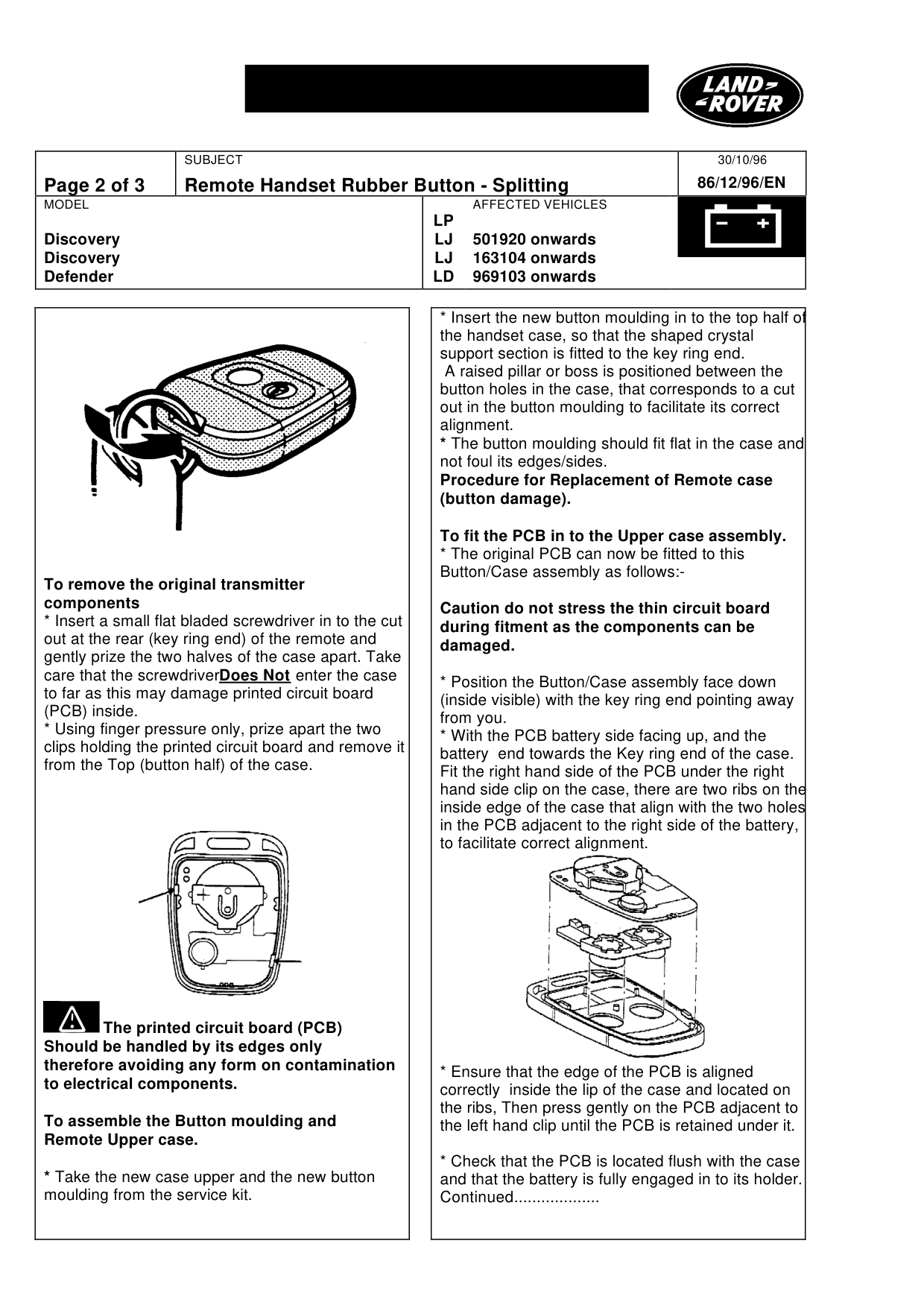
To remove the original transmitter components * Insert a small flat bladed screwdriver in to the cut out at the rear (key ring end) of the remote and gently prize the two halves of the case apart. Take care that the screwdriver Does Not enter the case to far as this may damage printed circuit board (PCB) inside. * Using finger pressure only, prize apart the two clips holding the printed circuit board and remove it from the Top (button half) of the case.
The printed circuit board (PCB) Should be handled by its edges only therefore avoiding any form on contamination to electrical components.
To assemble the Button moulding and Remote Upper case.
* Take the new case upper and the new button moulding from the service kit.
30/10/96 86/12/96/EN
AFFECTED VEHICLES
LP LJ 501920 onwards LJ 163104 onwards LD 969103 onwards
* Insert the new button moulding in to the top half of the handset case, so that the shaped crystal support section is fitted to the key ring end. A raised pillar or boss is positioned between the button holes in the case, that corresponds to a cut out in the button moulding to facilitate its correct alignment. * The button moulding should fit flat in the case and not foul its edges/sides. Procedure for Replacement of Remote case (button damage).
To fit the PCB in to the Upper case assembly. * The original PCB can now be fitted to this Button/Case assembly as follows:-
Caution do not stress the thin circuit board during fitment as the components can be damaged.
* Position the Button/Case assembly face down (inside visible) with the key ring end pointing away from you. * With the PCB battery side facing up, and the battery end towards the Key ring end of the case. Fit the right hand side of the PCB under the right hand side clip on the case, there are two ribs on the inside edge of the case that align with the two holes in the PCB adjacent to the right side of the battery, to facilitate correct alignment.
* Ensure that the edge of the PCB is aligned correctly inside the lip of the case and located on the ribs, Then press gently on the PCB adjacent to the left hand clip until the PCB is retained under it.
* Check that the PCB is located flush with the case and that the battery is fully engaged in to its holder. Continued...................
Remote Handset Rubber Button - Splitting
MODEL
Discovery Discovery Defender
The Lower Case Assembly . * Remove the lower case half (back) and the small blank white label from the service kit.
Transfer the Date/Week code from inside the original case to the small white label and fit this label to the lower case, in a similar position to the one fitted on the original.
The Lower and Upper case halves can now be assembled. * Place the Lower case assembly, on to Upper case assembly checking that the two halves are correctly aligned. * Firmly and evenly press around the edges of the case until the two halves are fitted together correctly ie there should be a narrow slot about the thickness of a fingernail visible where the two halves join. * The Handset should now be tested by verifying that it locks and unlocks the car correctly.
* If the crystal has been touched during the procedure there may be a need to resycronise the remote handset. This should be done in the following way:
Ensure the vehicle is unlocked and disarmed.
1. Remove the battery from the handset. 2. Press and hold down a keyfob button for 10 seconds. 3. Replace the battery. 4. Recase the PCB 5. Resyncronise by pressing the lock button 4 times whilst pointing it at the receiver in the vehicle.
* It should not be necessary to re-learn the Handset to the car if the above procedure has been followed. * Should a re-learn be required remember to learn both handsets.
30/10/96 86/12/96/EN
AFFECTED VEHICLES
LP LJ 501920 onwards LJ 163104 onwards LD 969103 onwards
Parts & tools for this job For Land Rover Discovery
- TOOLDigital multimeterSearch: automotive digital multimeter
- PARTAssorted fuse kitSearch: car fuse assortment kit
- TOOLWire crimper and connector kitSearch: wire crimper connector kit
Links open Amazon search results in a new tab. As an Amazon Associate I earn from qualifying purchases.