
KV6 stalling issue - tune update
- Make
- Land Rover
- Model
- Freelander Technical Bulletins
- Section
- KV6 stalling issue - tune update › KV6 stalling issue - tune update
KV6 STALLING ISSUE - TUNE UPDATE
- Model
- Freelander
- Reference
- Service action ad266
Bulletin text
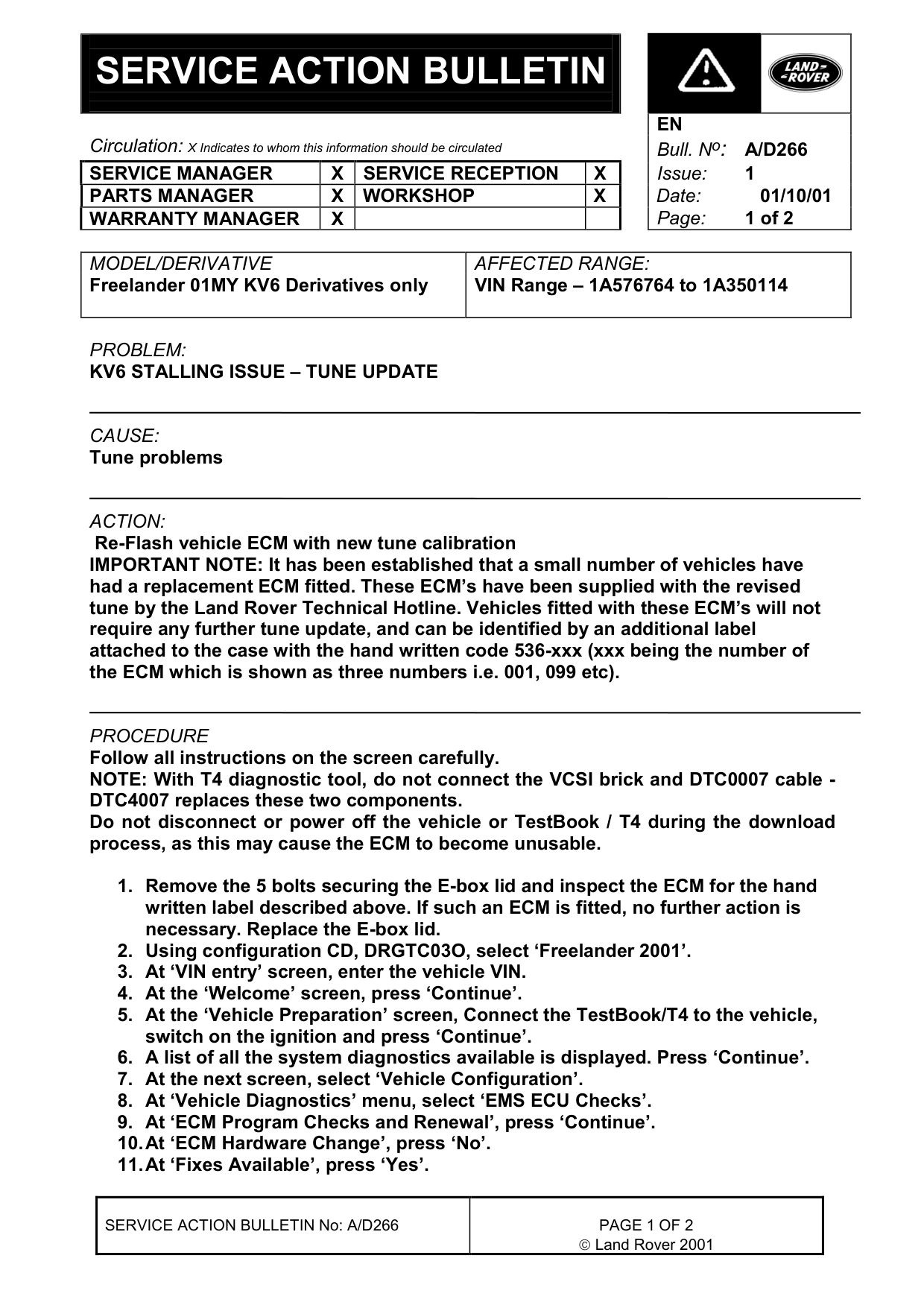
SERVICE ACTION BULLETIN
Circulation: X Indicates to whom this information should be circulated SERVICE MANAGER X SERVICE RECEPTION PARTS MANAGER WARRANTY MANAGER
Freelander 01MY KV6 Derivatives only
PROBLEM:
KV6 STALLING ISSUE - TUNE UPDATE
CAUSE:
Tune problems
ACTION:
Re-Flash vehicle ECM with new tune calibration IMPORTANT NOTE: It has been established that a small number of vehicles have had a replacement ECM fitted. These ECM’s have been supplied with the revised tune by the Land Rover Technical Hotline. Vehicles fitted with these ECM’s will not require any further tune update, and can be identified by an additional label attached to the case with the hand written code 536-xxx (xxx being the number of the ECM which is shown as three numbers i.e. 001, 099 etc).
PROCEDURE
Follow all instructions on the screen carefully. NOTE: With T4 diagnostic tool, do not connect the VCSI brick and DTC0007 cable - DTC4007 replaces these two components. Do not disconnect or power off the vehicle or TestBook / T4 during the download process, as this may cause the ECM to become unusable.
1. Remove the 5 bolts securing the E-box lid and inspect the ECM for the hand written label described above. If such an ECM is fitted, no further action is necessary. Replace the E-box lid. 2. Using configuration CD, DRGTC03O, select ‘Freelander 2001’. 3. At ‘VIN entry’ screen, enter the vehicle VIN. 4. At the ‘Welcome’ screen, press ‘Continue’. 5. At the ‘Vehicle Preparation’ screen, Connect the TestBook/T4 to the vehicle, switch on the ignition and press ‘Continue’. 6. A list of all the system diagnostics available is displayed. Press ‘Continue’. 7. At the next screen, select ‘Vehicle Configuration’. 8. At ‘Vehicle Diagnostics’ menu, select ‘EMS ECU Checks’. 9. At ‘ECM Program Checks and Renewal’, press ‘Continue’. 10. At ‘ECM Hardware Change’, press ‘No’. 11. At ‘Fixes Available’, press ‘Yes’.
SERVICE ACTION BULLETIN No: A/D266
EN Bull. N o : A/D266
AFFECTED RANGE:
VIN Range - 1A576764 to 1A350114
Land Rover 2001
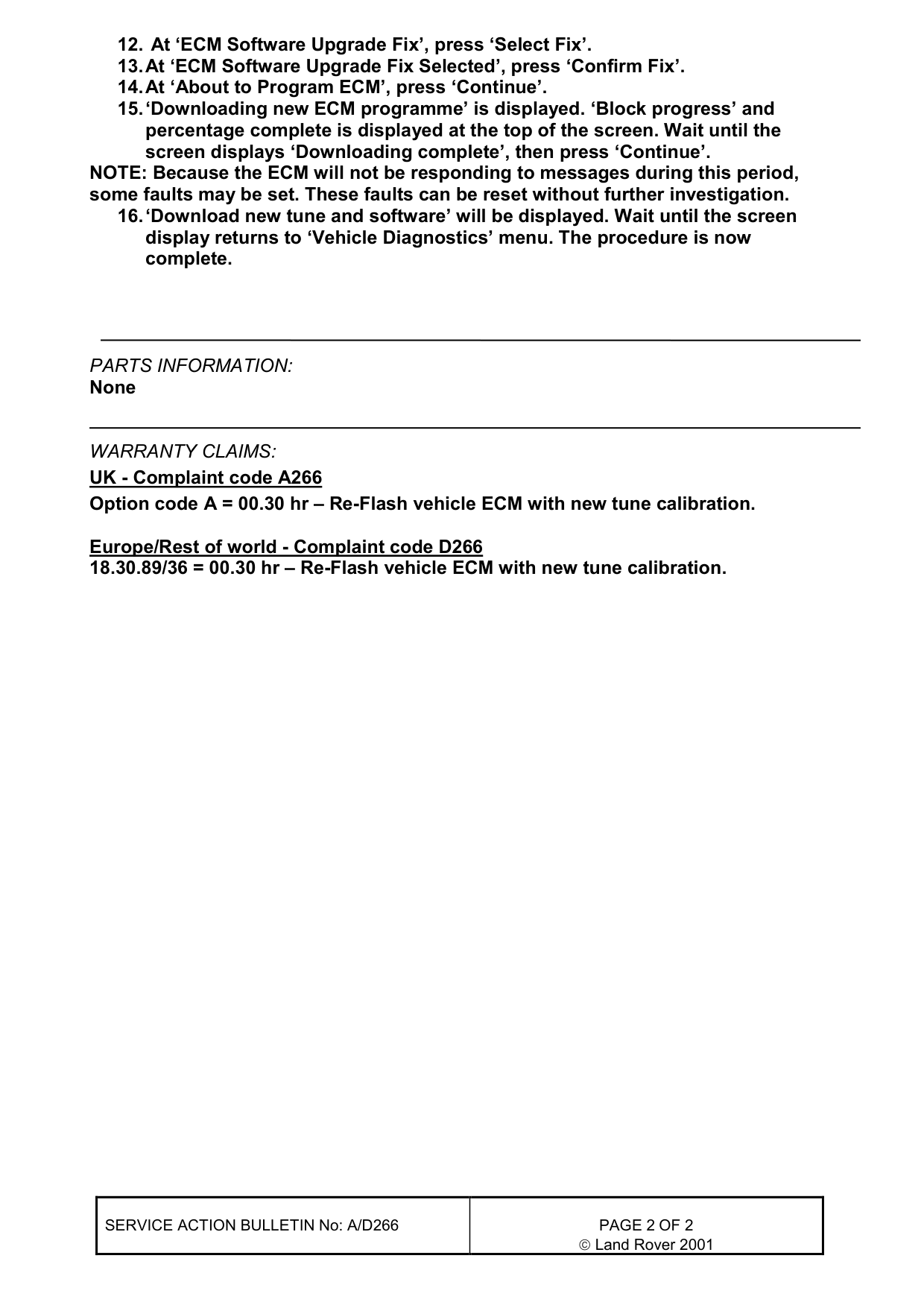
12. At ‘ECM Software Upgrade Fix’, press ‘Select Fix’. 13. At ‘ECM Software Upgrade Fix Selected’, press ‘Confirm Fix’. 14. At ‘About to Program ECM’, press ‘Continue’. 15. ‘Downloading new ECM programme’ is displayed. ‘Block progress’ and percentage complete is displayed at the top of the screen. Wait until the screen displays ‘Downloading complete’, then press ‘Continue’. NOTE: Because the ECM will not be responding to messages during this period, some faults may be set. These faults can be reset without further investigation. 16. ‘Download new tune and software’ will be displayed. Wait until the screen display returns to ‘Vehicle Diagnostics’ menu. The procedure is now complete.
PARTS INFORMATION:
None
WARRANTY CLAIMS: UK - Complaint code A266 Option code A = 00.30 hr - Re-Flash vehicle ECM with new tune calibration.
Europe/Rest of world - Complaint code D266 18.30.89/36 = 00.30 hr - Re-Flash vehicle ECM with new tune calibration.
SERVICE ACTION BULLETIN No: A/D266 Land Rover 2001
Parts & tools for this job For Land Rover Freelander
- TOOLTorque wrenchSearch: 3/8 inch torque wrench
- TOOLSocket setSearch: socket set metric
- BOOKHaynes manualSearch: Haynes manual Land Rover Freelander
Links open Amazon search results in a new tab. As an Amazon Associate I earn from qualifying purchases.