volkswagen Workshop Repair Guides

Volkswagen Workshop Service and Repair Manuals

Removing and installing inner door handle > < Removing and installing mirror cover trim
Removing and installing button trim
Special tools and workshop equipment required
   
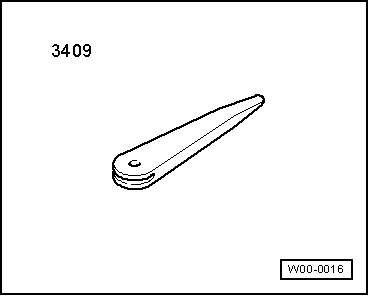
t  Removing wedge -3409-
  Note
Removal and installation are illustrated for the driver's door. Removal and installation are analogous for the front passenger door.
Removing, driver side
–  Switch off ignition and all electric loads and then remove ignition key.
–  Remove driver side door trim → Chapter.
  W00-0016
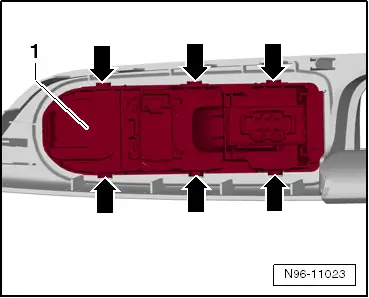
–  Release catches -arrows- of driver side switch element -1- using removing wedge -VAS 3409- or suitable screwdriver.
–  Remove driver side switch element -1- from front door trim, starting at front.
Installing:
  Note
Before installing, check all fasteners for damage and renew if necessary.
Installation is basically carried out in the reverse sequence; note the following when doing this:
  N96-11023
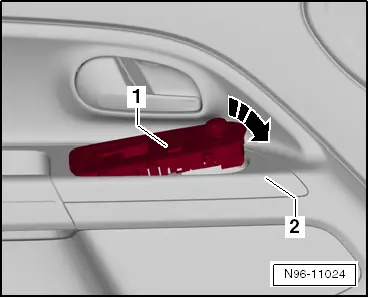
–  Insert driver side switch element -1- in front door trim-2-, starting at rear, and then secure at front.
  N96-11024

Removing and installing inner door handle > < Removing and installing mirror cover trim