
RL V6-3.5L (2007)
Air Register: Service and Repair
Passenger's Vent Panel
Passenger's Vent Panel Removal/Installation
Special Tools Required
KTC trim tool set SOJATP2014 *
* Available through the American Honda Tool and Equipment Program
NOTE:
-
Use the appropriate tool from the KTC trim tool set to avoid damage when prying components.
-
Take care not to scratch the dashboard and related parts.
1. Remove these items.
-
Center trim, both sides
-
Utility pocket housing
-
Instrument fascia
-
Audio-HVAC-control module
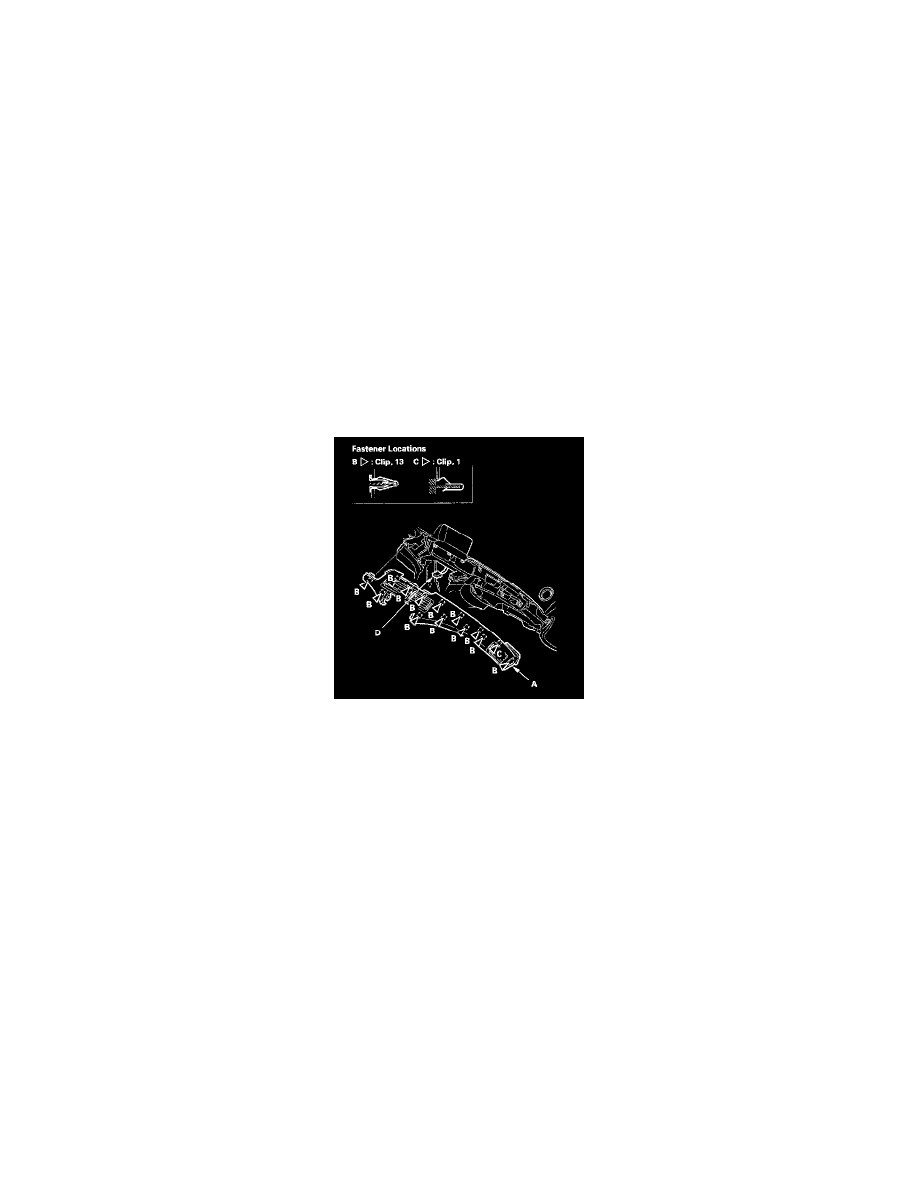
2. Remove the passenger's vent panel (A).
1. Open the glove box.
2. Gently pull out the panel to release the clips (B,C).
3. Disconnect the hazard warning switch/passenger airbag cutoff indicator connector (D).
3. Install the panel in the reverse order of removal, and note these items:
-
Replace any damaged clips.
-
Check if the clips are damaged or stress-whitened, and if necessary, replace them with new ones.
-
Make sure the connector is plugged in properly.