Workshop Manuals Factory service & repair Audi
01 Running gear02 Body03 Power unit04 Power transmission05 Vehicle electrics06 Heating, ventilation, air conditioning system
Audi A105 · Vehicle electrics
05 · General

Removing and installing CD changer (MOST)

Make
Audi
Model
A1
Section
Infotainment › CD changer › Removing and installing CD changer (MOST)
Vehicle electricsRemoving and installing CD changer (MOST)
Removing and installing CD changer (MOST)
The CD changer -R41- is fitted in the glove box.
Special tools and workshop equipment required
   
t  Radio release tool -T10057-
  W00-1042
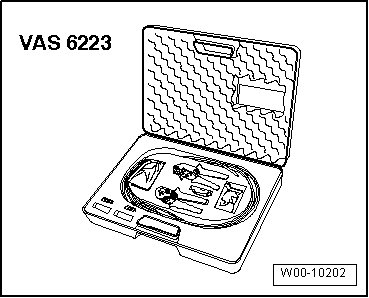
t  Fibre-optic conductor repair set -VAS 6223-
t  Protective cap for cable connector -VAS 6223/9-
–  When renewing control unit, select „Replacement“ function for appropriate control unit in „Guided Fault Finding“.
Use → Vehicle diagnostic tester to do so.
–  Switch off ignition and all electrical equipment and remove ignition key.
Removing
–  Open glove box.
  W00-10202
–  Insert two radio release tools -T10057- into slots on CD changer -R41--1- until they engage. Pointed ends of grips must face outwards.
–  Pull CD changer -R41--1- out of mounting frame.
–  Release and unplug all connectors on CD changer -R41-.
  A91-11605
–  Fit protective cap for cable connector -VAS 6223/9--1- onto MOST bus connector -2-.
–  Press release tabs on CD changer -R41- and remove radio release tools -T10057-.
Installing
–  Plug in all connectors.
–  Slide CD changer -R41- into mounting frame until it engages.
Exploded view → Chapter
  A97-0760

Parts & tools for this job For Audi A1

Links open Amazon search results in a new tab. As an Amazon Associate I earn from qualifying purchases.