audi Workshop Repair Guides

Audi Workshop Service and Repair Manuals

Erasing fault memory, end of output > < Actuated control elements
Basic setting
Basic setting
–  With the ignition off, connect the vehicle diagnostic, testing and information system -VAS 5051- by the diagnostic cable -VAS 5051/5A-, for example, to the 16-pin diagnostic socket in the vehicle and use the address word “08” to select the electronic climate/heater control → Chapter.
Prerequisite:
t  The encoding must have been checked and corrected if necessary → Chapter (the encoding which is currently valid is displayed in the measured value block) and → Chapter.
t  The fault memory must have been interrogated → Chapter, displayed faults rectified and the fault memory erased → Chapter.
t  The air conditioner must be switched on (“Auto” mode).
   
Indicated on the display of the vehicle diagnostic, testing and information system -VAS 5051-:
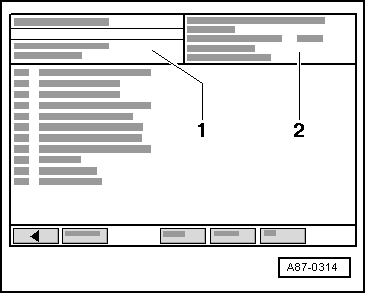
–  Select the function “ 04 - Basic setting”.
  A87-0314
Indicated on the display of the vehicle diagnostic, testing and information system -VAS 5051-:
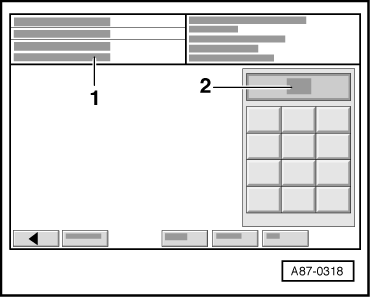
t  The prompt for entering a display group appears in display zone -1-.
t  The input keypad appears in display zone -2-.
–  Use the input keypad in display zone -2- to enter “01” or “001” for display group number“ 001” and confirm by pressing the Q button.
The following positioning motors are actuated in consecutive order, and their settings are saved in the operating and display unit for air conditioner/Climatronic -E87-. (The resistance value of the potentiometers which are installed in the positioning motors) :
t  Temperature flap positioning motor -V68-
t  Central flap positioning motor -V70-
t  Defrost flap positioning motor -V107-
t  Recirculated-air flap positioning motor -V113-
  A87-0318
Indicated on the display of the vehicle diagnostic, testing and information system -VAS 5051-:
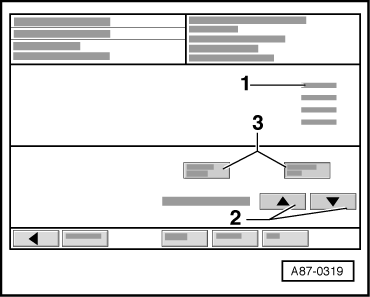
It is possible to track the movement of the positioning motors on the display (display zone -1-) (feedback values in display zones 1 to 4 change).
  A87-0319
Wait until display “0” appears in display zone -1- for all the feedback values indicated.
  Note
t  The basic setting has been completed when “0” appears in all the display zones.
t  Press the button to return to the selection program.
t  Press the -2- button to switch to a different display group.
t  Press the -3- button to switch to a different function (e.g. from “Basic setting” to “Read measured value block” and back again).
–  Interrogate the fault memory → Chapter.
–  Following the display and print-out of the last fault, rectify the faults as per the fault table → Chapter.
t  If there is a fault detected on a positioning motor potentiometer during basic setting, “30” or “230” is stored as an adaption value (learned value for this potentiometer) and displayed in the appropriate measured value block.
  A87-0319

Erasing fault memory, end of output > < Actuated control elements