
Removing and installing protective cap
- Make
- Audi
- Model
- A3 Mk3
- Year
- 2012–2020
- Section
- Rear brake caliper › Removing and installing protective cap
Brake systemRemoving and installing protective cap
Removing and installing protective cap
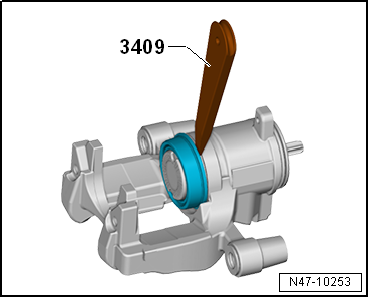
Special tools and workshop equipment requiredRemoval wedge 3409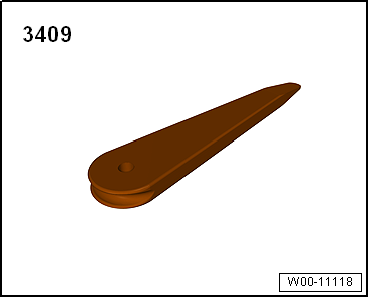
Warning Risk of irreparable damage to drive thread
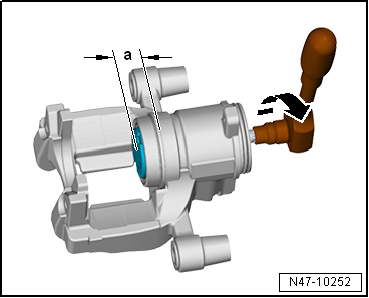
- The piston must not be unscrewed too far.
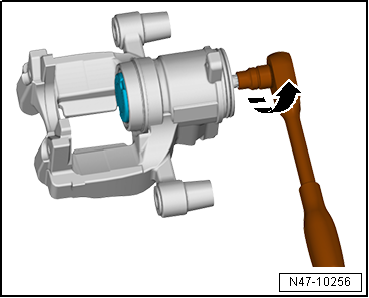
Using Torx bit, unscrew piston anti-clockwise (arrow) no further than 20 mm (distance (a)).
Lever off protective cap from brake caliper using removal wedge 3409.
Note
- Use only methylated spirits to clean the components.
Clean surfaces of piston and brake caliper with methylated spirits and then dry.
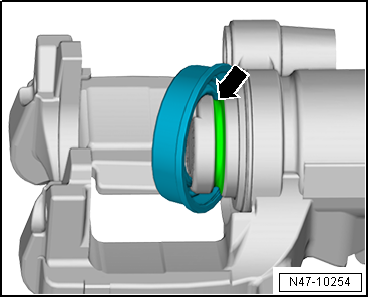
Fit protective cap in groove (arrow) on piston.
Install piston by turning clockwise (arrow).
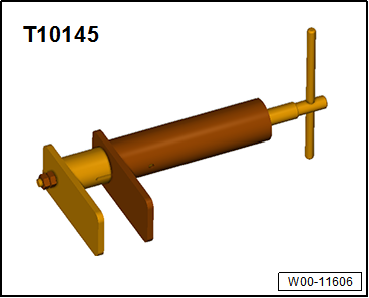
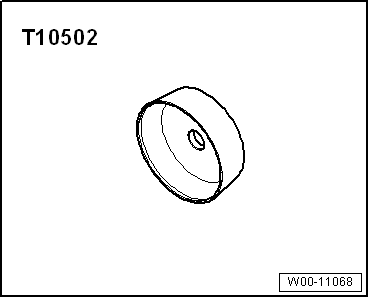
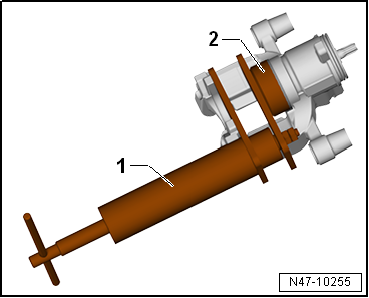
Using assembly tool T10502(item 2) and piston resetting tool T10145(item 1), press protective cap onto brake caliper so that it makes full contact with brake caliper all around.
Parts & tools for this job For 2012 Audi A3
- PARTRear brake padsSearch: Audi A3 2012 rear brake pads
- TOOLCaliper piston rewind toolSearch: brake caliper piston rewind tool
- FLUIDBrake fluidSearch: brake fluid
As an Amazon Associate we earn from qualifying purchases.