audi Workshop Repair Guides

Audi Workshop Service and Repair Manuals

Removing and installing cover for MMI screen - from model year 2012 onwards > < Removing and installing dash panel vent (centre)
Removing and installing cover for MMI screen - up to model year 2011
Special tools and workshop equipment required
   
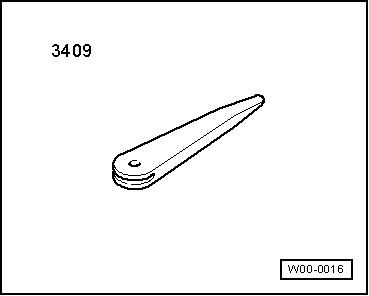
t  Removal wedge -3409-
  W00-0016
Removing
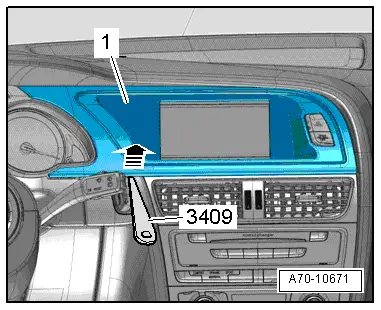
–  Use removal wedge -3409- to prise off cover -1- for MMI screen at corners -arrows- and detach.
–  Unplug electrical connector for warning lamp for airbag deactivated on front passenger side -K145- / hazard warning lights button -E229- and detach cover.
Installing
Installation is carried out in the reverse order; note the following:
  Note
Check retaining clips for damage or deformation and renew if necessary.
–  Press on cover for MMI screen until it engages audibly.
  A70-10671

Removing and installing cover for MMI screen - from model year 2012 onwards > < Removing and installing dash panel vent (centre)