audi Workshop Repair Guides

Audi Workshop Service and Repair Manuals

Renewing protective caps and guide pins of rear brakes > < Servicing rear caliper for electronic parking brake (EPB)
Removing and installing piston for rear brake caliper
   
Removing and installing piston for rear brake caliper

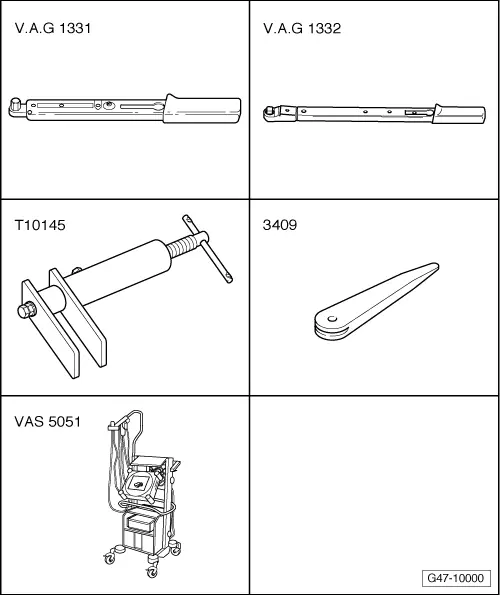
Special tools and workshop equipment required
t  Torque wrench -V.A.G 1331-
t  Torque wrench -V.A.G 1332-
t  Piston resetting appliance -T10145-
t  Removal wedge -3409-
t  Vehicle diagnostic, testing and information system -VAS 5051B-
Removing
–  Screw piston out of brake caliper as far as possible.
   
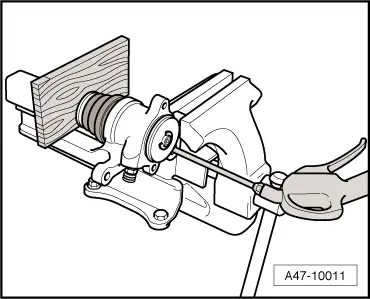
–  Force piston out of brake caliper housing using compressed air.
  Note
t  When removing ensure that the bore of the cylinder is not damaged.
t  Place a piece of wood in the recess to prevent damaging the piston.
  A47-10011
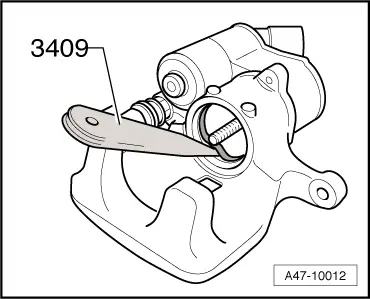
–  Remove the old seal from the brake caliper using removal wedge -3409-.
Installing
  A47-10012
–  Fit the new seal in the brake caliper.
  A47-10012
–  Fit the new protective cap onto the brake piston as shown in the illustration.
  A47-0194
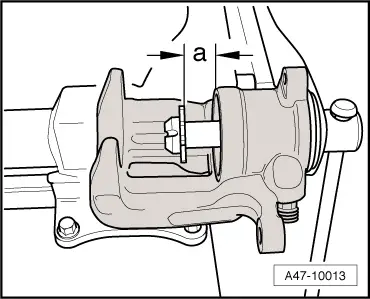
–  Screw in compressor nut to dimension -a- 15 mm.
  A47-10013
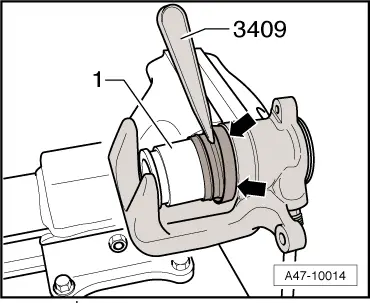
–  Insert protective cap into groove in brake caliper. To do this use removal wedge -3409-.
–  Carefully slide brake piston into brake caliper. Turn brake piston as required. There are only four positions in which it is possible to guide the brake piston over the compressor nut.
  A47-10014
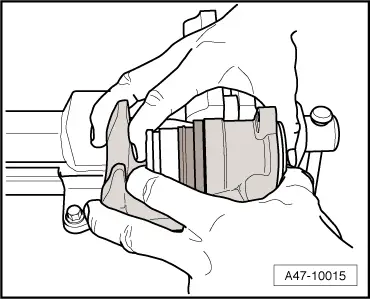
–  Press brake piston onto stop in brake caliper after guiding it onto the compressor nut.
  Note
Make sure not to damage the compressor nut.
  A47-10015
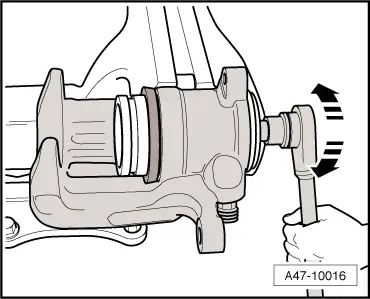
–  Screw in compressor nut onto stop by turning clockwise.
  A47-10016
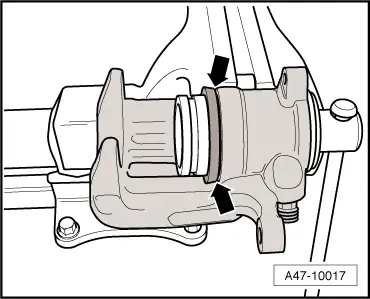
–  Make sure that the protective cap fits tight all round the brake caliper housing -arrows-.
  A47-10017
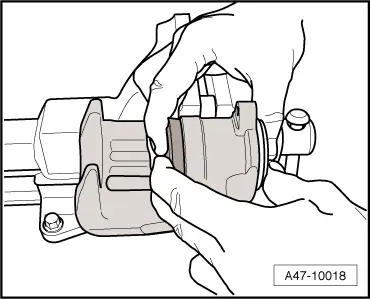
–  Press piston into brake caliper by hand.
  Note
The inner sealing lip on the protective cap will then locate in the piston groove.
  A47-10018

Renewing protective caps and guide pins of rear brakes > < Servicing rear caliper for electronic parking brake (EPB)