| –
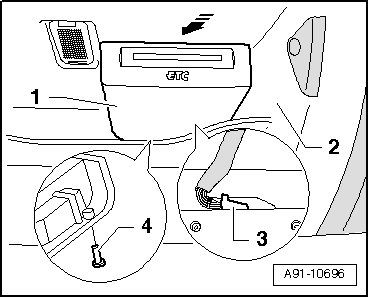
| Slide chip card reader control unit -J676--1- towards rear in direction of arrow until it can be detached from lining -2-. |
| –
| Pull out retaining clip -4-. |
| –
| Release and unplug connector -3- at chip card reader control unit -J676--1-. |
| –
| Install in reverse sequence of removal. |
| –
| Make sure all retaining tabs of chip card reader control unit -J676- engage in lining. |
|
|
|
