
Removing and installing front exit warning lamp
- Make
- Audi
- Model
- A4 Mk4
- Year
- 2015–2023
- Section
- Lights › Removing and installing front exit warning lamp
‹ Prev Removing and installing entry light W92/ W93Next › Removing and installing light for rear interior door handle illumination
Electrical systemRemoving and installing front exit warning lamp
Removing and installing front exit warning lamp
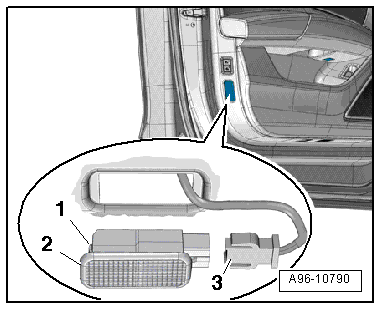
Use a flat screwdriver to press in retaining tab (1) and pry out exit warning lamp (2).
Unplug electrical connector (3).
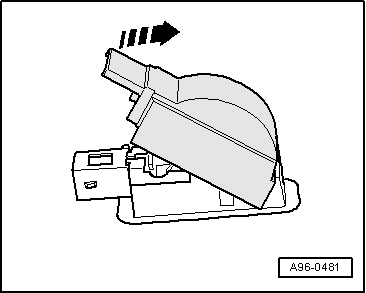
Carefully prise off cover over bulb (arrow).
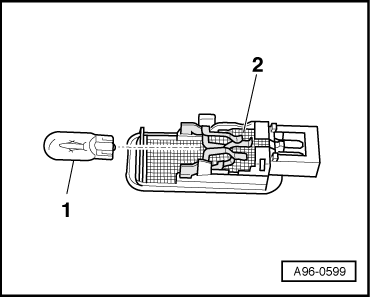
Pull bulb (1) on reverse side of exit warning lamp out of bulb holder (2).
Installation is carried out in the reverse order; note the following:
Fit cover on exit warning lamp.
Insert exit warning lamp in opening and engage on opposite side.
‹ Prev Removing and installing entry light W92/ W93Next › Removing and installing light for rear interior door handle illumination
Parts & tools for this job For 2015 Audi A4
- PARTReplacement bulbsSearch: Audi A4 2015 bulbs
- TOOLDigital multimeterSearch: automotive digital multimeter
As an Amazon Associate we earn from qualifying purchases.