
Adaption
- Make
- Audi
- Model
- A6 C5
- Year
- 1997–2004
- Section
- Self-diagnosis of navigation system RNS-E › Adaption
Adaption
With the "Adaption" function the following changes can be made and stored:
- Adaption of tyre size
- Adaption of number of pulses per wheel revolution
- Adaption of language
The language of the voice output is selected in this channel.
- Adaption of cut-off value
The cut-off value for TV operation at a certain vehicle speed can be set.
- Adaption of units of measurement
The units of measurement for distance, speed, date and time can be set.
- Activating/deactivating GALA function
The GALA function must be deactivated on vehicles with Audiopilot.
- Adaption of Northern hemisphere/Southern hemisphere
The region of vehicle operation (Northern hemisphere or Southern hemisphere) is set.
- Activating/deactivating DVD read test
Selects whether a media drive test or DVD test is activated when a DVD is inserted.
The DVD read test can be activated if the system does not recognize the DVD. After performing the media drive test, the measured values are displayed.
- Activating/deactivating transportation mode
RNS-E cannot be switched on if transportation mode is active.
Transportation mode may be active in new vehicles on delivery.
- Adaption of voice output matching
Selection whether the voice output is operated in right-hand drive or left-hand drive vehicles.
Initiate self-diagnosis of navigation system RNS-E Chapter.
Indicated on VAS 5051:
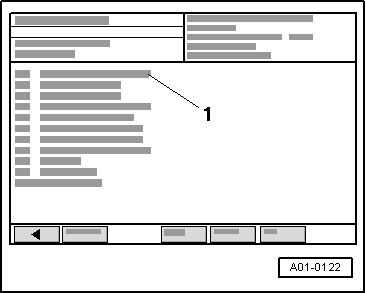
From list (1) select diagnosis function “10 - Adaption”.
Indicated on VAS 5051:
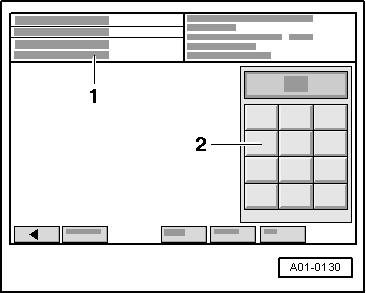
Enter desired adaption channel on keypad (2) and confirm entry by touching Q key (adaption table: Chapter).
Note
- After altering adaption value or exiting from adaption channel, function “10 - Adaption” must be performed again to select a different adaption channel.
Indicated on VAS 5051:
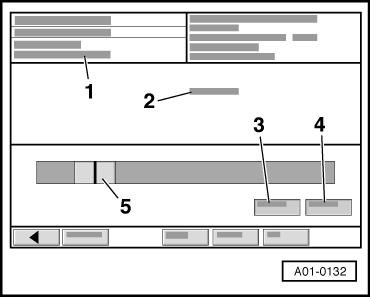
Indicated on VAS 5051:
Shift bar (5) in required direction or touch area next to bar, so that it moves in the desired direction.
Touch Store key (4).
Indicated on VAS 5051:
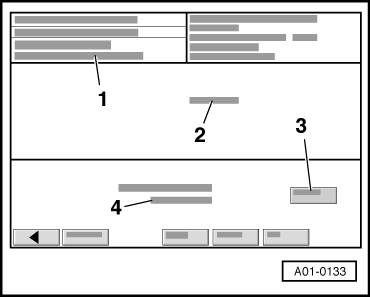
Confirm new adaption value by touching Accept key (3).
Indicated on VAS 5051:
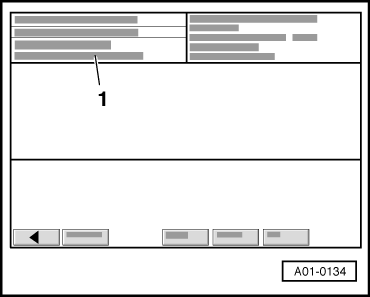
Terminate diagnosis function “10 - Adaption” by touching ← key.
Indicated on VAS 5051:
Touch Keypad key (3).
Indicated on VAS 5051:
Enter required 5-digit adaption value on keypad (2). Enter “0” to fill empty positions.
Example:
Required input: 1
Keypad entry: 00001
Confirm entry by touching key Q.
Indicated on VAS 5051:
Touch Store key (4).
Indicated on VAS 5051:
Confirm new adaption value by touching Accept key (3).
Indicated on VAS 5051:
Terminate diagnosis function “10 - Adaption” by touching ← key.
Parts & tools for this job For 1997 Audi A6
- TOOLOBD2 scannerSearch: OBD2 scanner
- TOOLDigital multimeterSearch: automotive digital multimeter
- TOOLBack-probe test leadsSearch: back probe test leads
As an Amazon Associate we earn from qualifying purchases.