
Adaption
- Make
- Audi
- Model
- A6 C5
- Year
- 1997–2004
- Section
- Acoustic Parking System (APS) self-diagnosis › Adaption
Adaption
The individual functions are called up by way of the appropriate adaption channel number.
| Adaption channel | Function |
|---|---|
| 01 | Volume of warning tone (rear) Anchor |
| 02 | Pitch (frequency) of warning tone (rear) Anchor |
| 03 | Volume of warning tone (front) Anchor |
| 04 | Pitch (frequency) of warning tone (front) Anchor |
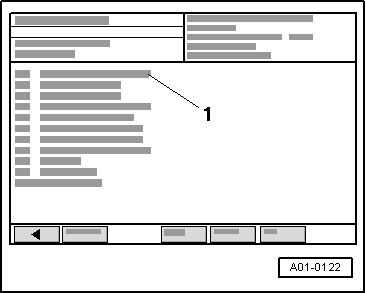
Start parking system self-diagnosis → Chapter.
Display on VAS 5051:
From list (1) select function “10 - Adaption”.
Display on VAS 5051:
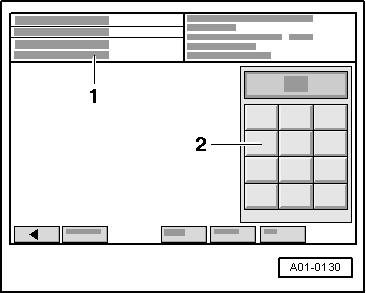
Enter desired adaption channel on keypad (2)Anchor and confirm entry by touching Q key.
Note
- After altering an adaption value or exiting from an adaption channel, function “10 - Adaption” must be selected again to choose a different adaption channel.
Display on VAS 5051:
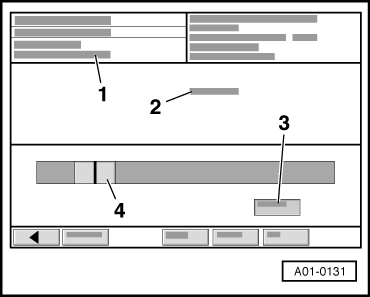
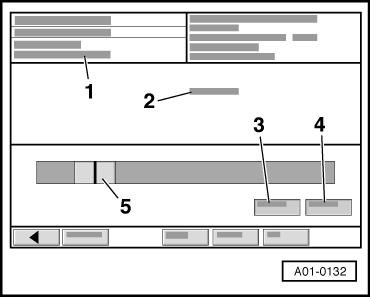
Display on VAS 5051:
Shift bar (5) in required direction or touch area next to bar, so that it moves in the desired direction.
Touch the Save key (4).
Note
- If the Save key does not appear on the display, entries can only be made directly by way of the keypad Anchor.
Display on VAS 5051:
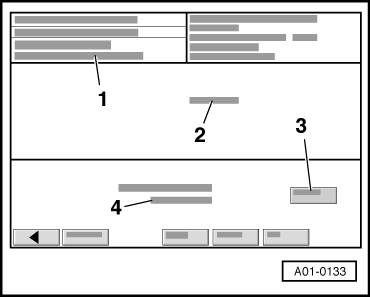
Confirm the new adaption value by touching the Accept key (3).
Display on VAS 5051:
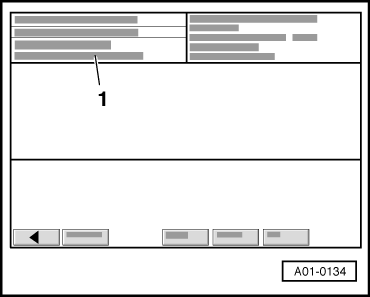
Terminate function “10 - Adaption” by touching ← key.
Display on VAS 5051:
Touch keypad key (Item 3).
Display on VAS 5051:
Enter the required adaption value on keypad (2).
| Example: | Required input value = “1” |
| Keypad entry 1 |
Confirm entry by touching key Q.
Display on VAS 5051:
Touch the Save key (4).
Display on VAS 5051:
Confirm the new adaption value by touching the Accept key (3).
Display on VAS 5051:
Terminate function “10 - Adaption” by touching ← key.
Parts & tools for this job For 1997 Audi A6
- TOOLOBD2 scannerSearch: OBD2 scanner
- TOOLDigital multimeterSearch: automotive digital multimeter
- TOOLBack-probe test leadsSearch: back probe test leads
As an Amazon Associate we earn from qualifying purchases.