
Removing and installing instrument cluster
- Make
- Audi
- Model
- A6 C6
- Year
- 2004–2011
- Section
- Instrument cluster › Removing and installing instrument cluster
Removing and installing instrument cluster
Special tools and workshop equipment requiredHook 3438 (2x)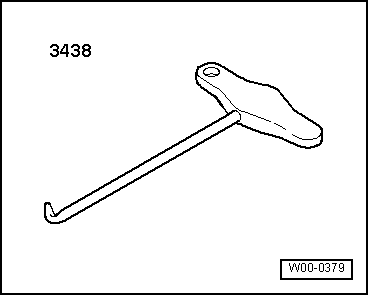
Note
- The instrument cluster must not be dismantled.
If control unit is to be renewed, select the “Replace control unit” function for appropriate control unit in Vehicle diagnostic tester.
Move steering wheel down and to rear as far as possible, making use of full range of steering column adjuster.
Switch off ignition and take out ignition key.
Remove dash panel vent on driver side and dash panel vent (centre) Rep. gr.70.
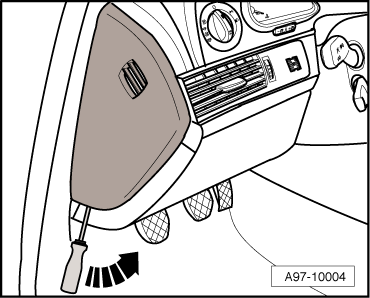
Use screwdriver to pry off trim (left-side) at dash panel (arrow).
Turn light switch (3) to position “0”.
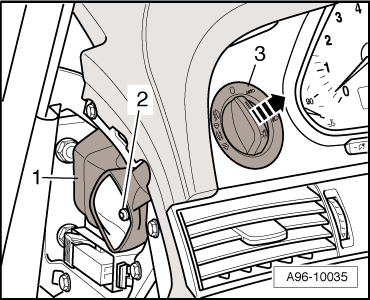
Remove the spreader pin (2) at air duct (1) and detach the air duct.
Reach through the opening above the side air vent in dash panel and press the light switch out of the instrument cluster (arrow).
Unplug electrical connector.
Press the cover trim (1) on the switch panel for the instrument cluster in the direction of the (arrow).
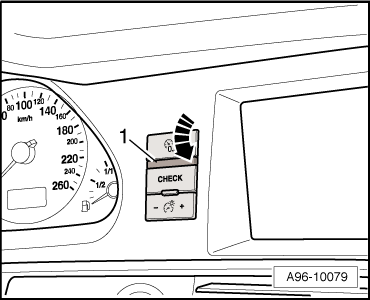
Take hold of the cover trim and pull off from switch.
Insert hook 3438 in opening (arrow) on switch panel.
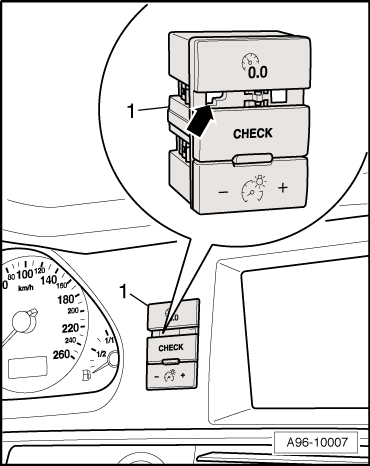
Carefully pull switch panel (1) out of instrument cluster trim.
Unplug electrical connector.
Press the cover trim (1) on the switch panel for glove box release in the direction of the (arrow).
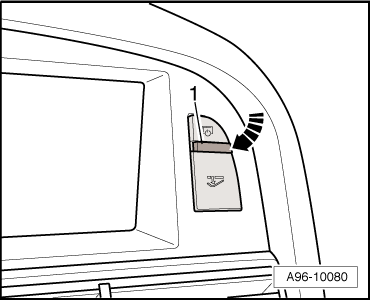
Take hold of the cover trim and pull off from switch.
Insert hook 3438 in opening (arrow) on switch panel.
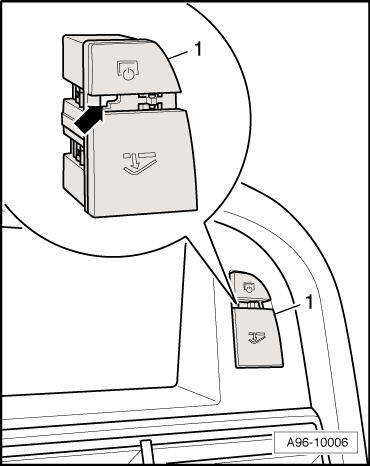
Carefully pull switch panel (1) out of instrument cluster trim.
Unplug electrical connector.
Note
- The steering wheel is shown removed in the following illustrations to provide a better view.
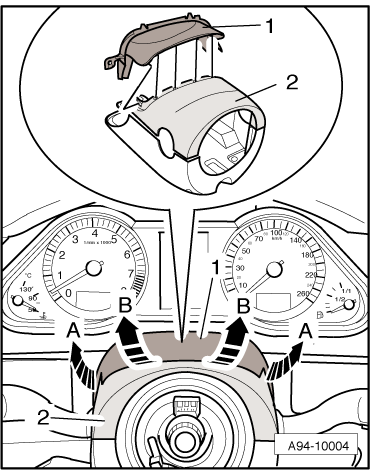
Release the trim cover (1) on the steering wheel column trim (top) (2) using a small screwdriver (arrows A and B).
Unscrew bolts (arrows).
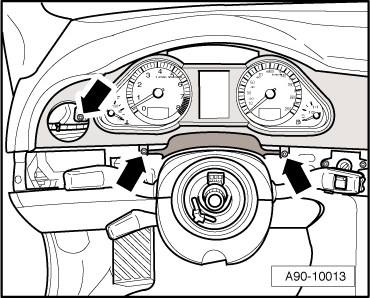
Unscrew bolts (arrows).
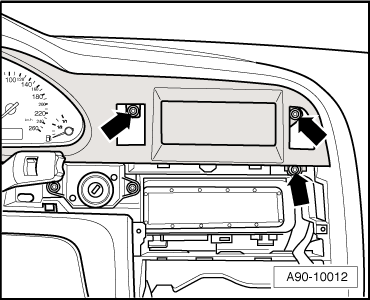
Pull the instrument cluster trim slightly out of dash panel.
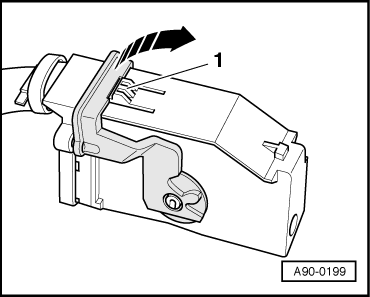
Unplug electrical connector at instrument cluster by releasing catch (1) and moving the retaining clip in direction of the (arrow).
Release connector retainer (1) at MMI display (arrow) and pivot upwards.
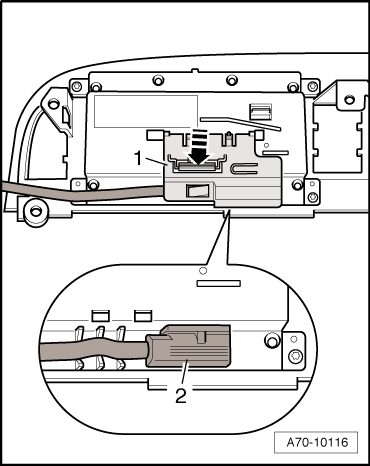
Unplug electrical connector (2) at MMI display.
Remove instrument cluster trim together with instrument cluster and MMI display from between the steering wheel and dash panel.
Installation is carried out in the reverse order; note the following:
Install dash panel vent on driver side and dash panel vent (centre) Rep. gr.70.
| Component | Nm |
|---|---|
| Instrument cluster trim to dash panel | 3.5 |
Parts & tools for this job For 2004 Audi A6
- TOOLDigital multimeterSearch: automotive digital multimeter
- PARTAssorted fuse kitSearch: car fuse assortment kit
- TOOLWire crimper and connector kitSearch: wire crimper connector kit
As an Amazon Associate we earn from qualifying purchases.