
Removing and installing brake caliper piston
- Make
- Audi
- Model
- TT Mk2
- Year
- 2006–2014
- Section
- Rear brake caliper › Removing and installing brake caliper piston
Removing and installing brake caliper piston
Special tools and workshop equipment requiredPiston compressing tool T10165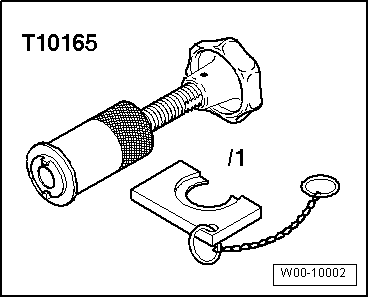
Screw piston out of brake caliper by turning knurled wheel anti-clockwise.
Insert piston compressing tool (make sure that the collar contacts the piston).
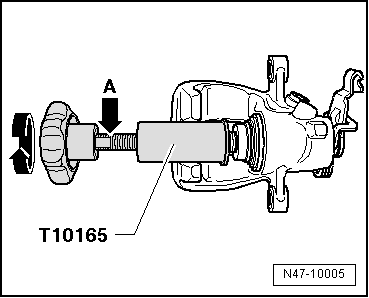
- If piston will not move easily, a 13 mm open-end spanner can be applied at the flats provided (arrow A).
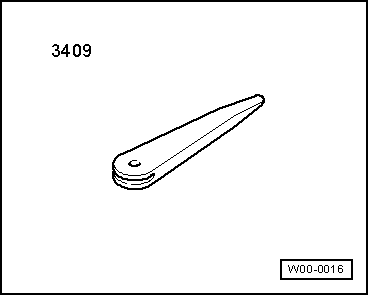
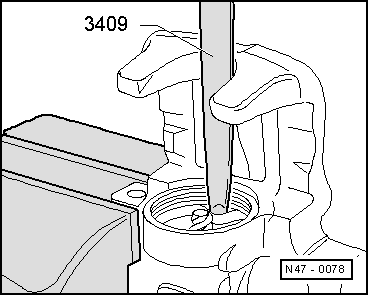
Remove seal using removal wedge 3409.
The surface of the piston and seal should be cleaned using only methylated spirits and then dried.
Apply a thin coat of lithium grease G 052 150 A2 to piston and seal before inserting.
Insert the seal into the brake caliper housing.
Place outer sealing lip of protective cap on the piston
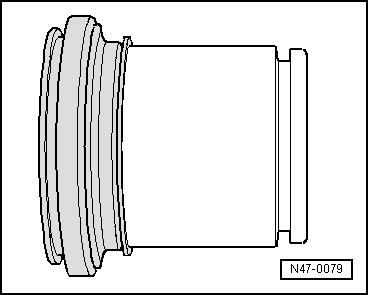
Using removal wedge 3409, insert inner sealing lip into groove of cylinder.
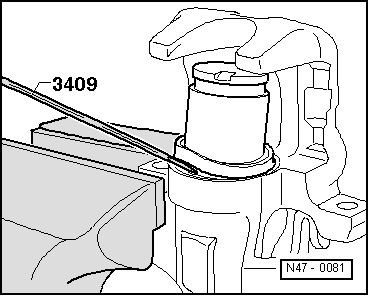
Note
- When doing this hold piston in front of caliper housing.
Apply piston compressing tool T10165 on piston of brake caliper housing.
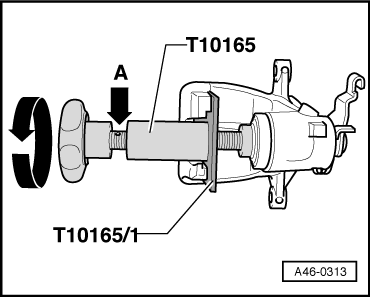
Screw in piston by turning knurled wheel clockwise.
Note
- If the piston is pushed back with a piston resetting tool, the automatic adjustment in the brake caliper will be damaged.
- If piston will not move easily, a 13 mm open-ended spanner can be applied at the appropriate flats (arrow).
Fit brake pads.
Open bleeder screw (arrow A) and fill with brake fluid from a commercially available bleeder container until bubble-free fluid emerges from hole (brake hose connection) (arrow B). Close bleeder screw.
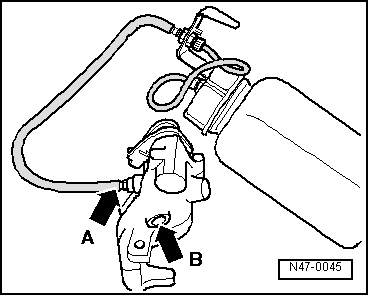
Note
- Position brake caliper as illustrated for pre-bleeding.
Parts & tools for this job For 2006 Audi TT
- PARTRear brake padsSearch: Audi TT 2006 rear brake pads
- TOOLCaliper piston rewind toolSearch: brake caliper piston rewind tool
- FLUIDBrake fluidSearch: brake fluid
As an Amazon Associate we earn from qualifying purchases.