
Catera V6-3.0L VIN R (1997)
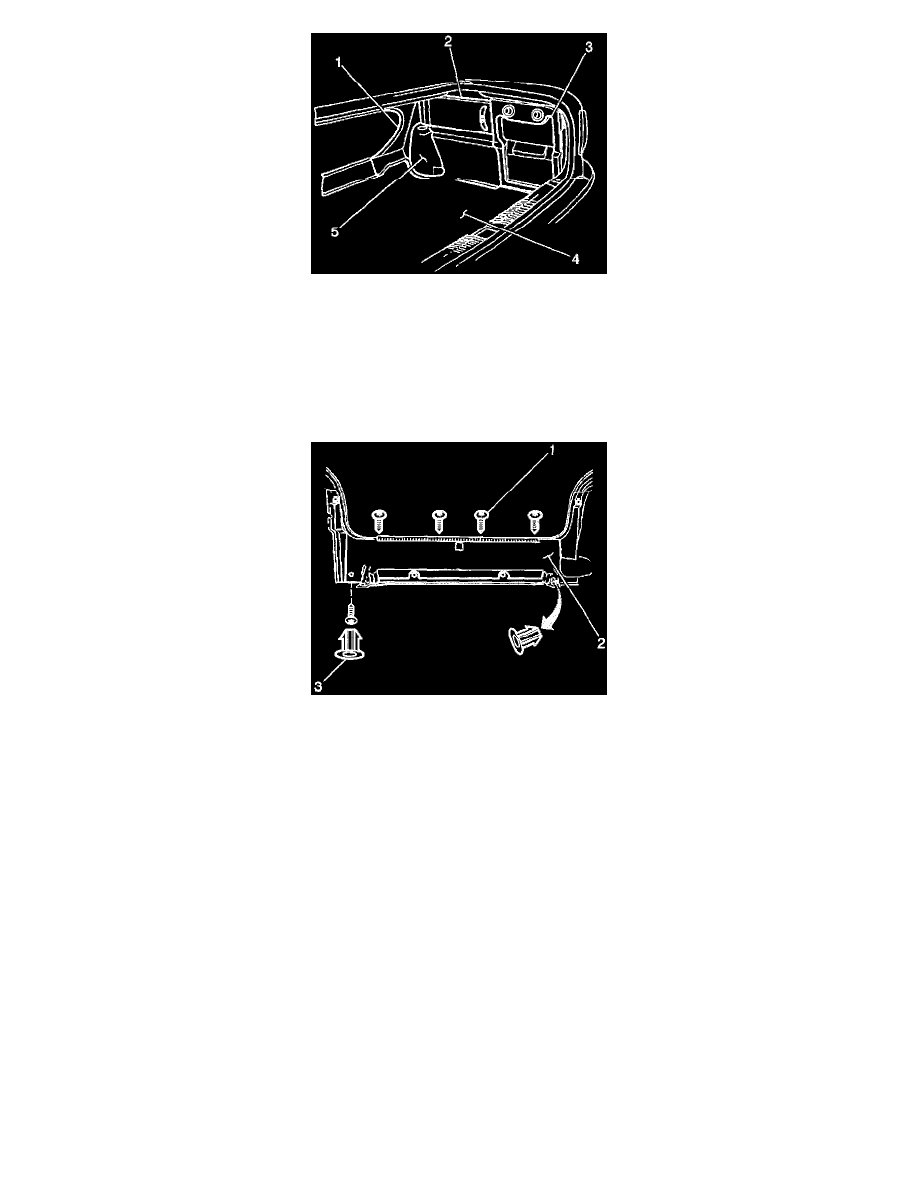
Compartment Trim and Cargo Net Replacement - Rear: Removal Procedure
5. Perform the following steps to remove the right side center cover panel that conceals the jack and the handle kit (2).
5.1. Remove the three bolts.
5.2. Remove the three push-in retainers.
6. Perform the following steps to remove the rear compartment stowage/CD player door:
6.1. Remove the two wing latches.
6.2. Remove the three nuts retaining the stowage/CD player door (3) to the rear compartment floor.
Compartment Trim and Cargo Net Replacement - Rear: Removal Procedure
7. Perform the following steps to remove the rear end finish panel:
7.1. Remove the four screws (1) across the top of the rear end finish panel (2).
7.2. Remove the screw covers (3) and screws from each lower corner of the panel (2).
8. Perform the following steps to install the right side center cover panel that conceals the jack and the handle kit (2).
8.1. Install the three push-in retainers.
8.2. Install the three bolts.
INSTALLATION PROCEDURE