
Cleaning of battery contacts - key remotes
- Make
- Land Rover
- Model
- Range Rover P38 Technical Bulletins
- Section
- Cleaning of battery contacts - key remotes › Cleaning of battery contacts - key remotes
CLEANING OF BATTERY CONTACTS - KEY REMOTES
- Model
- New Range Rover
- Affected vehicles
- All
- Date
- 1995-07-26
- Reference
- 26/07/95
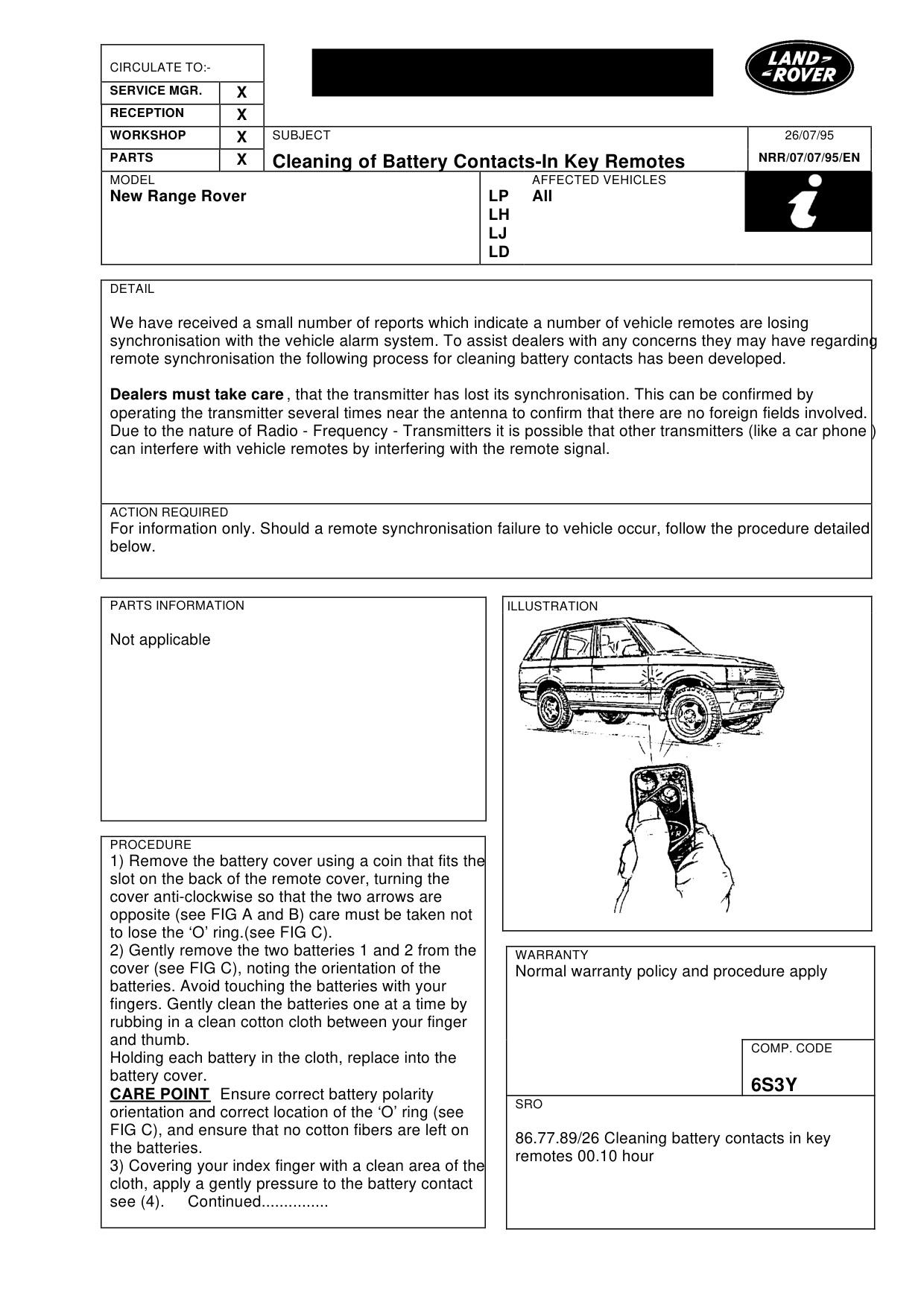
Bulletin text
Cleaning of Battery Contacts-In Key Remotes
MODEL
New Range Rover
DETAIL
We have received a small number of reports which indicate a number of vehicle remotes are losing synchronisation with the vehicle alarm system. To assist dealers with any concerns they may have regarding remote synchronisation the following process for cleaning battery contacts has been developed.
Dealers must take care , that the transmitter has lost its synchronisation. This can be confirmed by operating the transmitter several times near the antenna to confirm that there are no foreign fields involved. Due to the nature of Radio - Frequency - Transmitters it is possible that other transmitters (like a car phone ) can interfere with vehicle remotes by interfering with the remote signal.
ACTION REQUIRED
For information only. Should a remote synchronisation failure to vehicle occur, follow the procedure detailed below.
PARTS INFORMATION
Not applicable
PROCEDURE
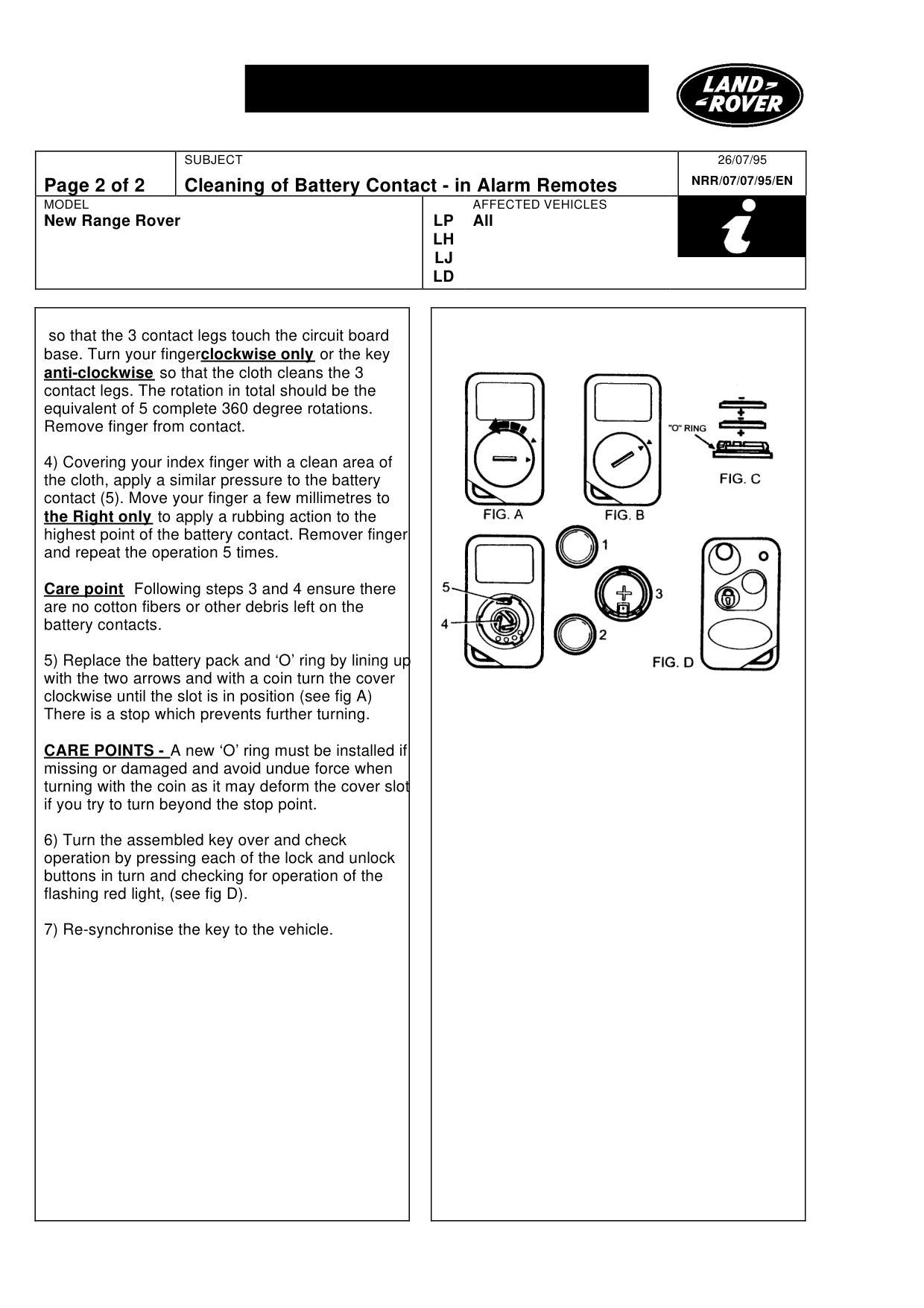
1) Remove the battery cover using a coin that fits the slot on the back of the remote cover, turning the cover anti-clockwise so that the two arrows are opposite (see FIG A and B) care must be taken not to lose the ‘O’ ring.(see FIG C). 2) Gently remove the two batteries 1 and 2 from the cover (see FIG C), noting the orientation of the batteries. Avoid touching the batteries with your fingers. Gently clean the batteries one at a time by rubbing in a clean cotton cloth between your finger and thumb. Holding each battery in the cloth, replace into the battery cover. CARE POINT Ensure correct battery polarity orientation and correct location of the ‘O’ ring (see FIG C), and ensure that no cotton fibers are left on the batteries. 3) Covering your index finger with a clean area of the cloth, apply a gently pressure to the battery contact see (4). Continued...............
26/07/95
NRR/07/07/95/EN
AFFECTED VEHICLES
LP All LH LJ LD
WARRANTY
Normal warranty policy and procedure apply
COMP. CODE
6S3Y
SRO
86.77.89/26 Cleaning battery contacts in key remotes 00.10 hour
Cleaning of Battery Contact - in Alarm Remotes
MODEL
New Range Rover
so that the 3 contact legs touch the circuit board base. Turn your finger clockwise only or the key anti-clockwise so that the cloth cleans the 3 contact legs. The rotation in total should be the equivalent of 5 complete 360 degree rotations. Remove finger from contact.
4) Covering your index finger with a clean area of the cloth, apply a similar pressure to the battery contact (5). Move your finger a few millimetres to the Right only to apply a rubbing action to the highest point of the battery contact. Remover finger and repeat the operation 5 times.
Care point Following steps 3 and 4 ensure there are no cotton fibers or other debris left on the battery contacts.
5) Replace the battery pack and ‘O’ ring by lining up with the two arrows and with a coin turn the cover clockwise until the slot is in position (see fig A) There is a stop which prevents further turning.
CARE POINTS - A new ‘O’ ring must be installed if missing or damaged and avoid undue force when turning with the coin as it may deform the cover slot if you try to turn beyond the stop point.
6) Turn the assembled key over and check operation by pressing each of the lock and unlock buttons in turn and checking for operation of the flashing red light, (see fig D).
7) Re-synchronise the key to the vehicle.
26/07/95 NRR/07/07/95/EN
AFFECTED VEHICLES
LP All LH LJ LD
Parts & tools for this job For Land Rover Range Rover
- TOOLBattery testerSearch: car battery tester
- TOOLDigital multimeterSearch: automotive digital multimeter
- TOOLBattery terminal cleanerSearch: battery terminal cleaner
Links open Amazon search results in a new tab. As an Amazon Associate I earn from qualifying purchases.