
Removing and installing side light bulb
- Make
- SEAT
- Model
- Alhambra
- Year
- 1996–2010
- Section
- Electrical system › Removing and installing side light bulb
Lights, lamps, switches outsideRemoving and installing side light bulb
Removing and installing side light bulb
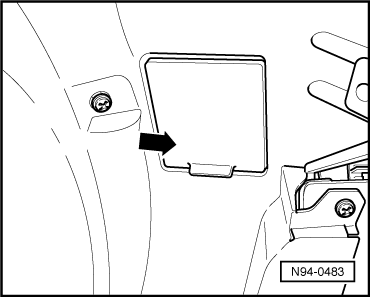
Slide open cover (arrow) in wheel housing.
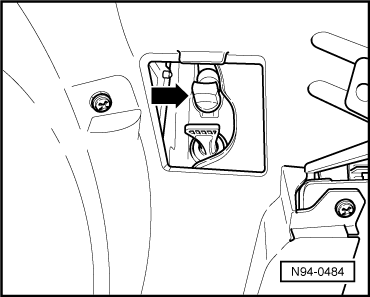
Unscrew holder for side light bulb (arrow) and remove bulb.
Install in reverse order of removal.
Do not forget to close cover.
Check headlight settings and adjust if necessary Chapter “Adjusting headlights”.
Check function of headlight after installing a new bulb.
Parts & tools for this job For 1996 SEAT Alhambra
- PARTReplacement bulbsSearch: SEAT Alhambra 1996 bulbs
- TOOLDigital multimeterSearch: automotive digital multimeter
As an Amazon Associate we earn from qualifying purchases.