
Removing cover and padding
- Make
- SEAT
- Model
- Alhambra
- Year
- 1996–2010
- Section
- General body repairs, interior › Removing cover and padding
Removing cover and padding
Remove seat Chapter “Removing and installing rear seat”.
Remove backrest Chapter “Removing and installing rear backrest”.
Remove head restraint from backrest.
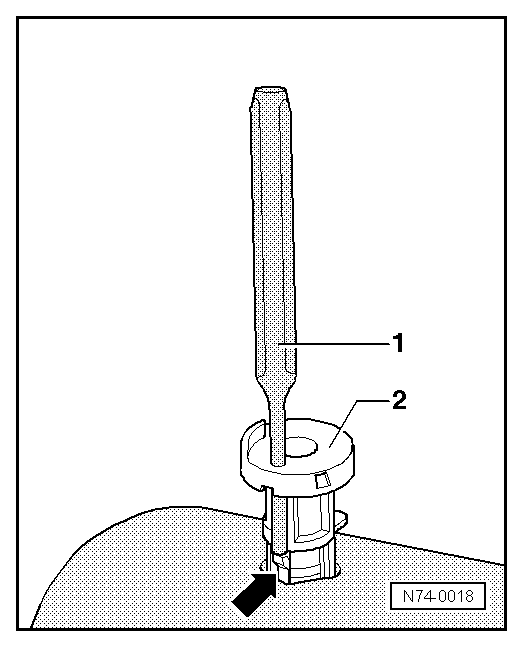
Pull out guides (2) from head restraints. To do this, use an appropriate drift (1) or similar and push it into small opening to release locking lug (arrow) or push down backrest padding beneath guide and release locking lug directly using a screwdriver.
Note
- Locking lug can be found on front or rear side depending on installation position (left or right of backrest).
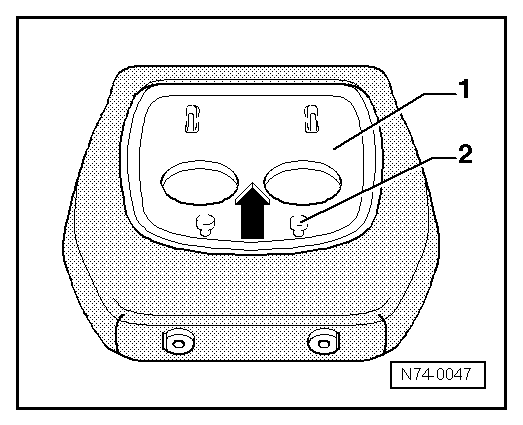
Old version: pull off table top (1) from backrest in upper area of securing clips (2) (arrow) and then unhook at bottom.
Note
- (2) when installing.
New version: lever out caps (2), remove screws beneath and then unhook table top (1) at bottom.
Pull out zip fastener slide (1) from under cover and open zip fastener.
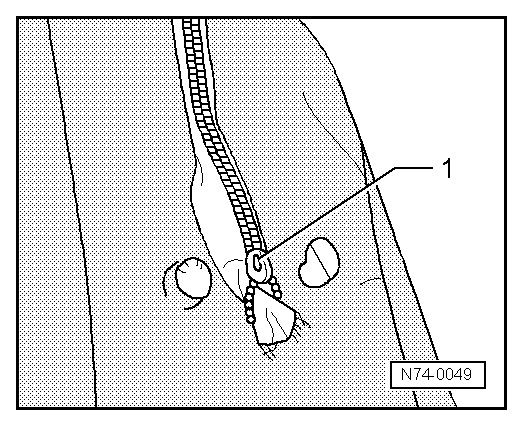
Pull off cover up to padding wire (1).
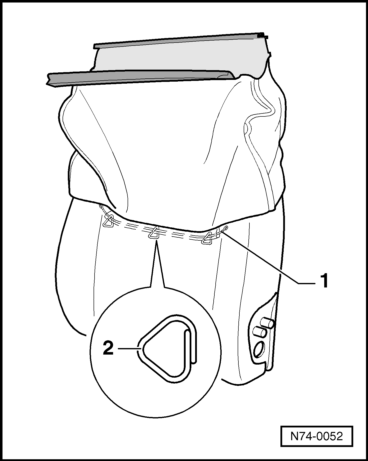
Cut through padding clips (2).
Remove backrest cover.
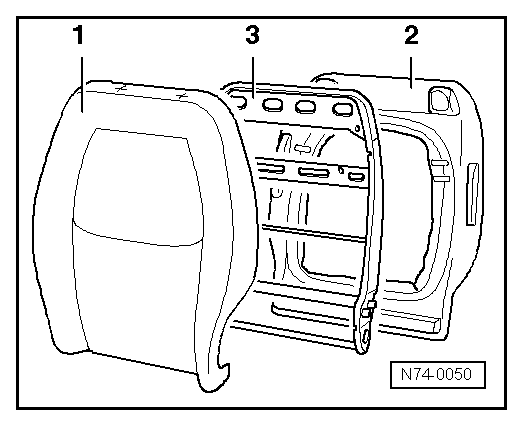
Take off padding elements (1) and (2) from backrest frame (3).
Parts & tools for this job For 1996 SEAT Alhambra
- TOOLTrim removal tool kitSearch: trim removal tool kit
- PARTTouch-up paintSearch: SEAT touch up paint
- PARTPanel clip assortmentSearch: SEAT panel clips assortment
As an Amazon Associate we earn from qualifying purchases.