
Removing, installing and checking ventilation outlet
- Make
- SEAT
- Model
- Alhambra
- Year
- 2010–2020
- Section
- Heating, ventilation and air conditioning › Removing, installing and checking ventilation outlet
‹ Prev Removing and installing auxiliary air heater element Z35Next › Removing and installing ambient temperature sensor G17
HeatingRemoving, installing and checking ventilation outlet
Removing, installing and checking ventilation outlet
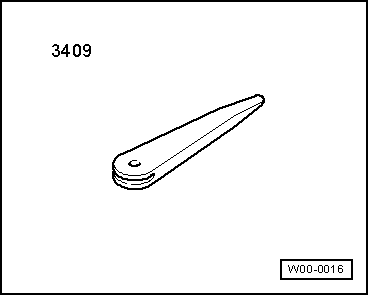
- Removal wedge 3409
Note
- The stale air escapes via ventilation outlets in the luggage compartment trim.
- If the ventilation is to function properly, the ventilation outlets must not be covered.
- The ventilation outlets can be found on left and right in the side parts of the bumper.
Remove rear bumper cover General body repair, interior Rep. gr. 63.
Unclip ventilation outlet (1) from side panel (2) using removal wedge 3409.
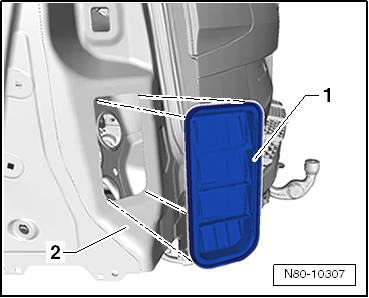
The sealing lips in the ventilation outlet must be free to move and close by themselves.
Clip ventilation outlet audibly into side panel.
Install rear bumper cover General body repair, interior Rep. gr. 63.
‹ Prev Removing and installing auxiliary air heater element Z35Next › Removing and installing ambient temperature sensor G17
Parts & tools for this job For 2010 SEAT Alhambra
- TOOLA/C manifold gauge setSearch: AC manifold gauge set
- TOOLUV leak detection kitSearch: AC UV leak detection kit
- PARTCabin filterSearch: SEAT Alhambra 2010 cabin filter
As an Amazon Associate we earn from qualifying purchases.