
Battery: removing and installing
- Make
- SEAT
- Model
- Alhambra
- Year
- 2010–2020
- Section
- Vehicle electrics › Battery: removing and installing
Battery: removing and installing
- Torque wrenches V.A.G 1331
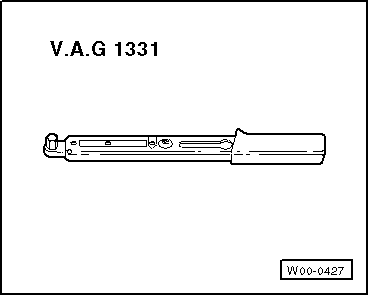
Disconnect battery Chapter “Disconnecting and reconnecting battery”
Remove air filter housing Repairing diesel direct injection system; Assembly overview - air filter
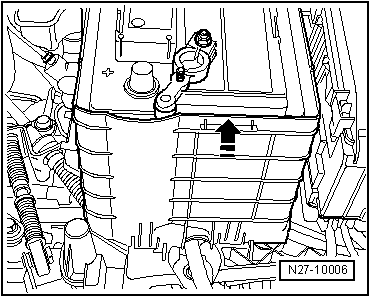
Depending on equipment, pull either panel of battery box or fleece bag upwards in direction of (arrow) off battery.
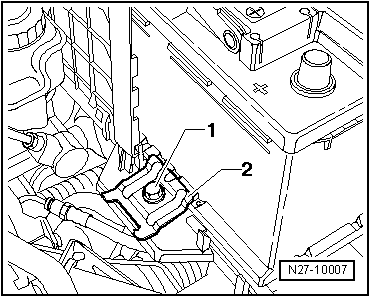
Unscrew securing bolt (1) and remove securing bar (2).
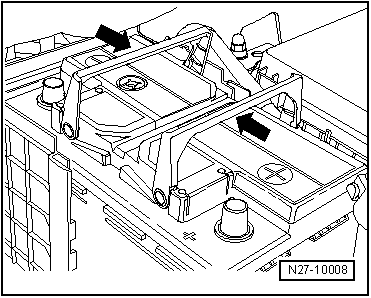
Fold up handles (arrows) (if fitted) and remove battery upwards out of vehicle.
Warning
A loosely fitted battery creates the following dangers:
- Shortened service life due to damage from vibration (danger of explosion)
- The cells in the battery will be damaged if the battery is not secured correctly.
- Damage to the battery casing through the retainer plate (possible electrolyte leak, high resulting costs).
- Poor crash safety.
Installation is carried out in the reverse sequence; note the following:
Tighten threaded connections to torque specified in assembly overview Chapter “assembly overview”.
After installing battery, check it is firmly seated.
Connect battery Chapter “Disconnecting and reconnecting battery”.
Parts & tools for this job For 2010 SEAT Alhambra
- TOOLBattery testerSearch: car battery tester
- TOOLDigital multimeterSearch: automotive digital multimeter
- TOOLBattery terminal cleanerSearch: battery terminal cleaner
As an Amazon Associate we earn from qualifying purchases.