
Removing and installing electronics box (E-box)
- Make
- SEAT
- Model
- Leon León
- Year
- 5F, 2012–2020
- Section
- Electrical system › Removing and installing electronics box (E-box)
Removing and installing electronics box (E-box)
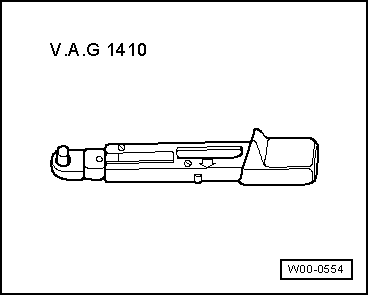
- Torque wrenches V.A.G 1410
Warning
To disconnect and reconnect the battery, the procedure described in the workshop manual should be strictly adhered to Chapter “Disconnecting and reconnecting battery”.
Switch off ignition and all electrical loads, and pull out ignition key.
Disconnect battery Chapter “Disconnecting and reconnecting battery”
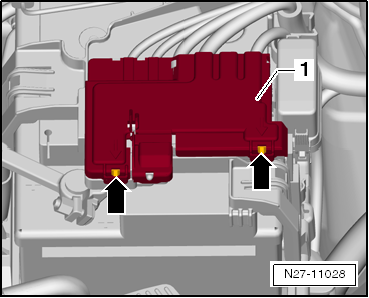
Release catches (arrows) and remove lid of E-box (1).
Make a note of the assignment of E-box connections.
Warning
- Electrical components protected by the multiple fuse can fail!
- When the nuts for the wiring connections are undone, the multiple fuse will be damaged!
- The multiple fuse must be renewed after any loosening of the connections!
Undo and remove all nuts of the wiring connections (arrows A) and remove wires from the connecting threads.
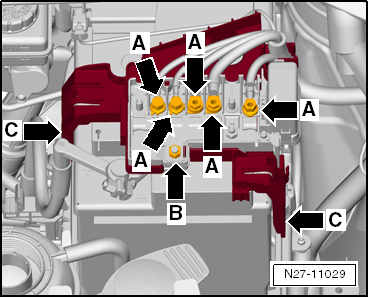
Unscrew nut (arrow B).
Release the catches (arrow C) on each side of the E-box holder and remove E-Box together with holder upwards off the battery.
Turn the E-box holder over, release the catch (arrow) and remove E-box from its holder.
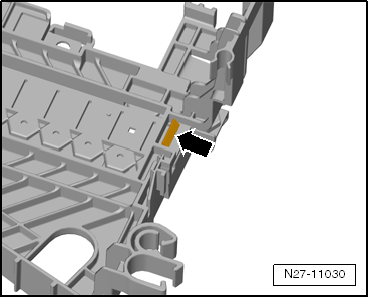
Release locking lug (arrow) and pull fuse holder (1) upwards off the E-box.
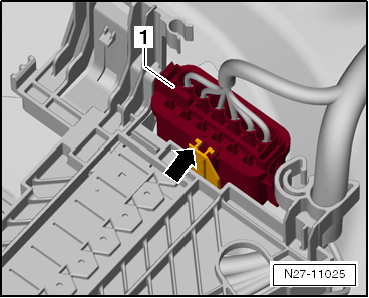
Remove E-box from vehicle.
For fitting, the operations are carried out in reverse order to the removal, taking the following into account:
Insert a new multiple fuse and tighten nuts (arrows A) and (arrow B).
Connect battery Chapter “Disconnecting and reconnecting battery”.
| Components | Tightening torque |
|---|---|
| Nuts (arrows A) and (arrows B) | 6 Nm |
Parts & tools for this job For 2012 SEAT Leon
- TOOLDigital multimeterSearch: automotive digital multimeter
- PARTAssorted fuse kitSearch: car fuse assortment kit
- TOOLWire crimper and connector kitSearch: wire crimper connector kit
As an Amazon Associate we earn from qualifying purchases.