
Radio „SEAT Sound System 1.1“
- Make
- SEAT
- Model
- Mii
- Year
- 2011–2021
- Section
- Radio, Telephone, Navigation › Radio „SEAT Sound System 1.1“
Radio „SEAT Sound System 1.1“
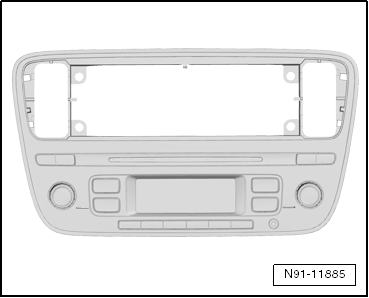
The radio „SEAT Sound System 1.1“ comprises the radio and loudspeakers. For further information, refer to the chapter entitled Sound system Chapter “Sound system”
- Anchor “Components of radio / radio navigation systems”
- Anchor “Components of radio / radio navigation systems”.
Note
- When faced with complaints, it is absolutely necessary to understand the function and the operation of the radio.
- Operating manual
- Anchor “Components of radio / radio navigation systems”.
- or mode.
- Current flow diagrams, Electrical fault finding and Fitting locations.
- When the battery is reconnected, check operation of electrical equipment (radio, clock, convenience electronics and so on) according to the workshop manual or the operating manual.
The „SEAT Sound System 1.1“ radio has the following features:
- Display: monochrome
- FM simple tuner
- CD drive
- Universal preparation for mobile telephone (UTP) - Low (mono input)
- Mp3 with ID3 tag
- Radio Data System FM/AM European radio
- 2 or 4 x 20 watt output power
- AUX-IN connection
- External CD changer connection without mp3
- Support for multifunction steering wheel
- Speed-dependent volume control (GALA)
- Self-diagnosis, including loudspeaker diagnosis
- CAN, TP 2.0
- Convenience coding
The CD drive integrated into the radio can play the following CD formats:
- CD-R
- CD-RW
- Mp3
Note
- Music CDs with 8 cm diameter (mini discs) cannot be played.
- Mixed-mode CDs (CDs having both computer data and music) cannot be played.
The aerial is designed as a roof aerial and has no „diversity function“.
The radio is equipped with electronic comfort anti-theft protection, which is effective in combination with the dash panel insert.
After disconnecting the radio voltage supply, radio operation is restored when reconnecting the voltage supply without entering the code number. The prerequisites are that the initial activation of the anti-theft coding has been performed and the radio is reconnected in the same vehicle.
The anti-theft code can be determined by means of the vehicle diagnosis tester. The radio card used in the past and the sticker on the radio have been discontinued.
- Anchor “Components of radio / radio navigation systems”
- Anchor “Components of radio / radio navigation systems”
Connect the VAS Electrical system Rep. gr. 97
Note
- connection (network connection) and the user must be authorised to interrogate the radio code.
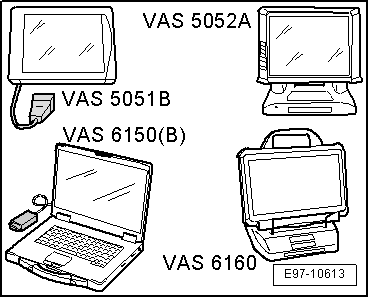
- Vehicle diagnosis tester
Select „Guided functions“ or „Guided fault finding“ in the vehicle diagnosis tester.
After all control units have been read:
Press „GoTo“ button.
Select „Function/component selection“.
Select „Body“.
Select „Electrical system“.
Select „01 - On Board Diagnostic (OBD) capable systems“.
Select „Radio or radio navigation system“.
Select „Functions“.
Select and start „Radio code request“.
Your system rights are then determined. The operating data, the VIN and the unit number of the radio or radio/navigation system are then read out automatically.
Note
- When installing radios or radio navigation systems which are new or have not yet been adapted to the vehicle, it may occur that the tester is unable to read out the unit number of the radio or the radio navigation system. In this case, please enter the unit number manually. It can be found on the sticker affixed to the unit and is also stamped onto the side of the unit.
The radio code which has been determined is then shown on the tester's display.
The anti-theft code must now be entered manually into the radio or radio navigation system.
Switch on radio.
The unit automatically displays „SAFE“ for about 10 seconds and then „1000“ permanently. There is no need to press any buttons.
The position of the code number to be set is shown via an „_X _“ on the display, above the multifunction buttons.
Using the multifunction buttons displayed, enter the previously determined code number in the correct sequence. Press the relevant button as many times as necessary until the correct number is shown in the centre of the display.
Then press the multifunction button beneath the word „OK“. The unit is then ready to operate again and switches to its last operating state.
Note
- flashes on the display, followed by again. The entire process can now be repeated again. The number of attempts is shown in the display. If an incorrect code number is entered again, the device is blocked for approx. one hour. This means that it cannot be operated. This lock is indicated by the fact that is permanently displayed. The display of the number of attempts is cleared after one hour, during which the unit and the ignition must be switched on. The electronic lock can be deactivated again as described above. The »two attempts, blocked for one hour« cycle still applies.
Parts & tools for this job For 2011 SEAT Mii
- TOOLTorque wrenchSearch: 3/8 inch torque wrench
- TOOLSocket setSearch: socket set metric
- BOOKHaynes manualSearch: Haynes manual SEAT Mii
As an Amazon Associate we earn from qualifying purchases.