
Radio navigation system: Removing and installing
- Make
- SEAT
- Model
- Toledo
- Year
- 5P, 2004–2009
- Section
- Radio, Telephone, Navigation › Radio navigation system: Removing and installing
InfotainmentRadio navigation system: Removing and installing
Radio navigation system: Removing and installing
Note
- It is essential to be familiar with the operation and handling of the navigation/radio system when resolving customer complaints.
- Instruction Manual.
- Vehicle diagnostic testerCurrent flow diagrams, Electrical fault finding and Fitting locations
- The turn angle sensor is adjusted conforming to the fitting position of the unit in the vehicle in order to assure the correct functioning of the navigation system. Because of this, always check that a unit in the ET number (spare) is changed. Bad installation will result in navigation system malfunction.
- If the battery is re-connected, the vehicle equipment must be checked (radio, clock, electrical comfort system etc.), following the instructions in the Repair Manual and / or Instruction Manual.
- The spare parts reference for the radio / navigation system is the same on an the adhesive label on the casing.
- If a radio and navigation system unit is changed from one vehicle to another, you must take into account that both units have the same ET number (spare part number). Otherwise, the navigation system will not function correctly, because the adjustment of the turn angle sensor in the radio and navigation system unit does not correspond to the vehicle.
- Chapter “Electronic anti-theft protection system”
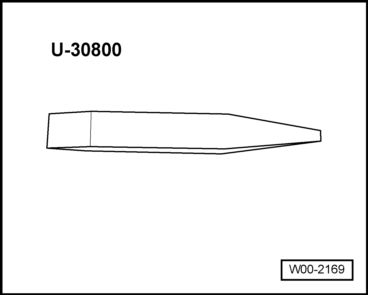
- Lever U-30800
Before initiating removal work, the following operations must be carried out:
Remove any CD's left in the equipment Owner's Manual.
Disconnect ignition and all electrical loads, and remove ignition key.
Parts & tools for this job For 2004 SEAT Toledo
- TOOLTorque wrenchSearch: 3/8 inch torque wrench
- TOOLSocket setSearch: socket set metric
- BOOKHaynes manualSearch: Haynes manual SEAT Toledo
As an Amazon Associate we earn from qualifying purchases.