
Removing and installing mounting bracket
- Make
- Volkswagen
- Model
- Amarok 2H
- Year
- 2010–2020
- Section
- Clutch mechanism › Removing and installing mounting bracket
‹ Prev Removing and installing clutch pedal switch F36 , as of 04.2011Next › Removing and installing over-centre spring
6-speed manual gearbox 0C6Removing and installing mounting bracket
Removing and installing mounting bracket
Special tools and workshop equipment requiredTorque wrench V.A.G 1331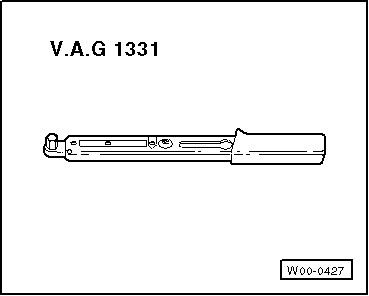
Pull connector (1) off clutch pedal switch F36.
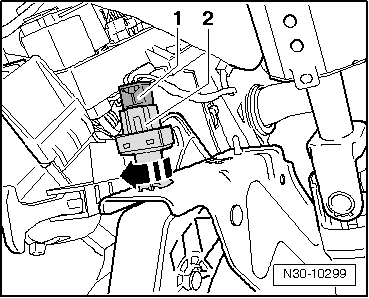
Remove clutch pedal switch F36Chapter.
Pull off securing clip (1).
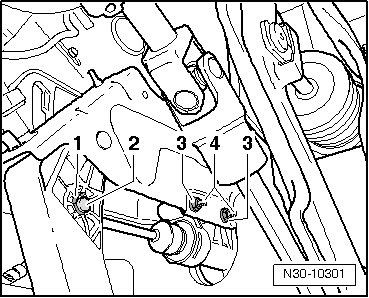
Drive out mounting bracket (2).
Unscrew nuts (3).
Pull out bolts (4).
Remove nuts (arrows).
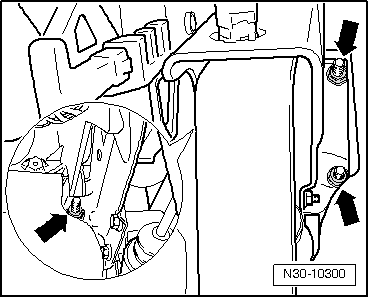
Remove mounting bracket with clutch pedal.
Note
- The clutch master cylinder remains installed.
- The mounting bracket and clutch pedal are a unit and cannot be separated.
Install in reverse order of removal, observing the following:
Bearing pin can only be inserted from left.
Insert bearing pin with polycarbamide greaseElectronic Parts Catalogue (ETKA).
Install clutch pedal switch F36Chapter.
- Chapter“Assembly overview - clutch mechanism”
‹ Prev Removing and installing clutch pedal switch F36 , as of 04.2011Next › Removing and installing over-centre spring
Parts & tools for this job For 2010 Volkswagen Amarok
- PARTClutch kitSearch: Volkswagen Amarok 2010 clutch kit
- TOOLClutch alignment toolSearch: clutch alignment tool
- FLUIDGear oilSearch: Volkswagen Amarok manual gearbox oil
As an Amazon Associate we earn from qualifying purchases.