
Removing and installing additional brake light
- Make
- Volkswagen
- Model
- Amarok 2H
- Year
- 2010–2020
- Section
- Additional brake light › Removing and installing additional brake light
Electrical systemRemoving and installing additional brake light
Removing and installing additional brake light
Switch off ignition and all electrical loads, and pull out ignition key.
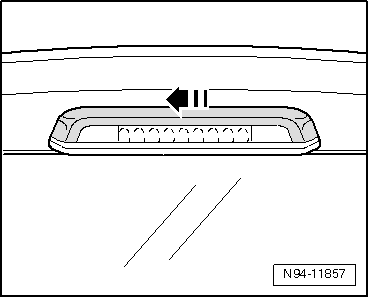
Push entire light a little in (direction of arrow) and remove light.
Release and disconnect connector (arrow).
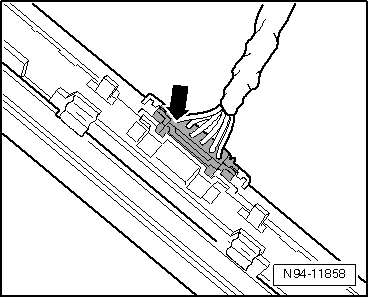
Remove additional brake light.
Install in the reverse order of removal. When doing this, note the following:
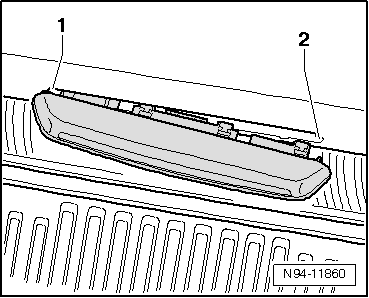
Insert light in body aperture at position (1), and then engage it at position (2).
Perform functional check of additional brake light.
Parts & tools for this job For 2010 Volkswagen Amarok
- PARTBrake padsSearch: Volkswagen Amarok 2010 brake pads
- TOOLBrake bleeder kitSearch: one man brake bleeder kit
- FLUIDBrake fluidSearch: brake fluid
As an Amazon Associate we earn from qualifying purchases.