
Removing and installing rear parking aid warning buzzer
- Make
- Volkswagen
- Model
- Amarok 2H
- Year
- 2010–2020
- Section
- Parking aid › Removing and installing rear parking aid warning buzzer
‹ Prev Adapting rear parking aid control unitNext › Removing and installing front parking aid warning buzzer
Electrical systemRemoving and installing rear parking aid warning buzzer
Removing and installing rear parking aid warning buzzer
Note
- The rear parking aid warning buzzer H15 is installed behind the upper right C-pillar trim.
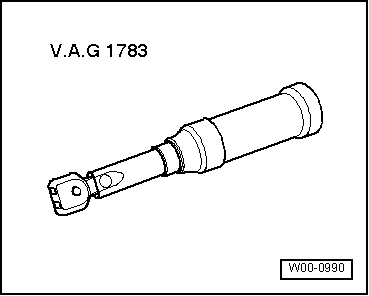
Switch off ignition and all electrical loads, and pull out ignition key.
Remove upper right C-pillar trim General body repairs, interiorRep. gr.70Pillar trims; Removing and installing C-pillar trims.
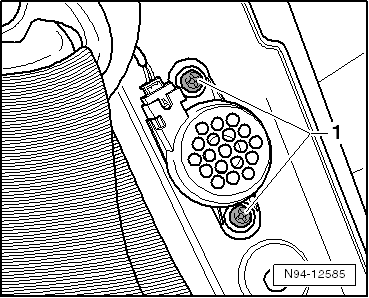
Unscrew plastic screws (1).
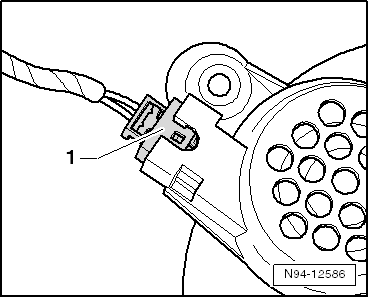
Release and disconnect connector (1).
Install in the reverse order of removal. When doing this, note the following:
Tighten plastic screws to 2 Nm.
‹ Prev Adapting rear parking aid control unitNext › Removing and installing front parking aid warning buzzer
Parts & tools for this job For 2010 Volkswagen Amarok
- TOOLDigital multimeterSearch: automotive digital multimeter
- PARTAssorted fuse kitSearch: car fuse assortment kit
- TOOLWire crimper and connector kitSearch: wire crimper connector kit
As an Amazon Associate we earn from qualifying purchases.