
Removing
- Make
- Volkswagen
- Model
- Caddy Mk2
- Year
- 1996–2004
- Section
- Dash panel › Removing
Removing
Warning Disconnect battery earth strap before working on electrical system.
Remove steering wheel → Chapter.
Remove steering column switch Electrical systemRep. Gr.94Steering column switch
Remove driver's storage compartment → Chapter.
Remove centre console → Chapter.
Remove glove compartment → Chapter.
Remove bolt (1).
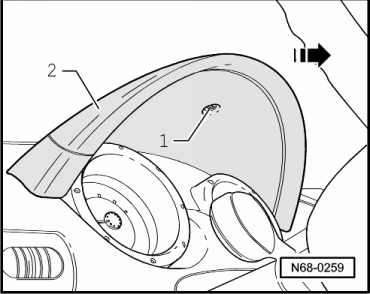
Unclip upper part of instrument trim panel (2) in (direction of arrow).
Remove three screws (arrows).
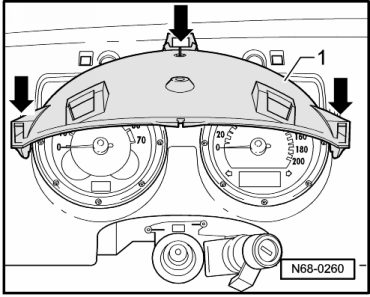
Remove instrument trim panel (1).
Remove two bolts (arrows).
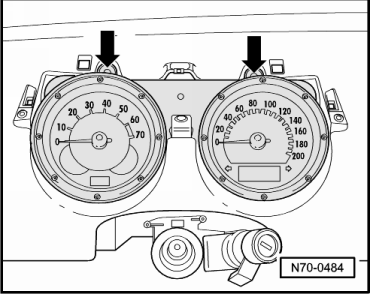
Remove instrument cluster.
Unplug connector.
Unscrew hexagon nuts (arrow).
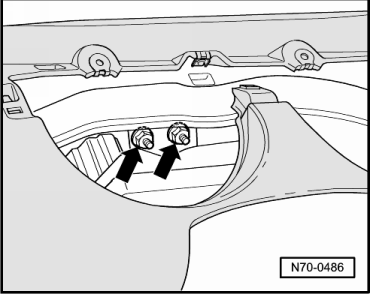
Note
- The two hexagon nuts are only visible when the instrument cluster is removed.
Press in light switch (arrow), turn to right and pull out.
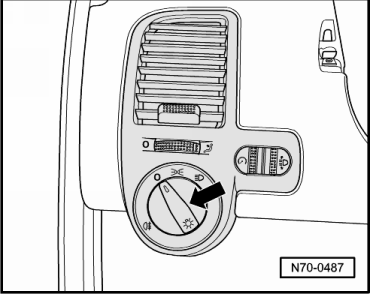
Unplug connector.
Remove bolt (arrow).
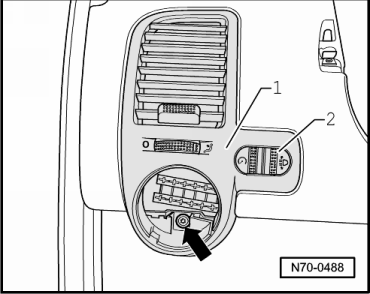
Pull out driver's side vent (1).
Pull connector off headlight range control (2).
Remove screws (1) and(2).
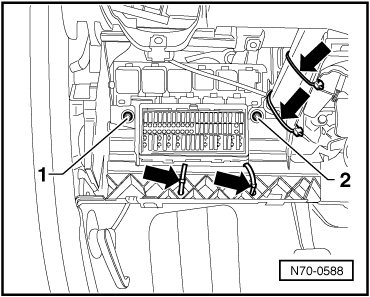
Separate cable ties (arrows).
Remove bolt (1) on left and right.
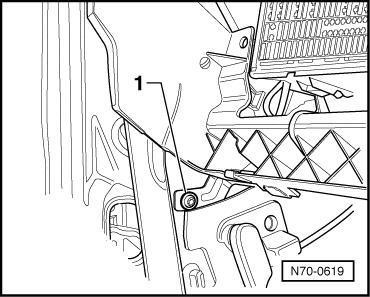
Unclip left and right covers (1).
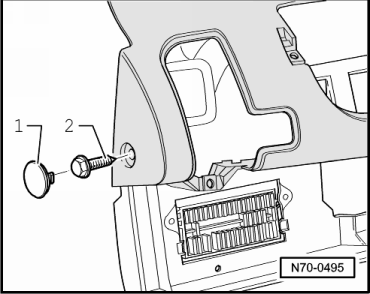
Remove bolt (2) on left and right.
Remove two bolts (arrows).
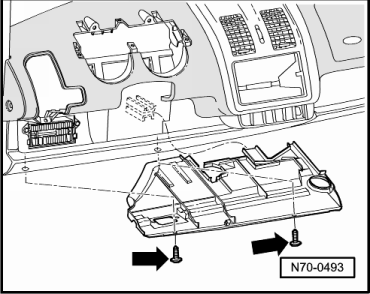
Remove driver's footwell cover.
Remove two screws (1).
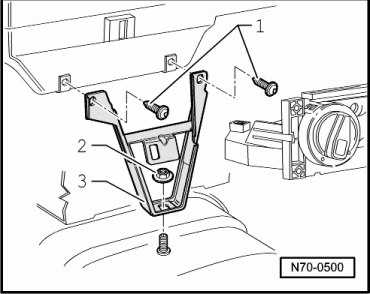
Unscrew hexagon nut (2).
Remove support (3).
Slide radio release tool T10057 into the release slots until they engage.
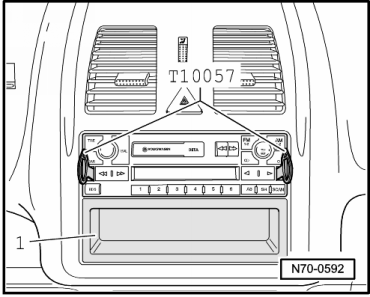
Pull radio out of dash panel using grip rings of release tools and separate connectors.
Note
- When doing this the radio release tool T10057 must not be pushed to the side or tilted.
- To remove release tools from radio, press locating lugs on sides of radio inwards.
Pull out compartment (1).
Remove three screws (arrows).
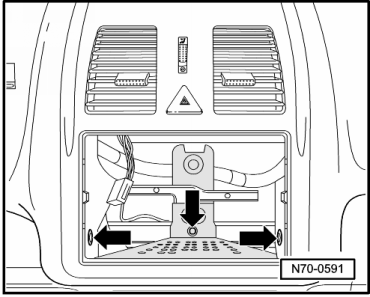
Remove centre vent.
Pull connector from hazard warning light switch.
Remove two bolts (arrows).
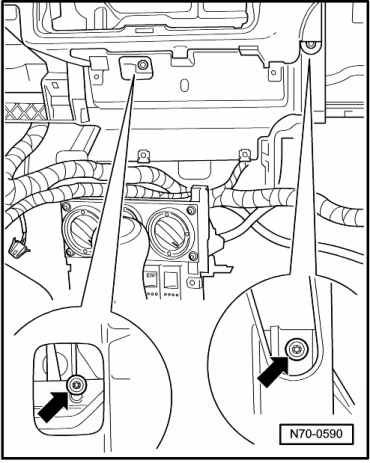
Note
- The screws can be seen through the apertures, and are set back by approx. 2 cm.
Pull off rubber seal (1) upwards to centre of vehicle.
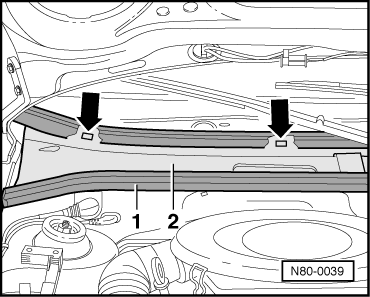
Unclip plenum chamber cover (2)(arrows) and pull out.
Unclip pollen filter frame (1).
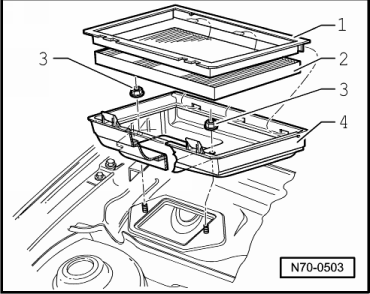
Remove pollen filter (2).
Unscrew hexagon nuts (3).
Remove pollen filter housing (4).
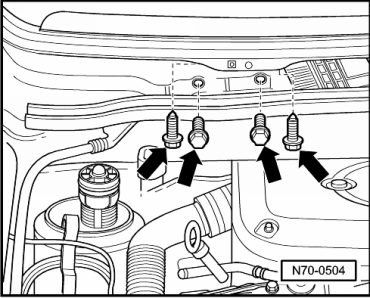
Remove four bolts (arrows).
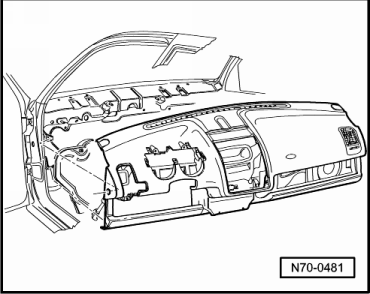
Pull dash panel forwards.
Note
- The wiring harness is secured to the dash panel by clips and cable ties. The wiring harness remains in the vehicle when removing the dash panel.
Loosen clips, disconnect cable ties and connectors depending on vehicle equipment.
Lift out instrument panel.
Parts & tools for this job For 1996 Volkswagen Caddy
- TOOLTrim removal tool kitSearch: trim removal tool kit
- PARTTouch-up paintSearch: Volkswagen touch up paint
- PARTPanel clip assortmentSearch: Volkswagen panel clips assortment
As an Amazon Associate we earn from qualifying purchases.