
Self-diagnosis
- Make
- Volkswagen
- Model
- Citi Golf South Africa
- Year
- 1984–2009
- Section
- Wheels and tyres › Self-diagnosis
Self-diagnosis
Special tools and workshop equipment requiredDiagnostic operation center VAS 5051/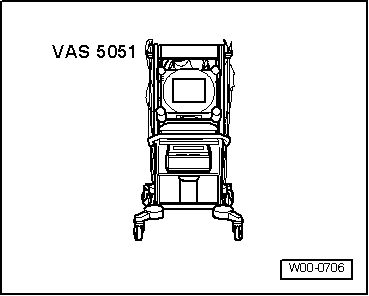
Connecting Diagnostic operation center VAS 5051/
Open cover at right side lower dash completely to reveal diagnostic plug.
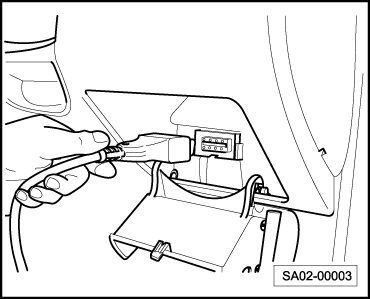
Connect fault reader Diagnostic operation center VAS 5051/.
Interrogating fault memory
Switch on vehicle ignition.
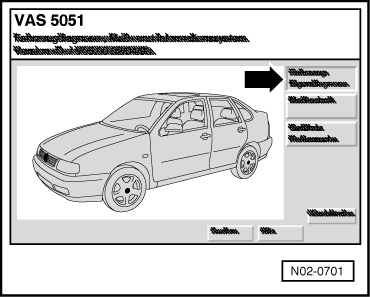
Select “Guided fault finding” on display.
Select correct vehicle type from options on display and confirm entry with “▸”.
When a control unit answers with its identification, the number of stored faults appears on the display or if no faults are found a tick symbol is displayed. (If faults are stored then repair measures are required).
Any system faults that are stored will be displayed at the end of the sequence and one has the option to correct the faults.
Switch ignition off.
Note
- The Diagnostic operation center VAS 5051/ must remain connected if idling, CO content and timing check (emissions test) is to be carried out.
Setting service interval display
The service interval display must be reset:
- for delivery inspection
- each oil change service
- each inspection service
Connect Diagnostic operation center VAS 5051/Chapter
Switch on vehicle ignition.
Press “Vehicle Self-Diagnosis” on display (arrow).
Press “17 - Dash Panel Insert” on display (arrow).
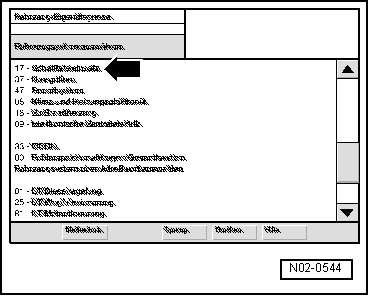
The control unit identification and coding are displayed in the top right hand corner (arrow).
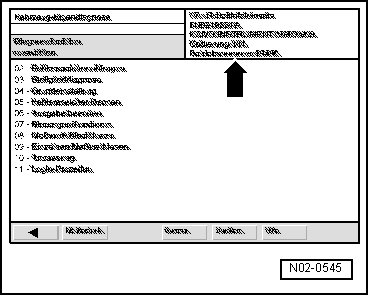
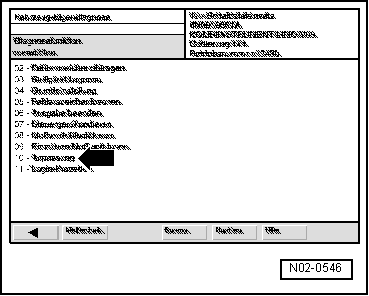
Press “10 - Adaption” on display (arrow).
Select the adaption channel for the service which is to be reset on the display number block:
- for display “service OIL” on dash panel, insert channel 10
- for display “service INSP” on dash panel, insert channel 10, 11 and 12
| Service: | Adaption channel: | Counter contents: | Adaption value to reset: | |
|---|---|---|---|---|
| service OIL | 10 | Distance in 100 km | 150 | Anchor |
| service INSP | 11 | Distance in 100 km | 300 | Anchor |
| service INSP | 12 | Time in days | 360 | Anchor |
Note
- Entering the relevant adaption values for the distance display is only possible in steps of 100 km, therefore this is shown on the display in 100 km.
- The entered values count down to 0 km
- The counter for “INSP service” can be adapted to max. 360 days.
Press buttons “1” and “0” on display number block (arrow).
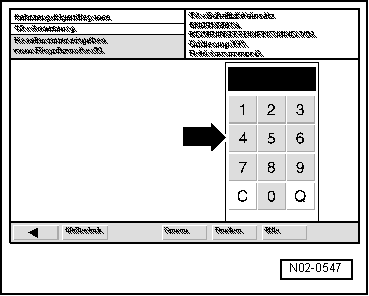
Confirm entry with “Q” on display number block.
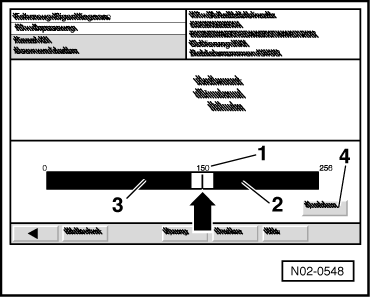
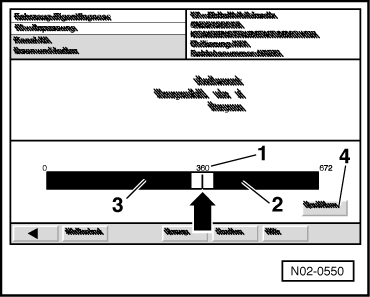
Move the position indicator (arrow) on the display until 150 is displayed over the scroll bar (1) (equates to 15 000 km).
Note
- Pressing the scroll bar briefly to the right (2) of the position indicator moves the value to the next number.
- Pressing the scroll bar briefly to the left (3) of the position indicator moves the value to the previous number.
Press “Save” on the display (4).
Press “Accept” on the display (arrow)
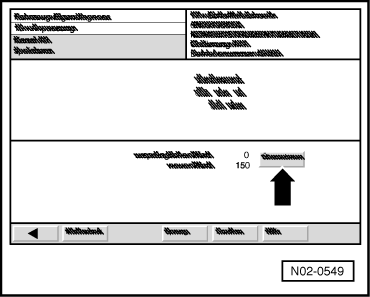
Press “Go to” on display (arrow).
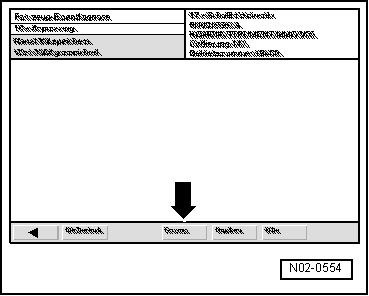
Press “Exit” on display (arrow).
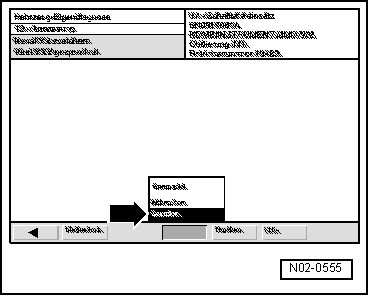
Press “Exit” in End menu.
Switch off ignition and separate diagnostic connections.
Switch on ignition.
After the ignition is switched on, the type of service is no longer displayed in the distance display in the dash panel cluster.
Switch off ignition.
Refit cover at right side lower dash.
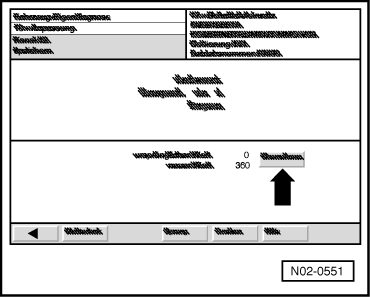
Press buttons “1” and “2” on display number block (arrow).
Confirm entry with Q on display number block.
Move the position indicator (arrow) on the display until 360 (1) is displayed over the scroll bar (1) (equates to 360 days).
Note
- Pressing the scroll bar briefly to the right (2) of the position indicator moves the value to the next number.
- Pressing the scroll bar briefly to the left (3) of the position indicator moves the value to the previous number.
Press “Save” on the display (4).
Press “Accept” on the display (arrow).
If an inspection service has been performed without an oil change, then end output.
If an inspection service has been performed with an oil change, then continue as described:
Press “<” on display (arrow).
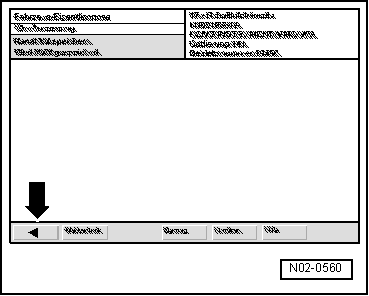
Press “10 - Adaption” on display (arrow).
Press buttons “1” and “0” on display number block (arrow).
Confirm entry with “Q” on display number block.
Move the position indicator (arrow) on the display until 150 is displayed over the scroll bar (1) (equates to 15 000 km).
Note
- Pressing the scroll bar briefly to the right (2) of the position indicator moves the value to the next number.
- Pressing the scroll bar briefly to the left (3) of the position indicator moves the value to the previous number.
Press “Save” on the display (4).
Press “Accept” on the display (arrow).
Press “Go to” on display (arrow).
Press “Exit” on display (arrow).
Press “Exit” in End menu.
Switch off ignition and separate diagnostic connections.
Switch on ignition.
After the ignition is switched on, the type of service is no longer displayed in the distance display in the dash panel cluster.
Switch off ignition.
Refit cover at right side lower dash.
Press buttons “1” and “1” on display number block (arrow).
Confirm entry with “Q” on display number block.
Move the position indicator (arrow) on the display until 300 is displayed over the scroll bar (1) (equates to 30 000 km).
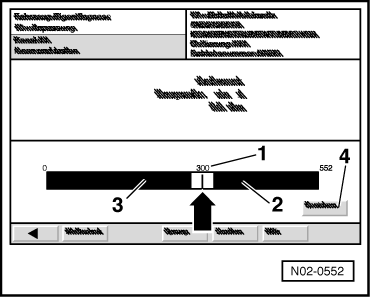
Note
- Pressing the scroll bar briefly to the right (2) of the position indicator moves the value to the next number.
- Pressing the scroll bar briefly to the left (3) of the position indicator moves the value to the previous number.
Press “Save” on the display (4).
Press “Accept” on the display (arrow).
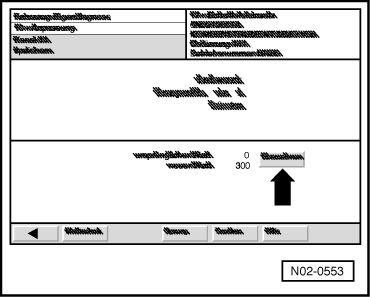
For the inspection every 30 000 km, also the inspection service every 12 months and the oil change service must be reset as follows:
Press “<” on display (arrow).
Press “10 Adaption” on display (arrow).
Press buttons “1” and “2” on display number block (arrow).
Confirm entry with “Q” on display number block.
Move the position indicator (arrow) on the display until 360 (1) is displayed over the scroll bar (1) (equates to 360 days).
Note
- Pressing the scroll bar briefly to the right (2) of the position indicator moves the value to the next number.
- Pressing the scroll bar briefly to the left (3) of the position indicator moves the value to the previous number.
Press “Save” on the display (4).
Press “Accept” on the display (arrow).
Press “<” on display (arrow).
Press “10 - Adaption” on display (arrow).
Press “1” and “0” on display (arrow).
Confirm entry with “Q” on display number block.
Move the position indicator (arrow) on the display until 150 is displayed over the scroll bar (1) (equates to 15 000 km).
Note
- Pressing the scroll bar briefly to the right (2) of the position indicator moves the value to the next number.
- Pressing the scroll bar briefly to the left (3) of the position indicator moves the value to the previous number.
Press “Save” on the display (4).
Press “Accept” on the display (arrow).
End output.
Press “Go to” on display (arrow).
Press “Exit” on display (arrow).
Press “Exit ” in End menu.
Switch off ignition and separate diagnostic connections.
Switch on ignition.
After the ignition is switched on, the type of service is no longer displayed in the distance display in the dash panel cluster.
Switch off ignition.
Refit cover at right side lower dash.
Parts & tools for this job For 1984 Volkswagen Citi Golf
- TOOLOBD2 scannerSearch: OBD2 scanner
- TOOLDigital multimeterSearch: automotive digital multimeter
- TOOLBack-probe test leadsSearch: back probe test leads
As an Amazon Associate we earn from qualifying purchases.