
Removing and installing mounting bracket
- Make
- Volkswagen
- Model
- Crafter Mk1
- Year
- 2006–2016
- Section
- Clutch operation › Removing and installing mounting bracket
‹ Prev Assembly overview - clutch release mechanismNext › Removing and installing clutch master cylinder
6-speed manual gearbox 0CBRemoving and installing mounting bracket
Removing and installing mounting bracket
Special tools and workshop equipment requiredTorque wrench V.A.G 1331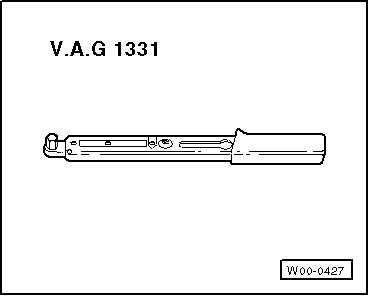
Remove steering column trim General body repairs, interiorRep. gr.70Dash panel; Removing and installing steering column trim.
Drive out mounting bracket (1).
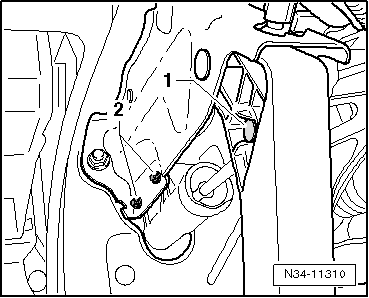
Unscrew bolts (2).
Unlock clutch pedal switch F36(2) and unscrew by half a turn to the right.
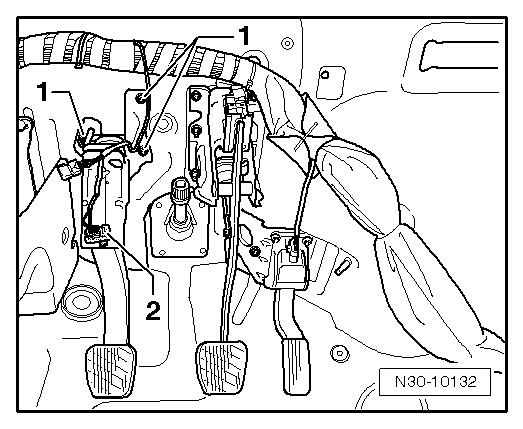
Unscrew nuts (1).
Remove mounting bracket with clutch pedal.
Note
- The clutch master cylinder remains installed.
- The mounting bracket and clutch pedal are a unit and cannot be separated.
Install in reverse order of removal, observing the following:
Mounting pin can be inserted only from one direction.
- Dash panel; Removing and installing steering column trim General body repairs, interiorRep. gr.70Dash panel; Removing and installing steering column trim.
| Component | Specified torque |
|---|---|
| Nuts for clutch master cylinder to mounting bracket | 9 Nm |
| Nuts, mounting bracket to body | 23 Nm |
‹ Prev Assembly overview - clutch release mechanismNext › Removing and installing clutch master cylinder
Parts & tools for this job For 2006 Volkswagen Crafter
- PARTClutch kitSearch: Volkswagen Crafter 2006 clutch kit
- TOOLClutch alignment toolSearch: clutch alignment tool
- FLUIDGear oilSearch: Volkswagen Crafter manual gearbox oil
As an Amazon Associate we earn from qualifying purchases.