
Removing and installing rear axle shaft
- Make
- Volkswagen
- Model
- Crafter Mk1
- Year
- 2006–2016
- Section
- Rear axle › Removing and installing rear axle shaft
Removing and installing rear axle shaft
Special tools and workshop equipment requiredTensioning strap T10038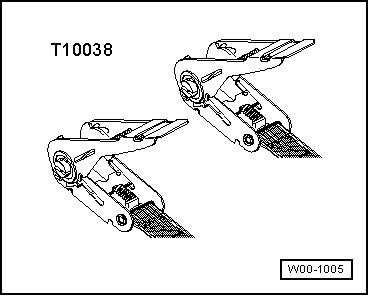
Raise vehicle and strap it down MaintenanceBooklet10.2.
Warning If the vehicle is not strapped down, it may slip off the lifting platform.
Remove wheel (1).
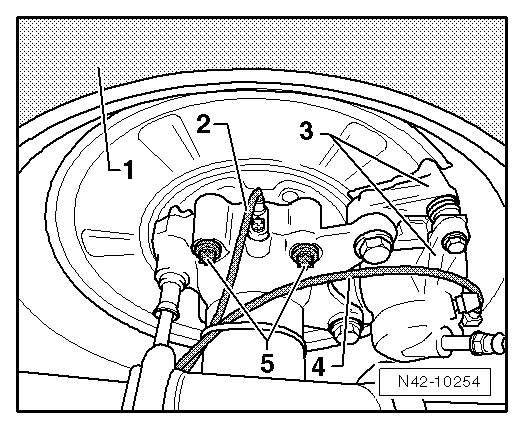
Release speed sensor wiring (2) from axle beam.
Remove brake caliper complete with brake carrier (3) and secure it to body Brake systemsRep. gr.46Front wheel brake; Removing and installing brake caliper.
Note
- When doing this ensure that the electrical wiring for the brake wear indicator (4) is not damaged.
Remove brake disc and brake shoes for handbrake Braking systemRep. gr.46Rear brake; Removing and installing brake shoes.
Remove bolts (5).
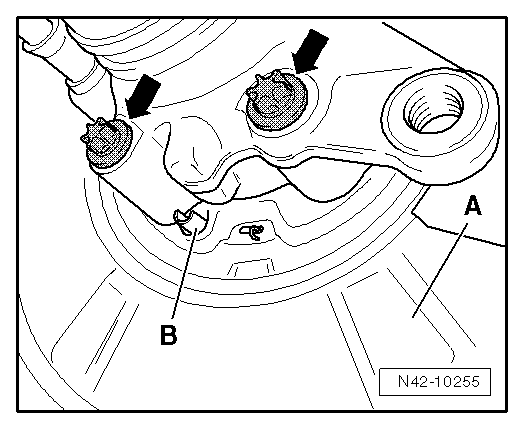
Remove bolts (arrows).
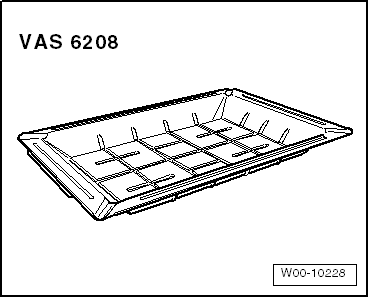
Place a drip tray for workshop hoist VAS 6208 under area of rear axle shaft and pull rear axle shaft out of axle beam.
Remove brake disc splash plate (A) from axle beam.
Note
- Clean oil drain channel (B) before re-installing rear axle shaft.
Install in reverse order. Note the following points:
Position brake disc splash plate (A) on axle beam.
Install rear axle shaft in axle beam.
Tighten new bolts (arrows) diagonally.
Note
- When installing rear axle shaft, oil drain channel (B) must be guided through splash plate for brake disc. Oil drain channel points downwards.
- After installing shaft in rear axle beam, check oil level in rear final drive and replenish as necessary Rep. gr.39Axle oil; Checking axle oil level.
- Chapter“Assembly overview - wheel bearing assembly”
- Chapter“Specified torque for wheel bolts”
Parts & tools for this job For 2006 Volkswagen Crafter
- PARTRear wheel bearingSearch: Volkswagen Crafter 2006 rear wheel bearing
- TOOLBearing puller kitSearch: wheel bearing puller kit
- PARTCV boot kitSearch: Volkswagen Crafter 2006 cv boot kit
As an Amazon Associate we earn from qualifying purchases.