
Removal
- Make
- Volkswagen
- Model
- Fox Brazil: Fox, SpaceFox, CrossFox
- Year
- 2010–2015
- Section
- Adjustable steering column - repair › Removal
Removal
The steering column is supplied complete as a spare part. Repair is not permitted.
The switchbox cover can be transferred.
Warning Before starting to work on the electric system and removing the steering wheel, the following conditions must be met:
- Disconnect the earth wire from the Battery AElectrical equipmentsRep. gr.27Starter, alternator, battery
- The wheels must be in the straight line position
Set the wheels to the straight line position.
Pull the lever below the steering column down.
Move the steering column downward and pull it as much as possible.
Remove the Trigger for driver's airbag N95, if any Body - Internal assembly worksRep. gr.69Occupants' protection.
Disconnect the connector(1), pressing the lock (arrow) down.
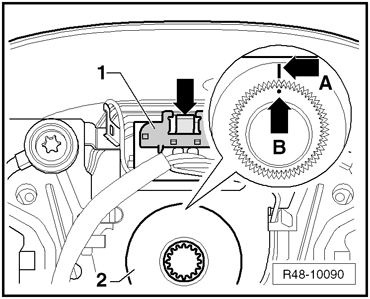
Remove the (internal multiple toothed) bolt from the steering wheel (2).
Mark the steering wheel installation position in relation to the steering column with a ball pen or a scriber, for example.
Remove the steering wheelChapter.
Remove the steering column coveringGeneral body repairs, interiorRep. gr.70Lining / Insulation.
Note
- The upper lining can only be totally removed after removal of the steering column.
Vehicles equipped with ESP are also equipped with the Steering wheel angle sensor G85. It is fitted in the housing (1) along with the contact ring.
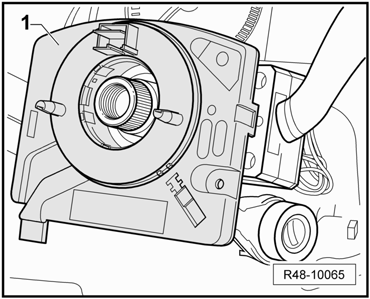
After performing work on the switch set, check the basic adjustment of the Steering angle sensor G85Anchor.
Check if the front wheels are in the straight line position.
Position the wheels in a straight ahead position and remove the steering wheel, if necessary.
Position the Steering angle sensor G85 on the central position.
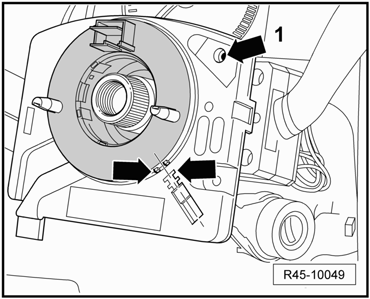
Disconnect the connectors (arrows).
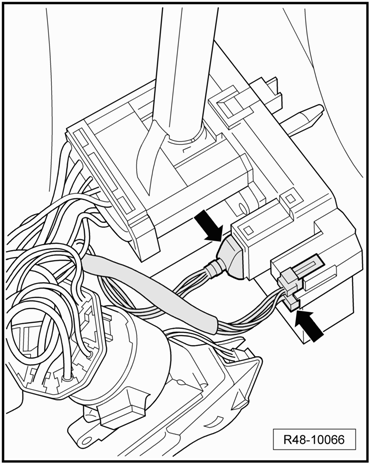
Lift the hooks carefully (arrows) and remove the Steering wheel angle sensor G85 .
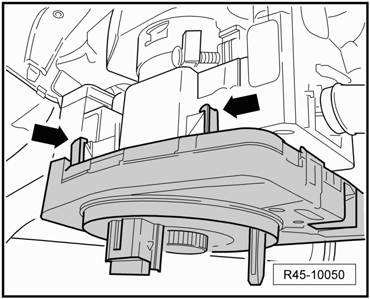
Remove the switch set Electrical equipmentRep. gr.94Switches, lights and external lamps.
Note
- The column must be in the central position (wheels in straight line position) when the contact ring is removed and installed
- The contact ring supplied as a new part is locked in the central position through a cable clamp
Disconnect the connector (1) from the Immobilizer reading coil D2.
Open the support (right side) of the cables on the tabs (arrows) and remove the cable.
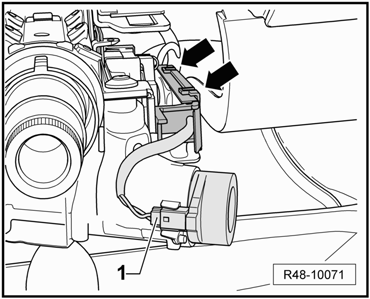
Loosen the union nut (arrow) and remove the steering column earth wire.
Remove the cable support (left side) (1) in the switchbox.
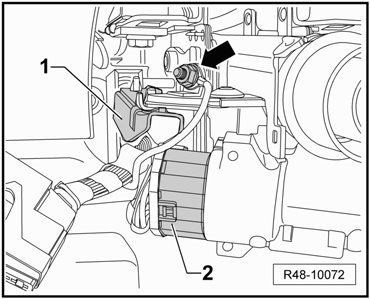
Disconnect the connector (2) from the steering lock set.
Remove the securing bolt (arrow) from the universal joint (1) and uncouple the universal joint (towards the arrow).
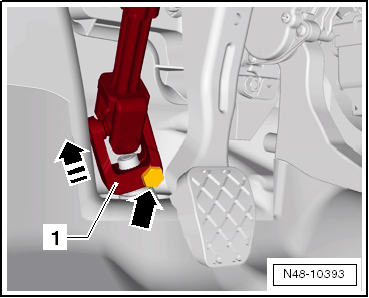
Remove the securing bolt (arrow) to the left of the pedal set (1) above the steering column support
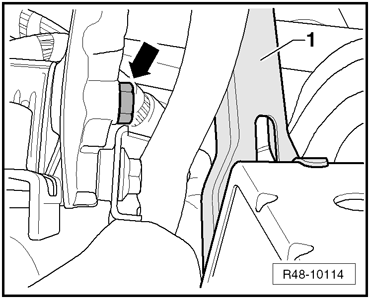
or
Remove the screw (arrow) placed to the left and self-locking nut placed to the right of the steering column support.
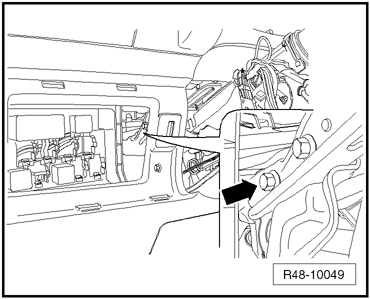
Remove the screw (arrow) placed to the left and self-locking nut placed to the right of the steering column support.
Remove the command switch from the clutch pedal, if necessary.
Remove the securing bolts (arrows) and carefully pull the steering column (1) out of its housing.
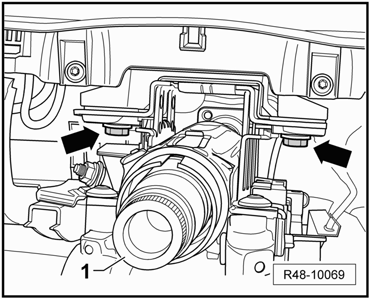
Remove the steering lock set Electrical equipmentRep. gr.94 Switches, lights and external lamps.
Check the steering column for damagesChapter.
If the mounting bushing (1) is damaged, replace it.
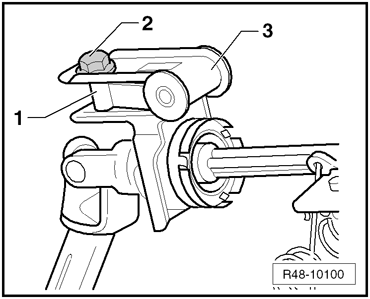
Remove the bolt (2).
Remove the mounting bush (1) from the steering column fork (3).
Note
- If the steering column is replaced, carefully remove the mounting bush (1) and install on the new shaft
- Before installing the mounting bush, check for damages
Parts & tools for this job For 2010 Volkswagen Fox
- TOOLTie rod end toolSearch: tie rod end puller
- TOOLBall joint separatorSearch: ball joint separator
- FLUIDPower steering fluidSearch: Volkswagen power steering fluid
As an Amazon Associate we earn from qualifying purchases.