
Removing and installing brake piston FNR-G
- Make
- Volkswagen
- Model
- Golf Mk6 Cabriolet
- Year
- 2011–2016
- Section
- Front brake caliper › Removing and installing brake piston FNR-G
Removing and installing brake piston FNR-G
Special tools and workshop equipment requiredRemoval wedge 3409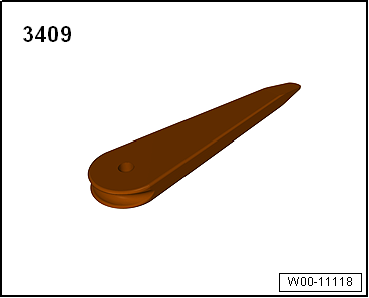
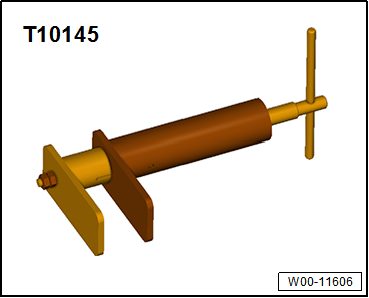
Unscrew bleed valve.
Note
- Place a piece of wood in brake caliper to prevent damage to piston.
Press piston out of brake caliper using compressed air gun (arrow).
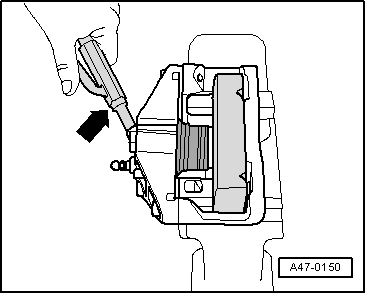
Lever off protective cap from brake caliper using removal wedge 3409.
Remove seal using removal wedge 3409.
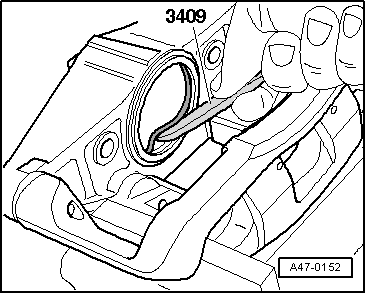
Note
- When removing ensure that the surface of the piston is not damaged.
Note
- The surfaces of the piston and seal must be cleaned only with methylated spirits and then dried.
Apply a thin coat of assembly paste G 052 150 A2 to piston and seal before inserting.
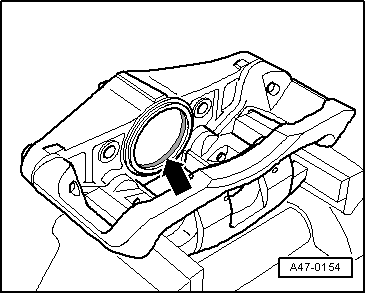
Insert seal in brake caliper (arrow).
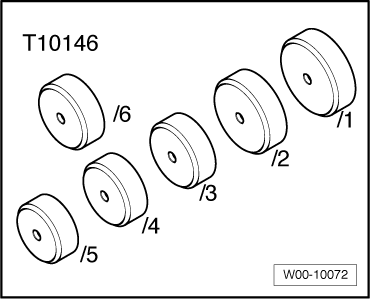
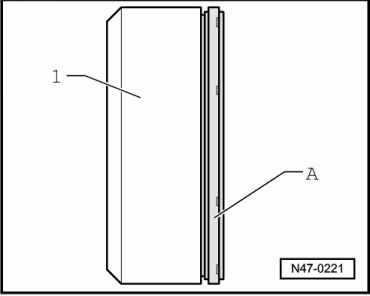
Fit protective cap (A) in assembly tool T10146/1(1).
Press protective cap onto brake caliper so that it lies on brake caliper all around using assembly tool (1) and piston resetting tool T 10145(2).
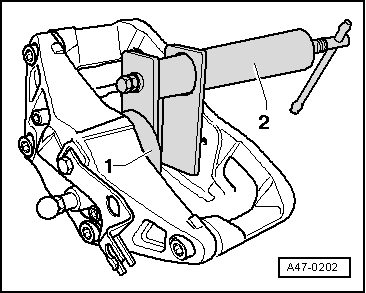
At this stage it should not be possible to remove protective cap from brake caliper by hand.
Gently press piston onto protective cap using an extension and a ratchet tool (1). Hold piston in this position.
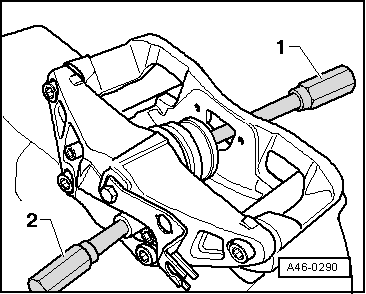
Note
- Keep piston straight to prevent damage to sealing collar.
Blow protective cap on over brake caliper with compressed air (max. 3 bar) (2). Protective cap will spring over the piston.
Press piston into brake caliper by hand. If necessary, gently re-press using piston resetting tool T 10145.
The outer sealing lip of the protective cap will then lock in the groove on piston.
Screw in bleed valve.
Parts & tools for this job For 2011 Volkswagen Golf
- PARTEngine gasket setSearch: Volkswagen Golf 2011 engine gasket set
- TOOLTorque wrenchSearch: 3/8 inch torque wrench
- TOOLFeeler gauge setSearch: feeler gauge set
As an Amazon Associate we earn from qualifying purchases.