
Removing and installing reversing camera R189
- Make
- Volkswagen
- Model
- Golf Mk5 Estate
- Year
- 2007–2009
- Section
- Reversing camera system › Removing and installing reversing camera R189
Removing and installing reversing camera R189
The reversing camera R189 is installed in the handle button of the rear lid. The reversing camera R189 cannot be removed from the handle button. The handle button has to be replaced.
Special tools and workshop equipment requiredTorque wrench V.A.G 1783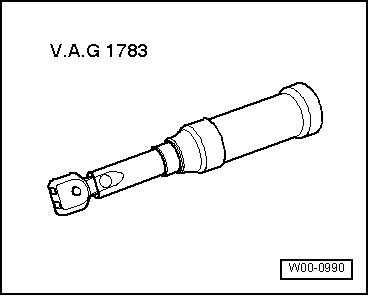
Switch off ignition and all electrical loads, and pull out ignition key.
Remove rear lid trim General body repairs, interiorRep. gr.70Rear lid trim; Removing and installing rear lid trim, Variant.
Open wiring retainer of wiring harness of reversing camera R189 in vicinity of connectors and remove both wires.
Release and detach connectors (1) and (2).
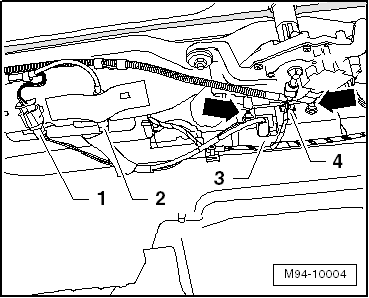
Remove nuts (arrows).
Release connector (4) and disconnect.
Remove handle button together with reversing camera R189(3) from tailgate.
Install in the reverse order of removal. When doing this, note the following:
Tighten screw connections to specified torques → Chapter.
Secure wiring of reversing camera R189 with wiring retainer to prevent rattling.
After installation, clean reversing camera R189 lens with a lint-free cloth.
Parts & tools for this job For 2007 Volkswagen Golf
- TOOLDigital multimeterSearch: automotive digital multimeter
- PARTAssorted fuse kitSearch: car fuse assortment kit
- TOOLWire crimper and connector kitSearch: wire crimper connector kit
As an Amazon Associate we earn from qualifying purchases.