
Removing and installing iPod holder R192
- Make
- Volkswagen
- Model
- Golf Mk6 Estate
- Year
- 2009–2013
- Section
- iPod holder R192 › Removing and installing iPod holder R192
Electrical: CommunicationRemoving and installing iPod holder R192
Removing and installing iPod holder R192
The iPod holder R192 is installed in the centre console.
Switch off ignition and all electrical loads, and pull out ignition key.
Open centre armrest.
Reach into iPod holder R192 and pull out iPod holder R192 in direction of (arrow).
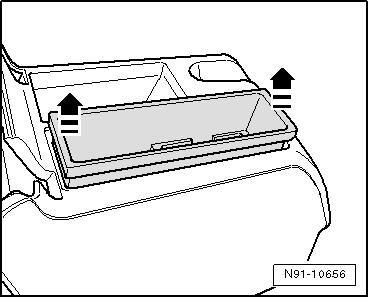
Release and separate wiring connection beneath iPod holder R192.
Reconnect connector.
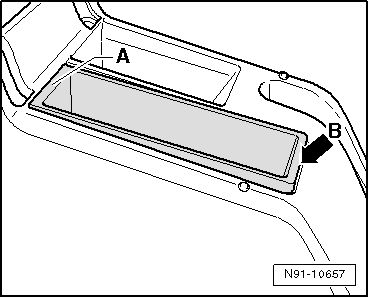
First insert iPod holder R192 in centre console at (A), then press it in the direction of (B) until iPod holder R192 engages in centre console.
Parts & tools for this job For 2009 Volkswagen Golf
- TOOLDigital multimeterSearch: automotive digital multimeter
- PARTAssorted fuse kitSearch: car fuse assortment kit
- TOOLWire crimper and connector kitSearch: wire crimper connector kit
As an Amazon Associate we earn from qualifying purchases.