
Adjusting multifunction switch
- Make
- Volkswagen
- Model
- Golf Mk7 Estate
- Year
- 2013–2020
- Section
- Selector mechanism › Adjusting multifunction switch
6-speed automatic gearbox 09GAdjusting multifunction switch
Adjusting multifunction switch
Special tools and workshop equipment requiredAdjusting gauge T10173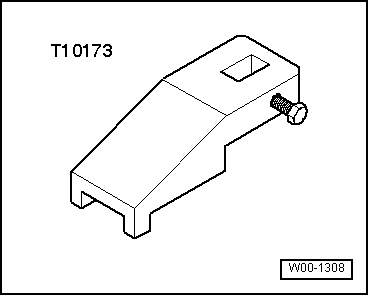
Move selector lever to position “N”.
Do not kink selector lever cable.
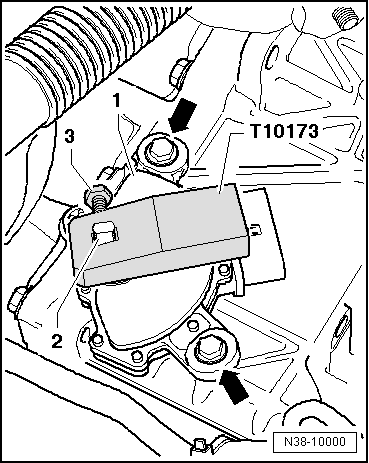
Selector lever cable has been removed from gearbox selector leverSelector shaft is set to “N” position.Securing bolts for multifunction switch F125 have been loosened. Gearbox selector lever has been removed from selector shaftPlace setting gauge on selector shaft (2) and turn multifunction switch(1) until setting gauge engages in lug on connector of multifunction switch connector.
Note
- If the lug of the connector cannot engage in the groove of the setting gauge, the gearbox is no longer in position “N”. In this case, use the setting gauge to select position “N” on the gearbox.
Secure setting gauge on selector shaft (2) with bolt (3).
Tighten bolts (arrows) to specified torque.
Remove setting gauge.
Continue installation in reverse order of removal Anchor.
| Component | Nm |
|---|---|
| Multifunction switch F125 to gearbox | 6 |
Parts & tools for this job For 2013 Volkswagen Golf
- TOOLOBD2 scannerSearch: OBD2 scanner
- TOOLDigital multimeterSearch: automotive digital multimeter
- TOOLBack-probe test leadsSearch: back probe test leads
As an Amazon Associate we earn from qualifying purchases.