
Removing and installing front entry light W31/ W32
- Make
- Volkswagen
- Model
- Golf Mk7 Estate
- Year
- 2013–2020
- Section
- Lights › Removing and installing front entry light W31/ W32
‹ Prev Removing and installing central locking SAFELOCK function warning lamp K133Next › Removing and installing door warning lamp W30/ W36
Electrical systemRemoving and installing front entry light W31/ W32
Removing and installing front entry light W31/ W32
Warning Danger of damage to component surfaces.
- When using leverage tools, mask visible areas of the component with commercially available adhesive tape.
Note
- Removal and installation of all entry lights are performed in the same manner and are described only for one light.
- The entry lights can be tested by means of the final control diagnostic function of the respective door control unit.
- Front left entry light W31
- Front right entry light W32
- Rear left entry light W33
- Rear right entry light W34
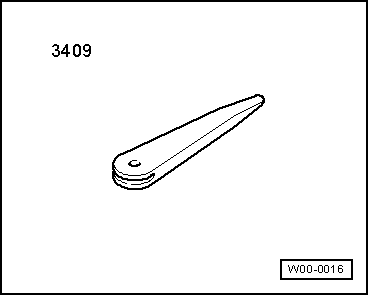
Switch off ignition and all electrical consumers.
Carefully lever out light using removal wedge 3409 or a screwdriver.
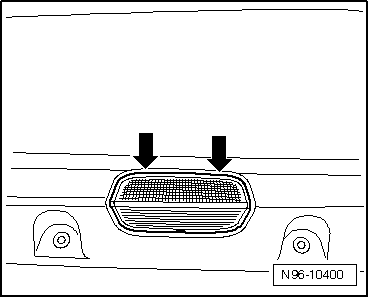
Release and detach connector and remove light.
Install in reverse order of removal.
Remove front entry light Anchor.
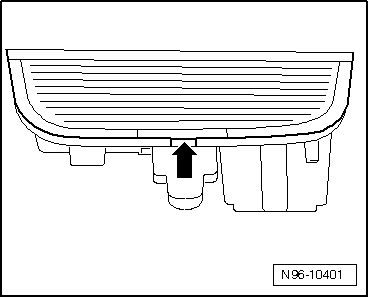
Carefully lever off lens from housing.
Pull bulb (1) straight upwards out of the holder.
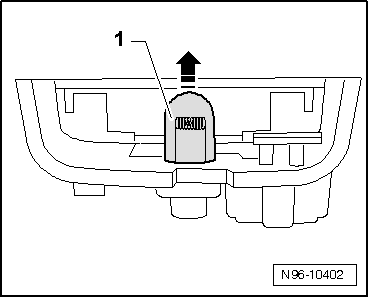
Install in reverse order of removal.
‹ Prev Removing and installing central locking SAFELOCK function warning lamp K133Next › Removing and installing door warning lamp W30/ W36
Parts & tools for this job For 2013 Volkswagen Golf
- TOOLDigital multimeterSearch: automotive digital multimeter
- PARTAssorted fuse kitSearch: car fuse assortment kit
- TOOLWire crimper and connector kitSearch: wire crimper connector kit
As an Amazon Associate we earn from qualifying purchases.