
Battery load test
- Make
- Volkswagen
- Model
- Golf Mk7 Estate
- Year
- 2013–2020
- Section
- Checking battery › Battery load test
Battery load test
Warning Danger of injury! Comply with the warning notices and safety regulationsChapter!
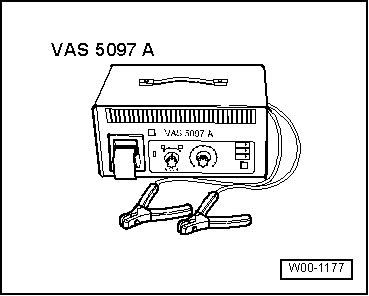
Observe TPL 2012182.
Warning Do not test or charge batteries A whose magic eye is »colourless/light yellow«. Do not slave/jump start the vehicle!
Danger of explosion when checking and charging or slave/jump starting
These batteries A must be replaced.
Note
- The temperature of the battery A must be at least 10 °C.
Warning
- Switch off ignition and all electrical consumers.
- Remove ignition key.
Check the colour indicator when checking batteries A with a magic eye → Chapter.
Switch on battery tester with printer VAS 5097 AChapter.
Ascertain the low-temperature test current in amperes (A) according to DIN from details given on battery A and determine the setting range of battery tester with printer VAS 5097 A according to table → Chapter.
Note
- If the battery A values are shown in IEC or EN/SAE units instead of DIN units, then convert figures using table or using table → Chapter on battery tester with printer VAS 5097 A.
Set low-temperature test current with low-temperature test current selection switch → Chapter.
Select measuring range (80 to 379 A or 380 to 499 A) with ON/OFF function switch → Chapter.
Note
- Batteries A with a low-temperature test current greater than 499 A according to DIN can be tested using setting for 499 A according to DIN.
Connect red terminal (+) to positive terminal of battery A.
Connect black terminal (-) to negative terminal of battery A.
Note
- Make sure test terminals make good contact!
- Observe technical product information TPL 2012182 for battery tester with printer VAS 5097 A.
Select connection point of test terminals with selection switch → Chapter.
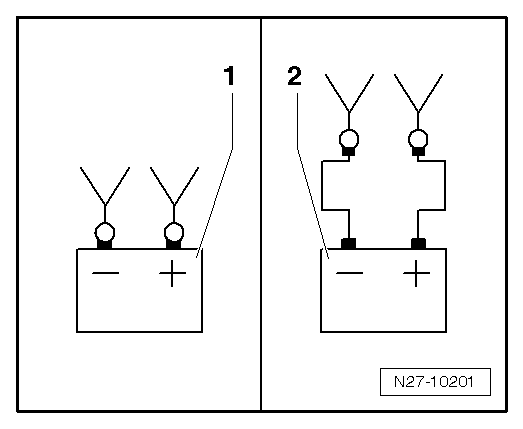
Check that the low-temperature test current given on battery A is correct for the setting on battery tester with printer VAS 5097 A.
Press Start button → Chapter.
The green LED lights up → Chapter. The test program runs through automatically. The test result is printed out by the printer → Chapter. If battery tester with printer VAS 5097 A does not start (LED does not light up, no printout), recharge battery A.Chapter
Switch off battery tester with printer VAS 5097 AChapter.
Remove test terminals.
Note
- The test is completed after about 20 seconds.
- The result of the test is printed out by the printer.
- Only perform test once. Repeating the test falsifies the result.
- The battery tester with printer VAS 5097 A needs approximately 30 minutes (to cool down) before it is ready for the next measurement.
Parts & tools for this job For 2013 Volkswagen Golf
- TOOLBattery testerSearch: car battery tester
- TOOLDigital multimeterSearch: automotive digital multimeter
- TOOLBattery terminal cleanerSearch: battery terminal cleaner
As an Amazon Associate we earn from qualifying purchases.