
Removing and installing amplitude modulation (AM) frequency filter R177
- Make
- Volkswagen
- Model
- Golf Mk7
- Year
- 2013–2020
- Section
- Aerial systems › Removing and installing amplitude modulation (AM) frequency filter R177
‹ Prev Removing and installing aerial amplifier R24/ R93/ R84Next › Removing and installing frequency modulation (FM) frequency filter R178/ R179
Electrical: CommunicationRemoving and installing amplitude modulation (AM) frequency filter R177
Removing and installing amplitude modulation (AM) frequency filter R177
Special tools and workshop equipment requiredTorque wrench V.A.G 1783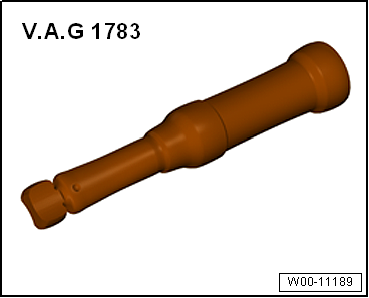
Switch off ignition and all electrical consumers, and remove ignition key.
Remove rear lid trim (bottom) General body repairs, interiorRep. gr.70Luggage compartment trim panels; Removing and installing rear lid trim (bottom).
Release and detach connectors (arrows) on amplitude modulation (AM) frequency filter R177.
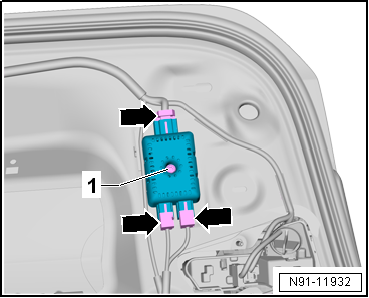
Remove bolt (1).
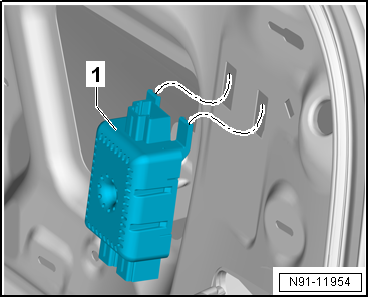
Remove amplitude modulation (AM) frequency filter R177(1) from rear lid taking locking lugs into account.
Install in the reverse order of removal. When doing this, note the following:
| Component | Specified torque |
|---|---|
| Securing bolt on amplitude modulation (AM) frequency filter R177 | 6 Nm |
‹ Prev Removing and installing aerial amplifier R24/ R93/ R84Next › Removing and installing frequency modulation (FM) frequency filter R178/ R179
Parts & tools for this job For 2013 Volkswagen Golf
- TOOLDigital multimeterSearch: automotive digital multimeter
- PARTAssorted fuse kitSearch: car fuse assortment kit
- TOOLWire crimper and connector kitSearch: wire crimper connector kit
As an Amazon Associate we earn from qualifying purchases.