
Removing and installing additional brake light
- Make
- Volkswagen
- Model
- Golf Mk7
- Year
- 2013–2020
- Section
- High-level brake light › Removing and installing additional brake light
Electrical systemRemoving and installing additional brake light
Removing and installing additional brake light
Special tools and workshop equipment requiredTorque wrench V.A.G 1783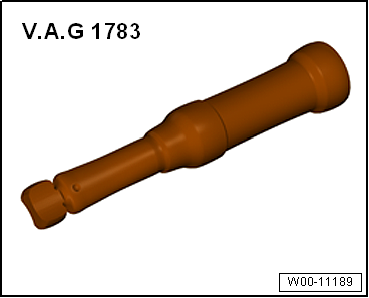
Remove roof spoiler General body repairs, exteriorRep. gr.66Spoiler; Assembly overview - roof spoiler.
Unscrew bolts (1), (5) and (6) from additional brake light (7).
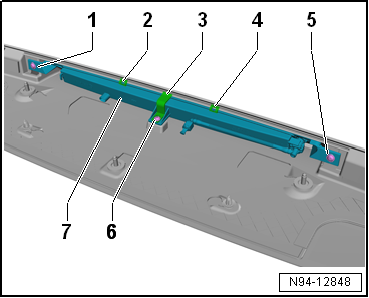
Carefully lift catches (2) and (4) to release.
Slightly lift support bracket (3).
Remove additional brake light (7) from roof spoiler.
Install in the reverse order of removal. When doing this, note the following:
Note
- When installing additional brake light, make sure seal is correctly seated. The seal must not form loops or be damaged.
Check additional brake light bulb M25 and rear window washer system for fault-free function.
- Chapter“Assembly overview - additional brake light”
Parts & tools for this job For 2013 Volkswagen Golf
- PARTBrake padsSearch: Volkswagen Golf 2013 brake pads
- TOOLBrake bleeder kitSearch: one man brake bleeder kit
- FLUIDBrake fluidSearch: brake fluid
As an Amazon Associate we earn from qualifying purchases.