
Removing and installing glove compartment
- Make
- Volkswagen
- Model
- Golf Mk7
- Year
- 2013–2020
- Section
- Compartments/covers › Removing and installing glove compartment
Removing and installing glove compartment
Special tools and workshop equipment requiredTorque wrench V.A.G 1783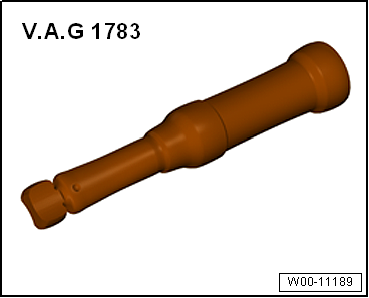
Remove dash panel end cover on front passenger side → Chapter.
Remove front passenger side footwell cover → Chapter.
Remove centre console cover on front passenger side → Chapter.
If fitted, remove control unit 1 for information electronics J794CommunicationRep. gr.91Infotainment system; Removing and installing control unit 1 for information electronics J794.
Unscrew bolt (arrow 1) at side.
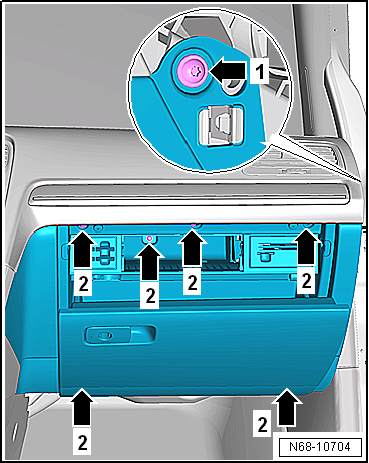
Open glove compartment lid and unscrew bolts (arrows 2).
Unclip glove compartment from dash panel and pull it out until glove compartment cooling hose can be accessed.
Pull glove compartment cooling hose off glove compartment.
Disconnect any electrical connectors from glove compartment, move cable guides clear to one side and remove glove compartment.
Note
- Before installing, check all fasteners for damage and renew if necessary.
Installation is carried out in reverse order.
- Chapter“Assembly overview - glove compartment”
Parts & tools for this job For 2013 Volkswagen Golf
- TOOLTrim removal tool kitSearch: trim removal tool kit
- PARTTouch-up paintSearch: Volkswagen touch up paint
- PARTPanel clip assortmentSearch: Volkswagen panel clips assortment
As an Amazon Associate we earn from qualifying purchases.