
Removing and installing “Sachs” clutch
- Make
- Volkswagen
- Model
- Golf Plus
- Year
- 2005–2014
- Section
- Clutch › Removing and installing “Sachs” clutch
Removing and installing “Sachs” clutch
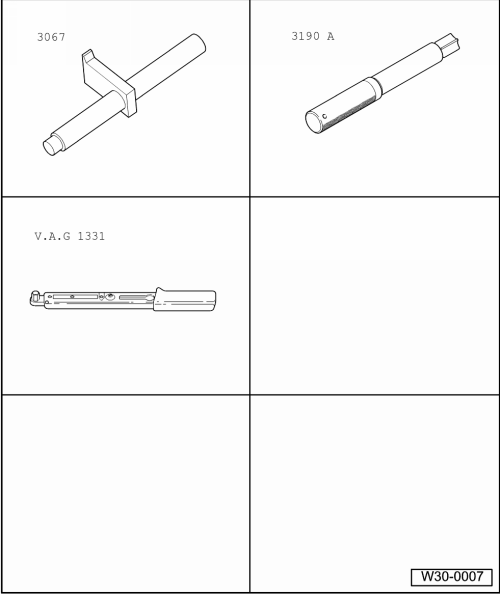
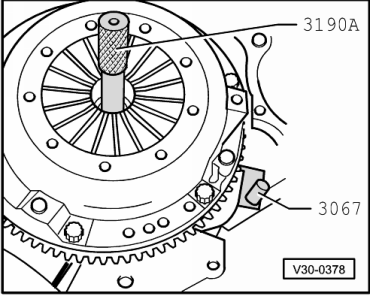
Use counterhold 3067 to loosen bolts.
Loosen bolts in small steps and diagonally.
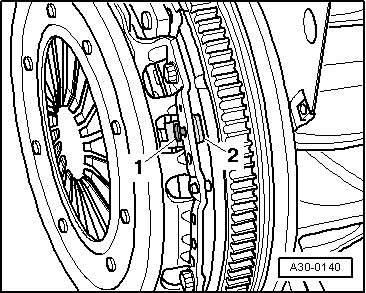
If stop does not loosen, press pin towards dual-mass flywheel.
Remove pressure plate and clutch plate.
Install in the reverse order of removal, observing the following:
Note
- Renew pressure plate and clutch plate together only. Select clutch plate and pressure plate according to engine code and Electronic parts catalogue (ETKA).
- Check whether dowel sleeves for aligning engine and gearbox are fitted in cylinder block and install if necessary.
- If dowel sleeves are not fitted, difficulties shifting gears, clutch problems and possible noises from the gearbox (rattling of gears which are not engaged) could occur.
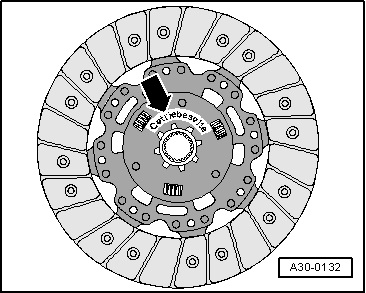
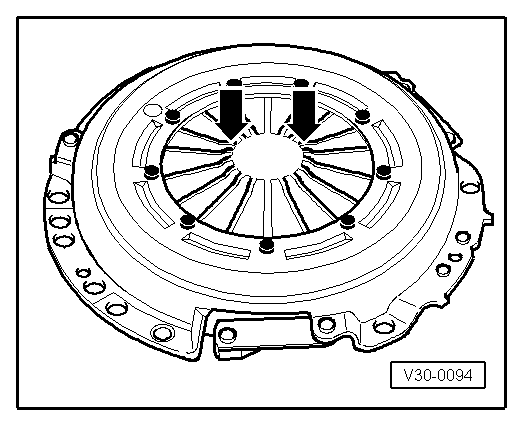
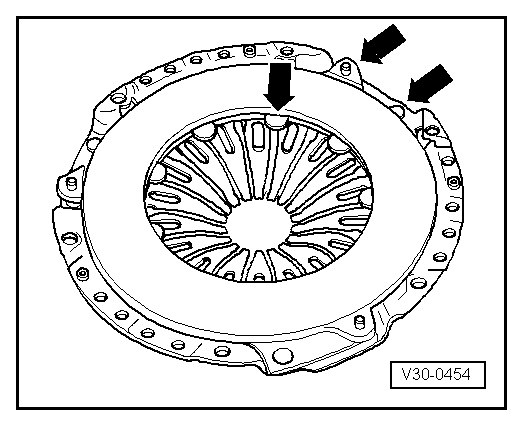
Check spring connections between pressure plate and cover for cracks as well as rivet connections for secure seating.
Reverse counterhold tool 3067 for installation.
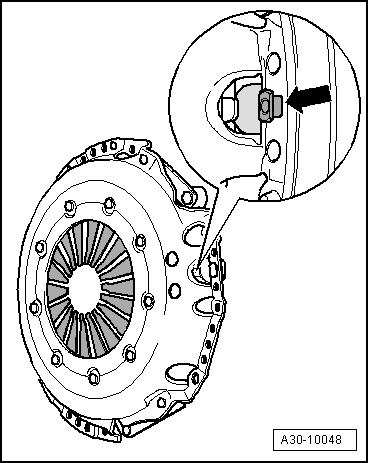
Make sure that stop pin (position setter) (arrow) can be moved easily.
Stop pin (arrow) must lift off pressure plate when this is done.Push pressure plate onto dowel pins.
To centre clutch plate, use centring mandrel 3190 A.
Tighten all bolts evenly by hand until bolt heads contact pressure plate.
Tighten bolts in small steps diagonally in order not to damage centring holes of pressure plate and centring pins of dual-mass flywheel.
Torque setting Item
Install gearbox.Parts & tools for this job For 2005 Volkswagen Golf
- PARTClutch kitSearch: Volkswagen Golf 2005 clutch kit
- TOOLClutch alignment toolSearch: clutch alignment tool
- FLUIDGear oilSearch: Volkswagen Golf manual gearbox oil
As an Amazon Associate we earn from qualifying purchases.