
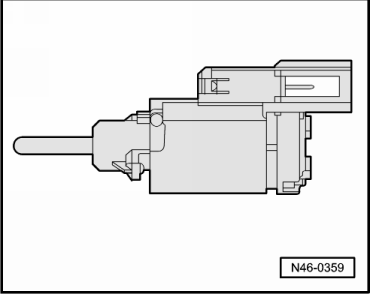
Brake light switch, old version
- Make
- Volkswagen
- Model
- Golf Plus
- Year
- 2005–2014
- Section
- Assembly overview - brake pedal › Brake light switch, old version
‹ Prev Removing and installing brake light switch F from week 45 of 2005Next › Brake light switch, new version
Brake systemsBrake light switch, old version
Brake light switch, old version
Note
- After removing the old brake light switch (see figure N46-0359), replace it with a new one (see figure N46-10145).
- Distinguishing features Anchor.
Remove trim on driver's side General body repairs, interiorRep. gr.70Dash panel
If necessary, remove footwell vent Heater, air conditioning systemRep. gr.80Repairing heater; Removing vent.
Pull connector off brake light switch.
The brake light switch may be removed only while operating rod is pressed in (brake pedal is not operated), or the locking mechanism of the brake light switch will be damaged.
Remove brake light switch by turning 45° to left.
Because old brake light switches may no longer be used, the description has been omitted.
Installing, adjusting and locking new brake light switch → Chapter.
‹ Prev Removing and installing brake light switch F from week 45 of 2005Next › Brake light switch, new version
Parts & tools for this job For 2005 Volkswagen Golf
- TOOLOBD2 scannerSearch: OBD2 scanner
- TOOLDigital multimeterSearch: automotive digital multimeter
- TOOLBack-probe test leadsSearch: back probe test leads
As an Amazon Associate we earn from qualifying purchases.