
Removing
- Make
- Volkswagen
- Model
- Golf Plus
- Year
- 2005–2014
- Section
- Repairing front brakes › Removing
Removing
Remove wheels.
Lever retaining spring out of brake caliper using a screwdriver. To do this, position screwdriver between retaining spring and brake caliper (magnifying glass).
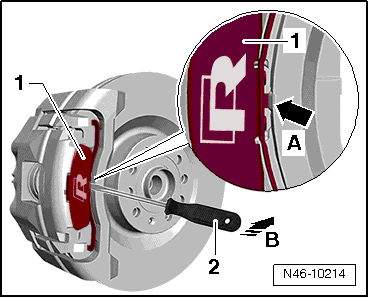
Firmly hold brake caliper retaining spring with a cloth to prevent loss.
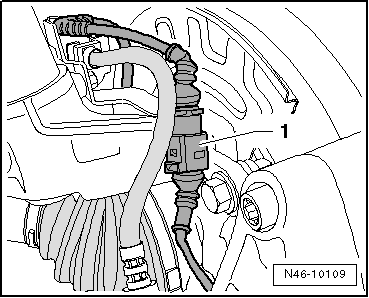
Disconnect connector (1) for brake pad wear indicator.
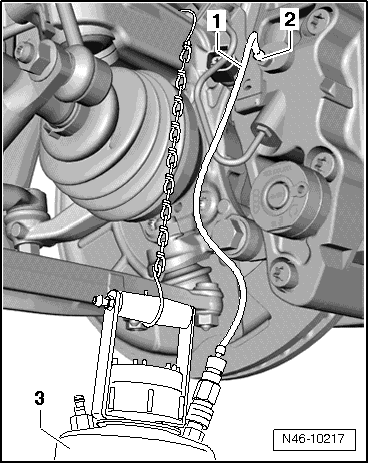
Connect bleed bottle (3) bleed hose (1) to brake caliper bleed valve (2) and open bleed valve.
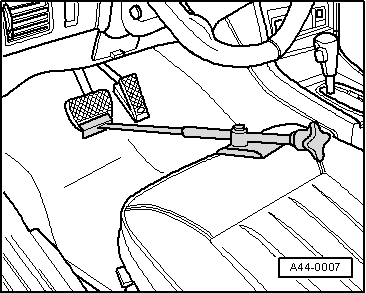
Apply brake pedal depressor V.A.G 1869/2.
Close bleed valve and remove bleed bottle.
Unscrew brake pipe (4) from brake hose (2).
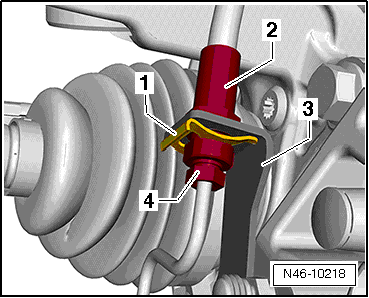
Pull off retaining clip (1) and remove brake hose (2) from bracket (3).
Remove cover caps (arrows).
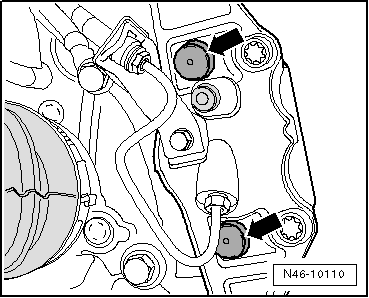
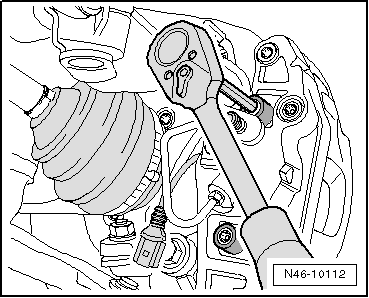
Loosen both guide pins and remove from brake caliper housing.
Remove brake caliper (1) from brake carrier (2).
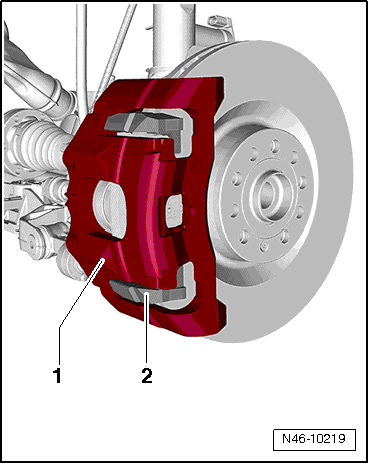
Remove inner brake pad from brake caliper/piston.
Parts & tools for this job For 2005 Volkswagen Golf
- PARTBrake padsSearch: Volkswagen Golf 2005 brake pads
- TOOLBrake bleeder kitSearch: one man brake bleeder kit
- FLUIDBrake fluidSearch: brake fluid
As an Amazon Associate we earn from qualifying purchases.